前端——JavaScript获取系统时间以及通过ajax获取服务器时间
很多人会通过下列方式获取系统时间,并对时间进行处理:
var time,year,month,date,hours,minutes,seconds;
time = new Date();
year = time.getFullYear();//对日期进行处理,小于10的数在前面加上0
month = (time.getMonth()+1)<10?("0"+(time.getMonth()+1)):(time.getMonth()+1);
date = time.getDate()<10?("0"+time.getDate()):time.getDate();
hours = time.getHours()<10?("0"+time.getHours()):time.getHours();
minutes = (time.getMinutes()<10?("0"+time.getMinutes()):time.getMinutes());
seconds = (time.getSeconds()<10?("0"+time.getSeconds()):time.getSeconds());//拼格式,如:2018-01-15 14:32:57
time = year+"-"+month+"-"+date+" "+hours+":"+minutes+":"+seconds;
//赋值
$("#registerTime").val(time);
但是这获取的是本地的电脑系统时间
如下图,系统时间是可以修改的,相对来说不太准确: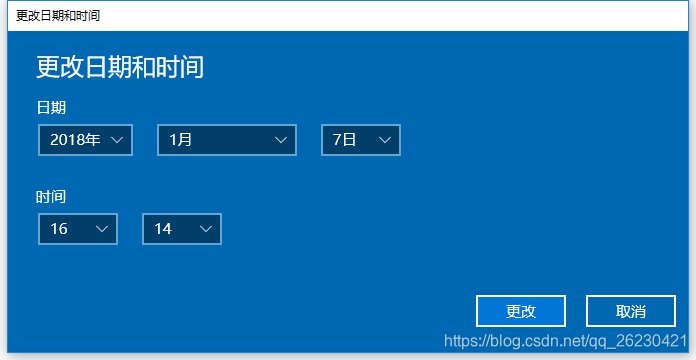
所以,这时候需要使用服务器时间来解决时间不准确的问题
下面是通过ajax访问服务器,通过error回调函数进行处理:
var time,year,month,date,hours,minutes,seconds;
//通过ajax访问服务器,获取服务器时间
$.ajax({type:"OPTIONS",url:"/",error:function(a){time = new Date(a.getResponseHeader("Date"));year = time.getFullYear();//小于10的数在前面加上0month = (time.getMonth()+1)<10?("0"+(time.getMonth()+1)):(time.getMonth()+1)date = time.getDate()<10?("0"+time.getDate()):time.getDate();hours = time.getHours()<10?("0"+time.getHours()):time.getHours();minutes = (time.getMinutes()<10?("0"+time.getMinutes()):time.getMinutes());seconds = (time.getSeconds()<10?("0"+time.getSeconds()):time.getSeconds());//拼格式,2018-01-15 19:05:33time = year+"-"+month+"-"+date+" "+hours+":"+minutes+":"+seconds;//赋值$("#registerTime").val(time); }
});
OK,GAME OVER!
本文来自互联网用户投稿,文章观点仅代表作者本人,不代表本站立场,不承担相关法律责任。如若转载,请注明出处。 如若内容造成侵权/违法违规/事实不符,请点击【内容举报】进行投诉反馈!