java-后台生成图表、并将图表保存为PNG图片

创建图表步骤:
* 1:创建数据集合
* 2:创建Chart:
* 3:设置抗锯齿,防止字体显示不清楚
* 4:对柱子进行渲染,
* 5:对其他部分进行渲染
* 6:使用chartPanel接收
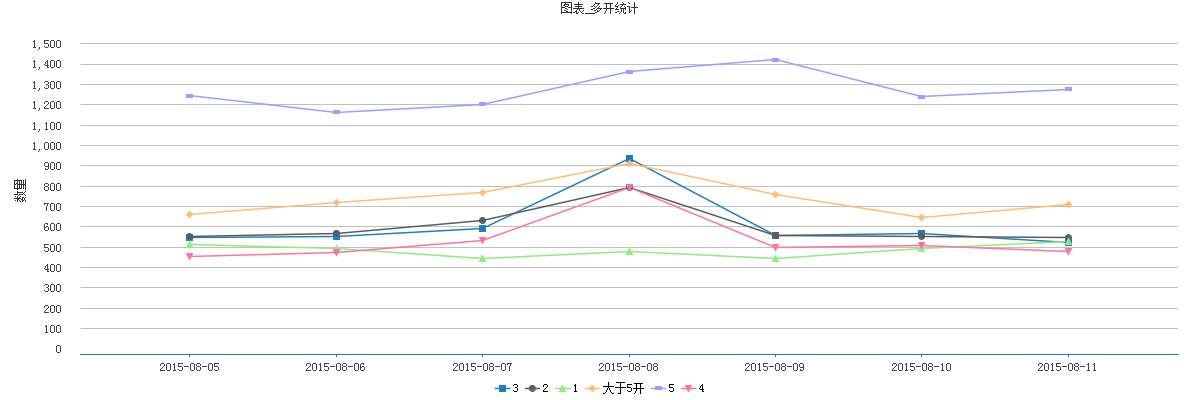
这里写图片描述
1:引包
jcommon-1.0.20.jar
jfreechart-1.0.16-experimental.jar
jfreechart-1.0.16.jar
2:创建工具类
ChartUtils.java

package util;import java.awt.BasicStroke;
import java.awt.Color;
import java.awt.Font;
import java.awt.Paint;
import java.awt.Rectangle;
import java.text.DecimalFormat;
import java.text.NumberFormat;
import java.text.ParseException;
import java.text.SimpleDateFormat;
import java.util.Date;
import java.util.Vector;import org.jfree.chart.ChartFactory;
import org.jfree.chart.JFreeChart;
import org.jfree.chart.StandardChartTheme;
import org.jfree.chart.axis.DateAxis;
import org.jfree.chart.axis.DateTickUnit;
import org.jfree.chart.axis.DateTickUnitType;
import org.jfree.chart.axis.ValueAxis;
import org.jfree.chart.block.BlockBorder;
import org.jfree.chart.labels.ItemLabelAnchor;
import org.jfree.chart.labels.ItemLabelPosition;
import org.jfree.chart.labels.StandardCategoryItemLabelGenerator;
import org.jfree.chart.labels.StandardPieSectionLabelGenerator;
import org.jfree.chart.labels.StandardXYItemLabelGenerator;
import org.jfree.chart.labels.StandardXYToolTipGenerator;
import org.jfree.chart.plot.CategoryPlot;
import org.jfree.chart.plot.DefaultDrawingSupplier;
import org.jfree.chart.plot.PieLabelLinkStyle;
import org.jfree.chart.plot.PiePlot;
import org.jfree.chart.plot.Plot;
import org.jfree.chart.plot.XYPlot;
import org.jfree.chart.renderer.category.BarRenderer;
import org.jfree.chart.renderer.category.LineAndShapeRenderer;
import org.jfree.chart.renderer.category.StackedBarRenderer;
import org.jfree.chart.renderer.category.StandardBarPainter;
import org.jfree.chart.renderer.xy.StandardXYBarPainter;
import org.jfree.chart.renderer.xy.XYBarRenderer;
import org.jfree.chart.renderer.xy.XYLineAndShapeRenderer;
import org.jfree.data.category.DefaultCategoryDataset;
import org.jfree.data.general.DefaultPieDataset;
import org.jfree.data.time.Day;
import org.jfree.data.time.TimeSeries;
import org.jfree.ui.RectangleInsets;
import org.jfree.ui.TextAnchor;/*** Jfreechart工具类* 

* 解决中午乱码问题
* 用来创建类别图表数据集、创建饼图数据集、时间序列图数据集
* 用来对柱状图、折线图、饼图、堆积柱状图、时间序列图的样式进行渲染
* 设置X-Y坐标轴样式*

* */ public class ChartUtils {private static String NO_DATA_MSG = "数据加载失败";private static Font FONT = new Font("宋体", Font.PLAIN, 12);public static Color[] CHART_COLORS = {new Color(31,129,188), new Color(92,92,97), new Color(144,237,125), new Color(255,188,117),new Color(153,158,255), new Color(255,117,153), new Color(253,236,109), new Color(128,133,232),new Color(158,90,102),new Color(255, 204, 102) };//颜色static {setChartTheme();}public ChartUtils() {}/*** 中文主题样式 解决乱码*/public static void setChartTheme() {// 设置中文主题样式 解决乱码StandardChartTheme chartTheme = new StandardChartTheme("CN");// 设置标题字体chartTheme.setExtraLargeFont(FONT);// 设置图例的字体chartTheme.setRegularFont(FONT);// 设置轴向的字体chartTheme.setLargeFont(FONT);chartTheme.setSmallFont(FONT);chartTheme.setTitlePaint(new Color(51, 51, 51));chartTheme.setSubtitlePaint(new Color(85, 85, 85));chartTheme.setLegendBackgroundPaint(Color.WHITE);// 设置标注chartTheme.setLegendItemPaint(Color.BLACK);//chartTheme.setChartBackgroundPaint(Color.WHITE);// 绘制颜色绘制颜色.轮廓供应商// paintSequence,outlinePaintSequence,strokeSequence,outlineStrokeSequence,shapeSequencePaint[] OUTLINE_PAINT_SEQUENCE = new Paint[] { Color.WHITE };// 绘制器颜色源DefaultDrawingSupplier drawingSupplier = new DefaultDrawingSupplier(CHART_COLORS, CHART_COLORS, OUTLINE_PAINT_SEQUENCE,DefaultDrawingSupplier.DEFAULT_STROKE_SEQUENCE, DefaultDrawingSupplier.DEFAULT_OUTLINE_STROKE_SEQUENCE,DefaultDrawingSupplier.DEFAULT_SHAPE_SEQUENCE);chartTheme.setDrawingSupplier(drawingSupplier);chartTheme.setPlotBackgroundPaint(Color.WHITE);// 绘制区域chartTheme.setPlotOutlinePaint(Color.WHITE);// 绘制区域外边框chartTheme.setLabelLinkPaint(new Color(8, 55, 114));// 链接标签颜色chartTheme.setLabelLinkStyle(PieLabelLinkStyle.CUBIC_CURVE);chartTheme.setAxisOffset(new RectangleInsets(5, 12, 5, 12));chartTheme.setDomainGridlinePaint(new Color(192, 208, 224));// X坐标轴垂直网格颜色chartTheme.setRangeGridlinePaint(new Color(192, 192, 192));// Y坐标轴水平网格颜色chartTheme.setBaselinePaint(Color.WHITE);chartTheme.setCrosshairPaint(Color.BLUE);// 不确定含义chartTheme.setAxisLabelPaint(new Color(51, 51, 51));// 坐标轴标题文字颜色chartTheme.setTickLabelPaint(new Color(67, 67, 72));// 刻度数字chartTheme.setBarPainter(new StandardBarPainter());// 设置柱状图渲染chartTheme.setXYBarPainter(new StandardXYBarPainter());// XYBar 渲染chartTheme.setItemLabelPaint(Color.black);chartTheme.setThermometerPaint(Color.white);// 温度计ChartFactory.setChartTheme(chartTheme);}/*** 必须设置文本抗锯齿*/public static void setAntiAlias(JFreeChart chart) {chart.setTextAntiAlias(false);}/*** 设置图例无边框,默认黑色边框*/public static void setLegendEmptyBorder(JFreeChart chart) {chart.getLegend().setFrame(new BlockBorder(Color.WHITE));}/*** 创建类别数据集合*/public static DefaultCategoryDataset createDefaultCategoryDataset(Vector series, String[] categories) {DefaultCategoryDataset dataset = new DefaultCategoryDataset();for (Serie serie : series) {String name = serie.getName();Vector data = serie.getData();if (data != null && categories != null && data.size() == categories.length) {for (int index = 0; index < data.size(); index++) {String value = data.get(index) == null ? "" : data.get(index).toString();if (isPercent(value)) {value = value.substring(0, value.length() - 1);}if (isNumber(value)) {dataset.setValue(Double.parseDouble(value), name, categories[index]);}}}}return dataset;}/*** 创建饼图数据集合*/public static DefaultPieDataset createDefaultPieDataset(String[] categories, Object[] datas) {DefaultPieDataset dataset = new DefaultPieDataset();for (int i = 0; i < categories.length && categories != null; i++) {String value = datas[i].toString();if (isPercent(value)) {value = value.substring(0, value.length() - 1);}if (isNumber(value)) {dataset.setValue(categories[i], Double.valueOf(value));}}return dataset;}/*** 创建时间序列数据* * @param category* 类别* @param dateValues* 日期-值 数组* @param xAxisTitle* X坐标轴标题* @return*/public static TimeSeries createTimeseries(String category, Vector dateValues) {TimeSeries timeseries = new TimeSeries(category);if (dateValues != null) {SimpleDateFormat dateFormat = new SimpleDateFormat("yyyy-MM-dd");for (Object[] objects : dateValues) {Date date = null;try {date = dateFormat.parse(objects[0].toString());} catch (ParseException e) {}String sValue = objects[1].toString();double dValue = 0;if (date != null && isNumber(sValue)) {dValue = Double.parseDouble(sValue);timeseries.add(new Day(date), dValue);}}}return timeseries;}/*** 设置 折线图样式* * @param plot* @param isShowDataLabels* 是否显示数据标签 默认不显示节点形状*/public static void setLineRender(CategoryPlot plot, boolean isShowDataLabels) {setLineRender(plot, isShowDataLabels, false);}/*** 设置折线图样式* * @param plot* @param isShowDataLabels* 是否显示数据标签*/public static void setLineRender(CategoryPlot plot, boolean isShowDataLabels, boolean isShapesVisible) {plot.setNoDataMessage(NO_DATA_MSG);plot.setInsets(new RectangleInsets(10, 10, 0, 10), false);LineAndShapeRenderer renderer = (LineAndShapeRenderer) plot.getRenderer();renderer.setStroke(new BasicStroke(1.5F));if (isShowDataLabels) {renderer.setBaseItemLabelsVisible(true);renderer.setBaseItemLabelGenerator(new StandardCategoryItemLabelGenerator(StandardCategoryItemLabelGenerator.DEFAULT_LABEL_FORMAT_STRING,NumberFormat.getInstance()));renderer.setBasePositiveItemLabelPosition(new ItemLabelPosition(ItemLabelAnchor.OUTSIDE1, TextAnchor.BOTTOM_CENTER));// weizhi}renderer.setBaseShapesVisible(isShapesVisible);// 数据点绘制形状setXAixs(plot);setYAixs(plot);}/*** 设置时间序列图样式* * @param plot* @param isShowData* 是否显示数据* @param isShapesVisible* 是否显示数据节点形状*/public static void setTimeSeriesRender(Plot plot, boolean isShowData, boolean isShapesVisible) {XYPlot xyplot = (XYPlot) plot;xyplot.setNoDataMessage(NO_DATA_MSG);xyplot.setInsets(new RectangleInsets(10, 10, 5, 10));XYLineAndShapeRenderer xyRenderer = (XYLineAndShapeRenderer) xyplot.getRenderer();xyRenderer.setBaseItemLabelGenerator(new StandardXYItemLabelGenerator());xyRenderer.setBaseShapesVisible(false);if (isShowData) {xyRenderer.setBaseItemLabelsVisible(true);xyRenderer.setBaseItemLabelGenerator(new StandardXYItemLabelGenerator());xyRenderer.setBasePositiveItemLabelPosition(new ItemLabelPosition(ItemLabelAnchor.OUTSIDE1, TextAnchor.BOTTOM_CENTER));// weizhi}xyRenderer.setBaseShapesVisible(isShapesVisible);// 数据点绘制形状DateAxis domainAxis = (DateAxis) xyplot.getDomainAxis();domainAxis.setAutoTickUnitSelection(false);DateTickUnit dateTickUnit = new DateTickUnit(DateTickUnitType.YEAR, 1, new SimpleDateFormat("yyyy-MM")); // 第二个参数是时间轴间距domainAxis.setTickUnit(dateTickUnit);StandardXYToolTipGenerator xyTooltipGenerator = new StandardXYToolTipGenerator("{1}:{2}", new SimpleDateFormat("yyyy-MM-dd"), new DecimalFormat("0"));xyRenderer.setBaseToolTipGenerator(xyTooltipGenerator);setXY_XAixs(xyplot);setXY_YAixs(xyplot);}/*** 设置时间序列图样式 -默认不显示数据节点形状* * @param plot* @param isShowData* 是否显示数据*/public static void setTimeSeriesRender(Plot plot, boolean isShowData) {setTimeSeriesRender(plot, isShowData, false);}/*** 设置时间序列图渲染:但是存在一个问题:如果timeseries里面的日期是按照天组织, 那么柱子的宽度会非常小,和直线一样粗细* * @param plot* @param isShowDataLabels*/public static void setTimeSeriesBarRender(Plot plot, boolean isShowDataLabels) {XYPlot xyplot = (XYPlot) plot;xyplot.setNoDataMessage(NO_DATA_MSG);XYBarRenderer xyRenderer = new XYBarRenderer(0.1D);xyRenderer.setBaseItemLabelGenerator(new StandardXYItemLabelGenerator());if (isShowDataLabels) {xyRenderer.setBaseItemLabelsVisible(true);xyRenderer.setBaseItemLabelGenerator(new StandardXYItemLabelGenerator());}StandardXYToolTipGenerator xyTooltipGenerator = new StandardXYToolTipGenerator("{1}:{2}", new SimpleDateFormat("yyyy-MM-dd"), new DecimalFormat("0"));xyRenderer.setBaseToolTipGenerator(xyTooltipGenerator);setXY_XAixs(xyplot);setXY_YAixs(xyplot);}/*** 设置柱状图渲染* * @param plot* @param isShowDataLabels*/public static void setBarRenderer(CategoryPlot plot, boolean isShowDataLabels) {plot.setNoDataMessage(NO_DATA_MSG);plot.setInsets(new RectangleInsets(10, 10, 5, 10));BarRenderer renderer = (BarRenderer) plot.getRenderer();renderer.setBaseItemLabelGenerator(new StandardCategoryItemLabelGenerator());renderer.setMaximumBarWidth(0.075);// 设置柱子最大宽度if (isShowDataLabels) {renderer.setBaseItemLabelsVisible(true);}setXAixs(plot);setYAixs(plot);}/*** 设置堆积柱状图渲染* * @param plot*/public static void setStackBarRender(CategoryPlot plot) {plot.setNoDataMessage(NO_DATA_MSG);plot.setInsets(new RectangleInsets(10, 10, 5, 10));StackedBarRenderer renderer = (StackedBarRenderer) plot.getRenderer();renderer.setBaseItemLabelGenerator(new StandardCategoryItemLabelGenerator());plot.setRenderer(renderer);setXAixs(plot);setYAixs(plot);}/*** 设置类别图表(CategoryPlot) X坐标轴线条颜色和样式* * @param axis*/public static void setXAixs(CategoryPlot plot) {Color lineColor = new Color(31, 121, 170);plot.getDomainAxis().setAxisLinePaint(lineColor);// X坐标轴颜色plot.getDomainAxis().setTickMarkPaint(lineColor);// X坐标轴标记|竖线颜色}/*** 设置类别图表(CategoryPlot) Y坐标轴线条颜色和样式 同时防止数据无法显示* * @param axis*/public static void setYAixs(CategoryPlot plot) {Color lineColor = new Color(192, 208, 224);ValueAxis axis = plot.getRangeAxis();axis.setAxisLinePaint(lineColor);// Y坐标轴颜色axis.setTickMarkPaint(lineColor);// Y坐标轴标记|竖线颜色// 隐藏Y刻度axis.setAxisLineVisible(false);axis.setTickMarksVisible(false);// Y轴网格线条plot.setRangeGridlinePaint(new Color(192, 192, 192));plot.setRangeGridlineStroke(new BasicStroke(1));plot.getRangeAxis().setUpperMargin(0.1);// 设置顶部Y坐标轴间距,防止数据无法显示plot.getRangeAxis().setLowerMargin(0.1);// 设置底部Y坐标轴间距}/*** 设置XY图表(XYPlot) X坐标轴线条颜色和样式* * @param axis*/public static void setXY_XAixs(XYPlot plot) {Color lineColor = new Color(31, 121, 170);plot.getDomainAxis().setAxisLinePaint(lineColor);// X坐标轴颜色plot.getDomainAxis().setTickMarkPaint(lineColor);// X坐标轴标记|竖线颜色}/*** 设置XY图表(XYPlot) Y坐标轴线条颜色和样式 同时防止数据无法显示* * @param axis*/public static void setXY_YAixs(XYPlot plot) {Color lineColor = new Color(192, 208, 224);ValueAxis axis = plot.getRangeAxis();axis.setAxisLinePaint(lineColor);// X坐标轴颜色axis.setTickMarkPaint(lineColor);// X坐标轴标记|竖线颜色// 隐藏Y刻度axis.setAxisLineVisible(false);axis.setTickMarksVisible(false);// Y轴网格线条plot.setRangeGridlinePaint(new Color(192, 192, 192));plot.setRangeGridlineStroke(new BasicStroke(1));plot.setDomainGridlinesVisible(false);plot.getRangeAxis().setUpperMargin(0.12);// 设置顶部Y坐标轴间距,防止数据无法显示plot.getRangeAxis().setLowerMargin(0.12);// 设置底部Y坐标轴间距}/*** 设置饼状图渲染*/public static void setPieRender(Plot plot) {plot.setNoDataMessage(NO_DATA_MSG);plot.setInsets(new RectangleInsets(10, 10, 5, 10));PiePlot piePlot = (PiePlot) plot;piePlot.setInsets(new RectangleInsets(0, 0, 0, 0));piePlot.setCircular(true);// 圆形// piePlot.setSimpleLabels(true);// 简单标签piePlot.setLabelGap(0.01);piePlot.setInteriorGap(0.05D);piePlot.setLegendItemShape(new Rectangle(10, 10));// 图例形状piePlot.setIgnoreNullValues(true);piePlot.setLabelBackgroundPaint(null);// 去掉背景色piePlot.setLabelShadowPaint(null);// 去掉阴影piePlot.setLabelOutlinePaint(null);// 去掉边框piePlot.setShadowPaint(null);// 0:category 1:value:2 :percentagepiePlot.setLabelGenerator(new StandardPieSectionLabelGenerator("{0}:{2}"));// 显示标签数据}/*** 是不是一个%形式的百分比* * @param str* @return*/public static boolean isPercent(String str) {return str != null ? str.endsWith("%") && isNumber(str.substring(0, str.length() - 1)) : false;}/*** 是不是一个数字* * @param str* @return*/public static boolean isNumber(String str) {return str != null ? str.matches("^[-+]?(([0-9]+)((([.]{0})([0-9]*))|(([.]{1})([0-9]+))))$") : false;}}

Serie.java

package util;import java.io.Serializable;
import java.util.Vector;/*** 系列:名字和数据集合 构成一条曲线
可以将serie看作一根线或者一根柱子:* *

* 参照JS图表来描述数据:
series: [{ name: 'Tokyo', data: [7.0, 6.9, 9.5, 14.5]* },
{ name: 'New York', data: [-0.2, 0.8, 5.7, 11.3} ]
*

* */
public class Serie implements Serializable {private static final long serialVersionUID = 1L;private String name;// 名字private Vector data;// 数据值ֵpublic Serie() {}/*** * @param name* 名称(线条名称)* @param data* 数据(线条上的所有数据值)*/public Serie(String name, Vector data) {this.name = name;this.data = data;}/*** * @param name* 名称(线条名称)* @param array* 数据(线条上的所有数据值)*/public Serie(String name, Object[] array) {this.name = name;if (array != null) {data = new Vector(array.length);for (int i = 0; i < array.length; i++) {data.add(array[i]);}}}public String getName() {return name;}public void setName(String name) {this.name = name;}public Vector getData() {return data;}public void setData(Vector data) {this.data = data;}}

3:生成折线图

package chart;import java.awt.Color;
import java.util.Vector;import javax.swing.JFrame;
import javax.swing.SwingUtilities;import org.jfree.chart.ChartFactory;
import org.jfree.chart.ChartPanel;
import org.jfree.chart.JFreeChart;
import org.jfree.chart.block.BlockBorder;
import org.jfree.data.category.DefaultCategoryDataset;import util.ChartUtils;
import util.Serie;/*** * 折线图*       

* 创建图表步骤:
* 1:创建数据集合
* 2:创建Chart:
* 3:设置抗锯齿,防止字体显示不清楚
* 4:对柱子进行渲染,
* 5:对其他部分进行渲染
* 6:使用chartPanel接收
* *

*/
public class LineChart {public LineChart() {}public DefaultCategoryDataset createDataset() {// 标注类别String[] categories = { "Jan", "Feb", "Mar", "Apr", "May", "Jun", "Jul", "Aug", "Sep", "Oct", "Nov", "Dec" };Vector series = new Vector();// 柱子名称:柱子所有的值集合series.add(new Serie("Tokyo", new Double[] { 49.9, 71.5, 106.4, 129.2, 144.0, 176.0, 135.6, 148.5, 216.4, 194.1, 95.6, 54.4 }));series.add(new Serie("New York", new Double[] { 83.6, 78.8, 98.5, 93.4, 106.0, 84.5, 105.0, 104.3, 91.2, 83.5, 106.6, 92.3 }));series.add(new Serie("London", new Double[] { 48.9, 38.8, 39.3, 41.4, 47.0, 48.3, 59.0, 59.6, 52.4, 65.2, 59.3, 51.2 }));series.add(new Serie("Berlin", new Double[] { 42.4, 33.2, 34.5, 39.7, 52.6, 75.5, 57.4, 60.4, 47.6, 39.1, 46.8, 51.1 }));// 1:创建数据集合DefaultCategoryDataset dataset = ChartUtils.createDefaultCategoryDataset(series, categories);return dataset;}public ChartPanel createChart() {// 2:创建Chart[创建不同图形]JFreeChart chart = ChartFactory.createLineChart("Monthly Average Rainfall", "", "Rainfall (mm)", createDataset());// 3:设置抗锯齿,防止字体显示不清楚ChartUtils.setAntiAlias(chart);// 抗锯齿// 4:对柱子进行渲染[[采用不同渲染]]ChartUtils.setLineRender(chart.getCategoryPlot(), false,true);//// 5:对其他部分进行渲染ChartUtils.setXAixs(chart.getCategoryPlot());// X坐标轴渲染ChartUtils.setYAixs(chart.getCategoryPlot());// Y坐标轴渲染// 设置标注无边框chart.getLegend().setFrame(new BlockBorder(Color.WHITE));// 6:使用chartPanel接收ChartPanel chartPanel = new ChartPanel(chart);return chartPanel;}public static void main(String[] args) {final JFrame frame = new JFrame();frame.setDefaultCloseOperation(JFrame.EXIT_ON_CLOSE);frame.setSize(1024, 420);frame.setLocationRelativeTo(null);SwingUtilities.invokeLater(new Runnable() {@Overridepublic void run() {// 创建图形ChartPanel chartPanel = new LineChart().createChart();frame.getContentPane().add(chartPanel);frame.setVisible(true);}});}}

4:将图表保存为PNG、JPEG图片

 public static void saveAsFile(JFreeChart chart, String outputPath,      int weight, int height)throws Exception {      FileOutputStream out = null;      File outFile = new File(outputPath);      if (!outFile.getParentFile().exists()) {      outFile.getParentFile().mkdirs();      }      out = new FileOutputStream(outputPath);      // 保存为PNG      ChartUtilities.writeChartAsPNG(out, chart, weight, height);      // 保存为JPEG      // ChartUtilities.writeChartAsJPEG(out, chart, weight, height);      out.flush();      if (out != null) {      try {      out.close();      } catch (IOException e) {      // do nothing      }      }      }


本文来自互联网用户投稿,文章观点仅代表作者本人,不代表本站立场,不承担相关法律责任。如若转载,请注明出处。 如若内容造成侵权/违法违规/事实不符,请点击【内容举报】进行投诉反馈!

相关文章