mysql 数据库服务二进制安装部署
利用官方网址获取数据库软件程序:https://www.mysql.com/
图解
历史版本
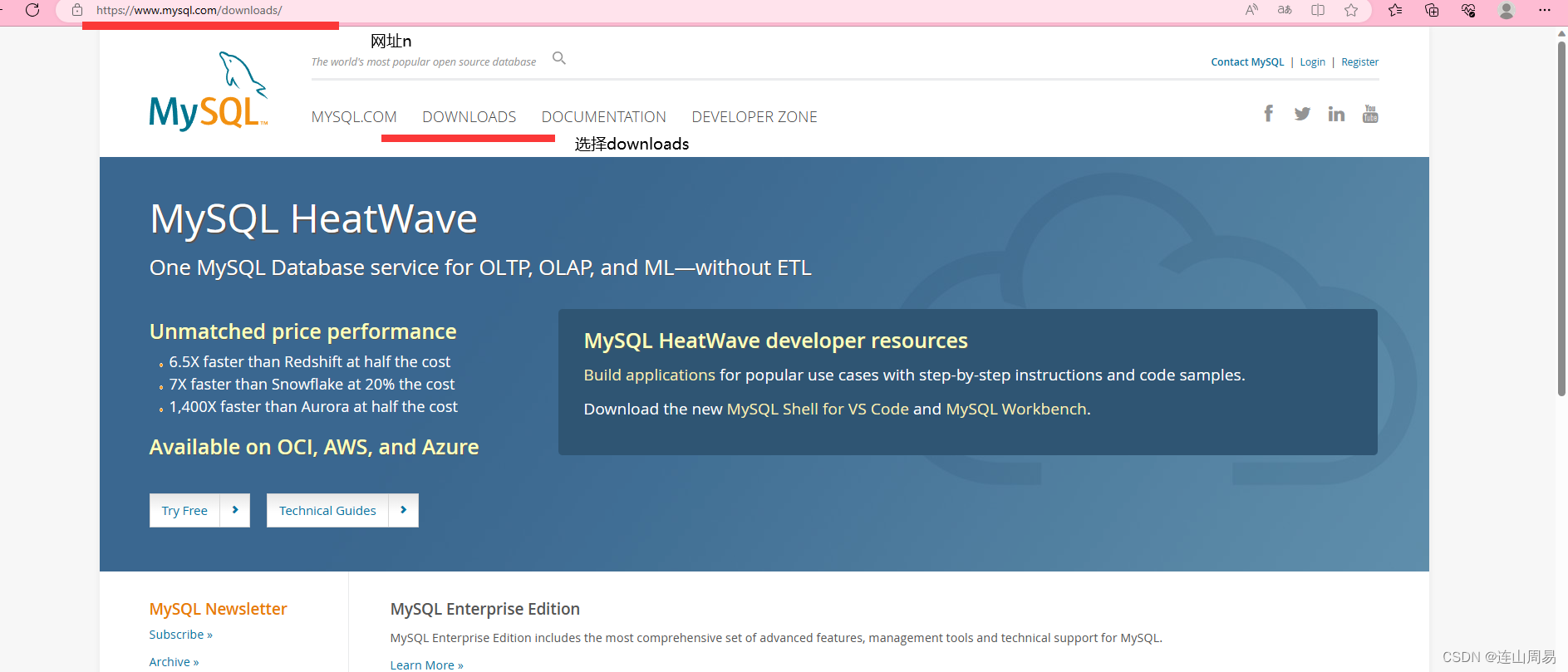
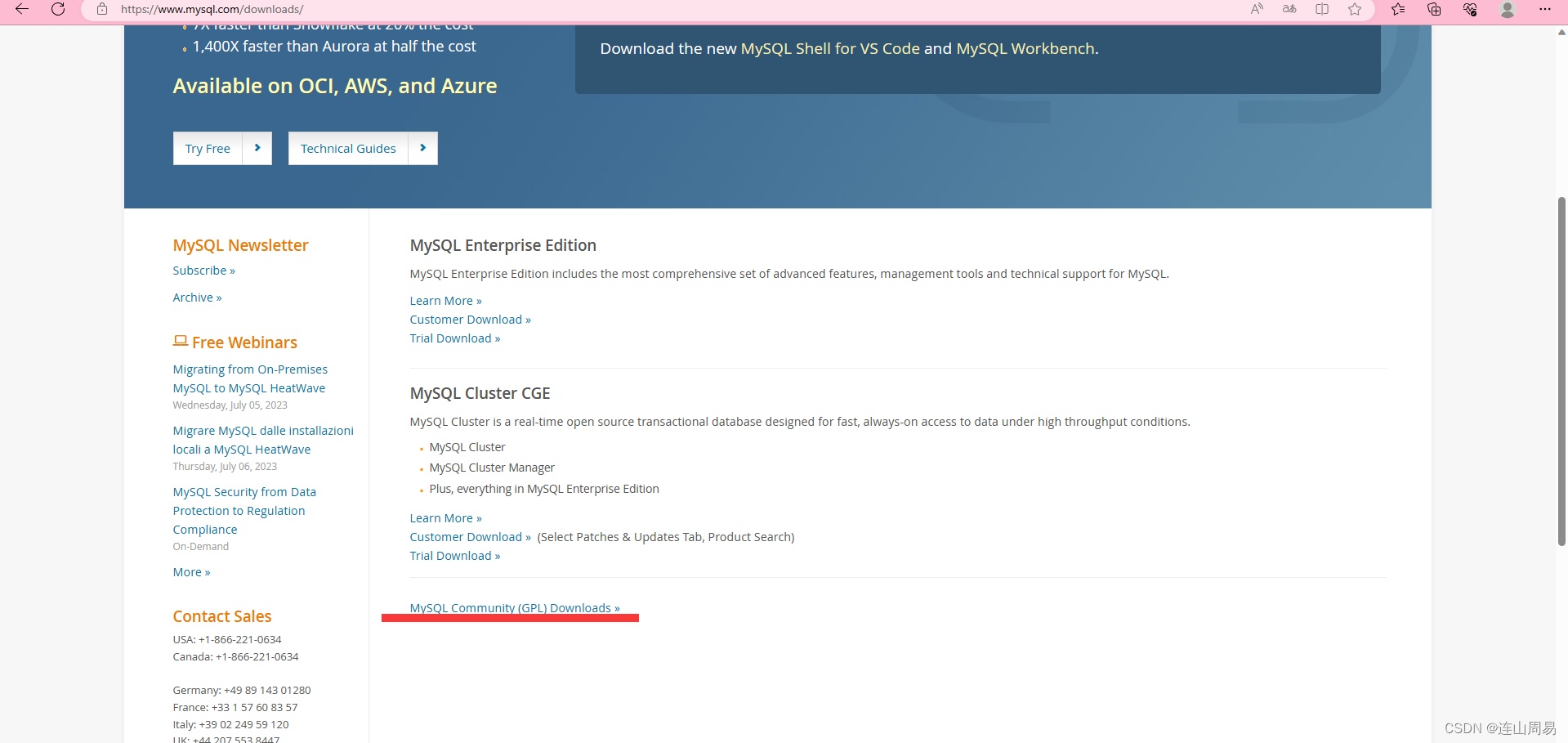
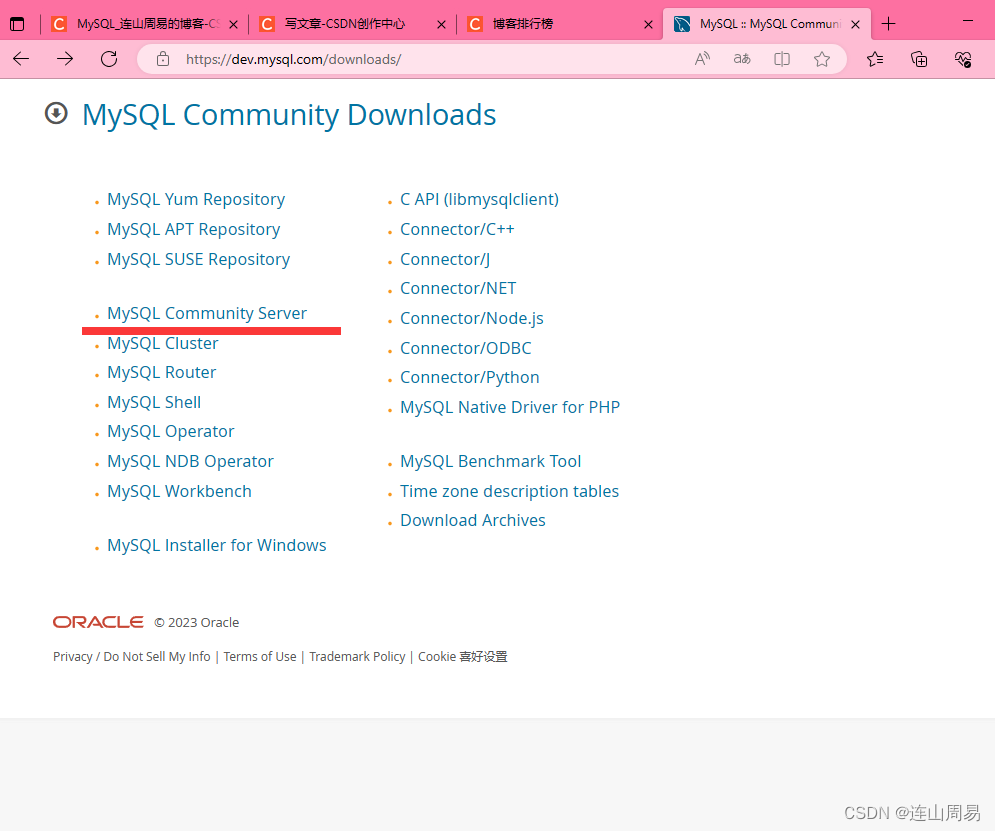
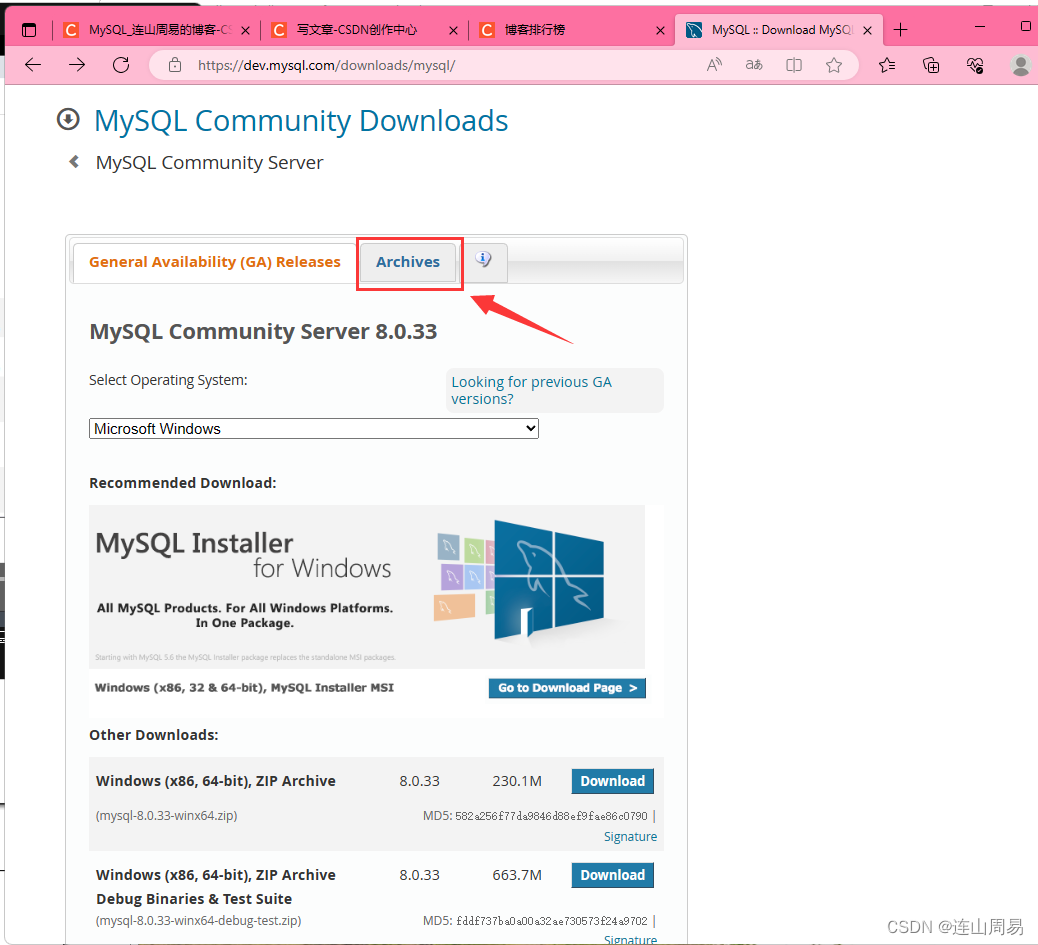
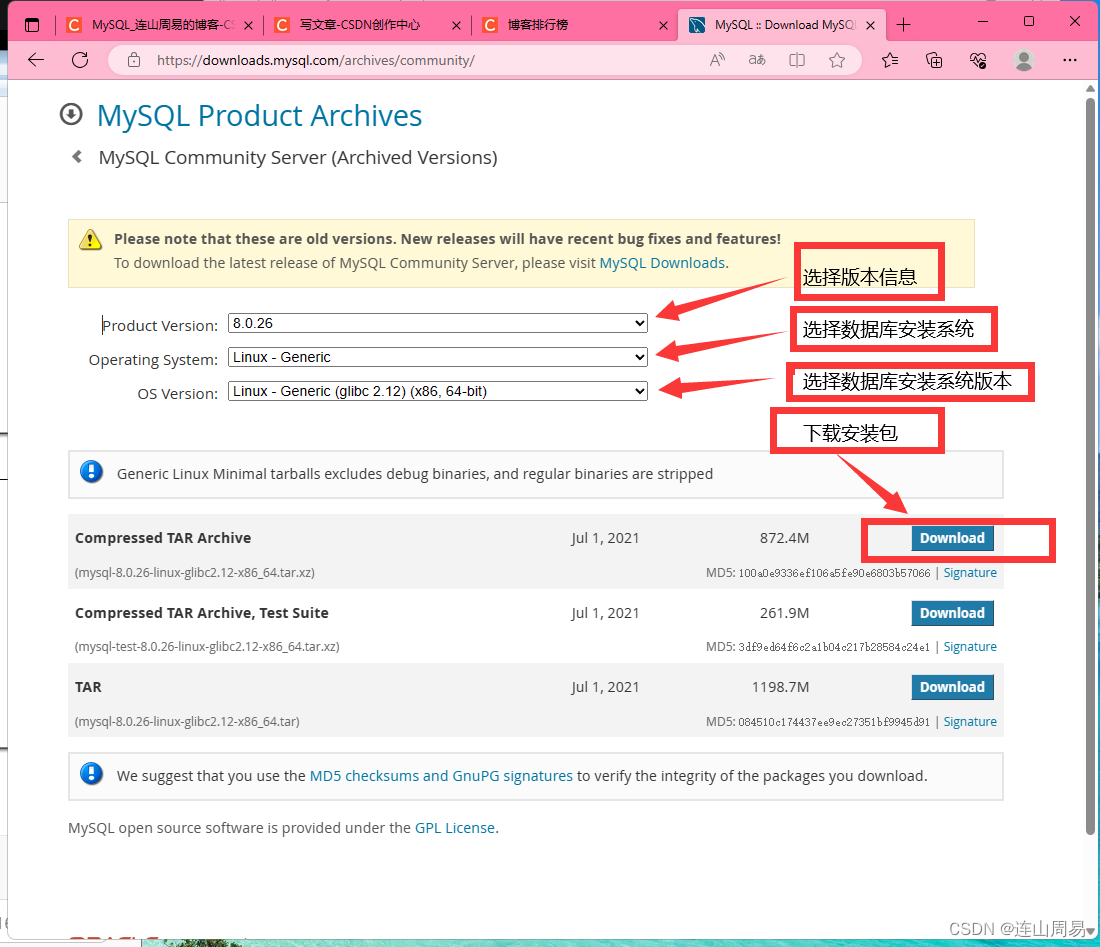
1)下载获取软件程序
http://wget https://downloads.mysql.com/archives/get/p/23/file/mysql-8.0.26-linux-glibc2.12-x86_64.tar.xz
[root@zhang ~]wget http://wget https://downloads.mysql.com/archives/get/p/23/file/mysql-8.0.26-linux-glibc2.12-x86_64.tar.xz
[root@zhang ~]# mv mysql-8.0.26-linux-glibc2.12-x86_64.tar.xz  /lianshan
[root@zhang ~]# cd  /lianshan
[root@zhang lianshan]# tar xf mysql-8.0.26-linux-glibc2.12-x86_64.tar.xz
[root@zhang lianshan]# ln -s mysql-8.0.26-linux-glibc2.12-x86_64 mysql
=================================================================================================================#编辑配置文件按
[root@zhang lianshan]# vim /etc/my.cnf
[mysqld]
user=mysql
basedir=/lianshan/mysql
datadir=/lianshan/data
socket=/tmp/mysql.sock
"/etc/my.cnf" 5L, 95C written
[root@zhang lianshan]# cd /tmp/
================================================================================================================#初始化数据库
[root@zhang lianshan]#   mysqld --initialize-insecure --user=mysql --basedir=/lianshan/mysql --datadir=/lianshan/data
2023-07-04T16:59:15.920661Z 0 [System] [MY-013169] [Server] /lianshan/mysql-8.0.26-linux-glibc2.12-x86_64/bin/mysqld (mysqld 8.0.26) initializing of server in progress as process 2183
2023-07-04T16:59:15.928427Z 1 [System] [MY-013576] [InnoDB] InnoDB initialization has started.
2023-07-04T16:59:16.483739Z 1 [System] [MY-013577] [InnoDB] InnoDB initialization has ended.
2023-07-04T16:59:17.232252Z 0 [Warning] [MY-013746] [Server] A deprecated TLS version TLSv1 is enabled for channel mysql_main
2023-07-04T16:59:17.232614Z 0 [Warning] [MY-013746] [Server] A deprecated TLS version TLSv1.1 is enabled for channel mysql_main
2023-07-04T16:59:17.322541Z 6 [Warning] [MY-010453] [Server] root@localhost is created with an empty password ! Please consider switching off the --initialize-insecure option.
===============================================================================================================#变量编写
[root@zhang lianshan]# vim /etc/profile
elseexport HISTCONTROL=ignoredups
fiexport PATH USER LOGNAME MAIL HOSTNAME HISTSIZE HISTCONTROL# By default, we want umask to get set. This sets it for login shell
# Current threshold for system reserved uid/gids is 200
# You could check uidgid reservation validity in
# /usr/share/doc/setup-*/uidgid file
if [ $UID -gt 199 ] && [ "`/usr/bin/id -gn`" = "`/usr/bin/id -un`" ]; thenumask 002
elseumask 022
fifor i in /etc/profile.d/*.sh /etc/profile.d/sh.local ; doif [ -r "$i" ]; thenif [ "${-#*i}" != "$-" ]; then. "$i"else. "$i" >/dev/nullfifi
doneunset i
unset -f pathmunge
#加入的变量
export PATH="$PATH:/lianshan/mysql/bin"
"/etc/profile" 76L, 1858C written
[root@zhang lianshan]#    source /etc/profile
[root@zhang lianshan]# mysql -V
mysql  Ver 8.0.26 for Linux on x86_64 (MySQL Community Server - GPL)
==================================================================================================================#启动数据库
[root@zhang lianshan]#   cp /lianshan/mysql/support-files/mysql.server /etc/init.d/mysqld
[root@zhang lianshan]#  /etc/init.d/mysqld start
Starting MySQL.sed: -e expression #1, char 11: unterminated `s' command
Logging to '/lianshan/data/zhang.err'.SUCCESS! ===============================================================================================================#登录测试
[root@zhang lianshan]# mysql -uroot
Welcome to the MySQL monitor.  Commands end with ; or \g.
Your MySQL connection id is 8
Server version: 8.0.26 MySQL Community Server - GPLCopyright (c) 2000, 2021, Oracle and/or its affiliates.Oracle is a registered trademark of Oracle Corporation and/or its
affiliates. Other names may be trademarks of their respective
owners.Type 'help;' or '\h' for help. Type '\c' to clear the current input statement.mysql>
本文来自互联网用户投稿,文章观点仅代表作者本人,不代表本站立场,不承担相关法律责任。如若转载,请注明出处。 如若内容造成侵权/违法违规/事实不符,请点击【内容举报】进行投诉反馈!