TwinCAT3 全黑主题 Dark Mode
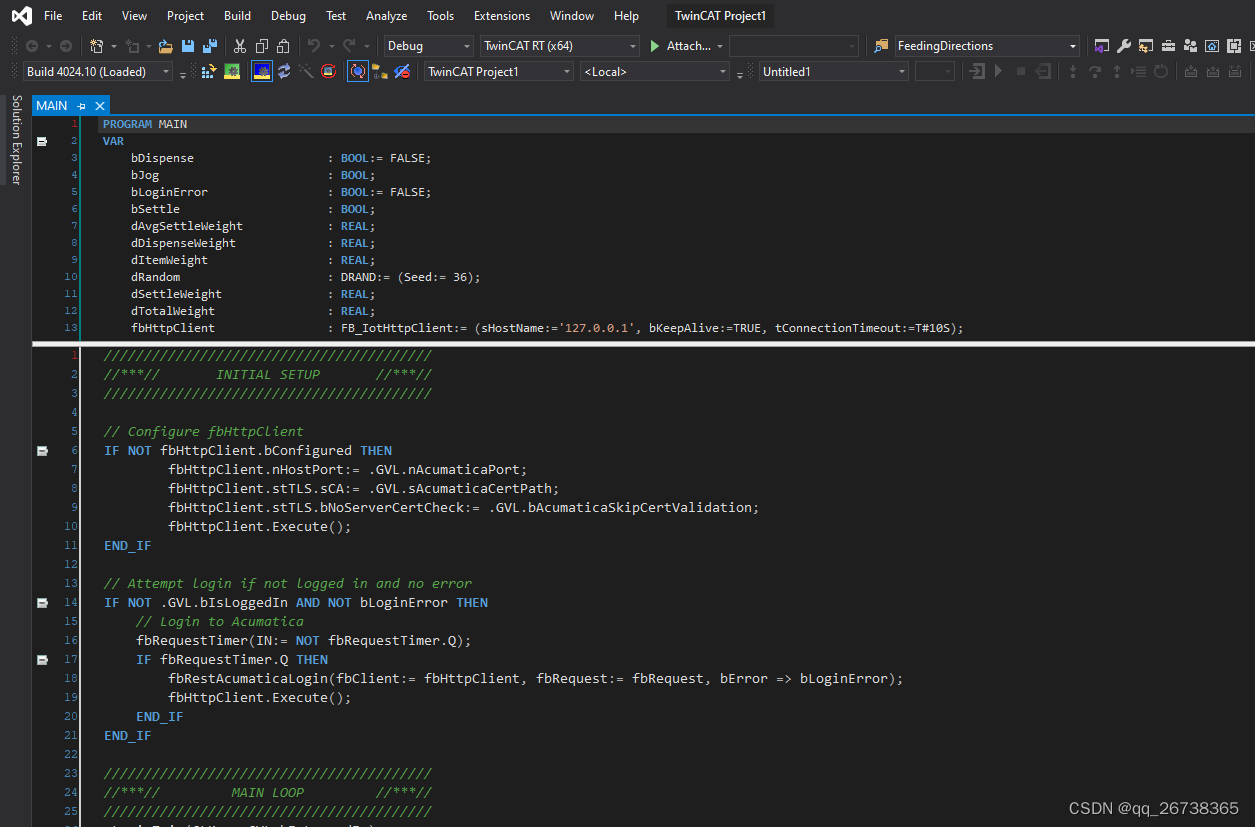
据可靠消息,德国倍福将在TwinCAT3 全新版本 3.1.4026推出Dark Mode主题,支持TwinCAT3所有界面呈现出全黑状态,那如果是现在使用的4024及之前的版本,想用全局全黑界面,国外大神给了一个例子,供参考。
话不多说,先看效果:
接下来是使用方法:
⚠️ I am not responsible for anything that happens as a result of you following OR not following the instructions below!
There are reports of unexplained VS crashes, possibly due to changes made here. See the warning above!
The upper editor in online view will remain white. This is a known issue for which I have no solution currently.
Instructions
- Get the files
- Download the
TwinCAT_DarkMode.zipfile and extract somewhere - Close any running instances of Visual Studio
- Copy the
TwinCATfolder that is extracted and paste into the parent folder of your TwinCAT installation directory. For example, if TwinCAT is installed inC:\, copy the extractedTwinCATfolder toC:\. This will cause Windows to ask if you would like to replace several files. Click Replace the files in the destination. This will also copy backup files, so you should not NEED to backup, but IF YOU DON'T, see the warning at the top of this page.
- Download the
- Import the settings (will only affect a couple TwinCAT options)
- Start Visual Studio
- Open the
Tools>Import and Export Settings...menu - Select the Import selected environment settings and click Next
- Import settings
- Choose to save your current settings OR
- choose not to save your current settings (see warning at top of page)
- Click Next
- Click Browse
- Find and open either
- the
VS_DarkModeColors.vssettingsfor the Visual Studio integration OR - the
XAE_DarkModeColors.vssettingsfor the XAE shell
- the
- Click Next and then Finish
If you receive the error 'Cannot start PLC' or something similar, you can try navigating to root\TwinCAT\3.1\Components\Plc\LacBinaries\GAC_MSIL Under the following folders, there will be a secondary file with the extension *.dll.modd which you can rename to *.dll to replace currently active library.
- ControlsContrib
- PInvoke
- Utilities
This is not a guaranteed fix.
Since this project is taking up a lot of time and seems to be fraught with hangups and gotchas, I will no longer be supporting it. You can find the original post here: https://www.reddit.com/r/PLC/comments/hudl9k/finally_made_a_proper_dark_theme_for_a_plc_editor/ (it is not mine).
原作地址:GitHub - beardedmogul/TwinCATDarkMode: Mod allowing dark mode in the TwinCAT editor in Visual Studio
本文来自互联网用户投稿,文章观点仅代表作者本人,不代表本站立场,不承担相关法律责任。如若转载,请注明出处。 如若内容造成侵权/违法违规/事实不符,请点击【内容举报】进行投诉反馈!