520来了想要表白的看这里,教你用python画不同类型的心形图虏获芳心,值得收藏!!

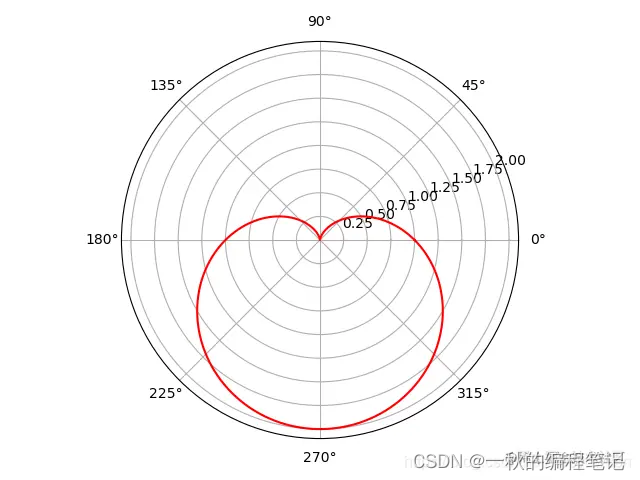
python中有很多方法去画心形图用来表白,其中最典型的就是数学中心型曲线:r=a(1-sinθ),下面就总结以下python中那些画心形图的方法。末尾有一个完美的表白工具,可以直接使用。
点击免费领取《CSDN大礼包》:
最新全套【Python入门到进阶资料 & 实战源码 & 安装工具】
https://mp.weixin.qq.com/s/9IuSexhanYZ1TMAF1MZIhw
数学中美丽的心形线:r=a(1-sinθ)
import numpy as np
import matplotlib.pyplot as plt
T = np.linspace(0, 2 * np.pi, 1024)  # 角度范围 0-2*pi,划为1024等份
plt.axes(polar=True)    # 开启极坐标模式
plt.plot(T, 1. - np.sin(T), color="r")
plt.show()
1、利用python的turtle教你动态的爱心图表白
import turtle
turtle.color('red', 'pink')
turtle.pensize(2)
turtle.pendown()
turtle.setheading(150)
turtle.begin_fill()
turtle.fd(50)
turtle.circle(50 * -3.745, 45)
turtle.circle(50 * -1.431, 165)
turtle.left(120)
turtle.circle(50 * -1.431, 165)
turtle.circle(50 * -3.745, 45)
turtle.fd(50)
turtle.end_fill()

2、利用python的plt教你画渐变颜色爱心图表白
import matplotlib.pyplot as plt
from matplotlib import animation
import numpy as np
import matht = np.linspace(0, math.pi, 1000)
x = np.sin(t)
y = np.cos(t) + np.power(x, 2.0 / 3)  # 心型曲线的参数方程plt.scatter(x, y, c=y, cmap=plt.cm.Reds, edgecolor='none', s=40)
plt.scatter(-x, y, c=y, cmap=plt.cm.Reds, edgecolor='none', s=40)  # 渐变颜色曲线
# 填充曲线
plt.fill(x, y, 'r', alpha=0.6)
plt.fill(-x, y, 'r', alpha=0.6)plt.axis([-2, 2, -2, 2])  # 坐标轴范围
plt.title("I love you", fontsize=30)
# 取消坐标轴显示
plt.axis('off')
# 保存文件
plt.savefig("❤图1.png")  # 在 plt.show() 之前调用 plt.savefig()
plt.show()
alpha=0

alpha=0.3

alpha=0.6

3、利用python的plt教你画3D爱心图表白
# coding=utf-8
# 3D心形import matplotlib.pyplot as plt
import numpy as np
import matplotlibmatplotlib.rcParams['axes.unicode_minus'] = Falsedef heart_3d(x, y, z):return (x**2+(9/4)*y**2+z**2-1)**3-x**2*z**3-(9/80)*y**2*z**3def plot_implicit(fn, bbox=(-1.5, 1.5)):xmin, xmax, ymin, ymax, zmin, zmax = bbox*3fig = plt.figure()ax = fig.add_subplot(111, projection='3d')A = np.linspace(xmin, xmax, 100)    # 轮廓分辨率B = np.linspace(xmin, xmax, 40)     # 切片数量A1, A2 = np.meshgrid(A, A)          # 绘制等高线的网格for z in B:     # 在XY平面绘制等高线X, Y = A1, A2Z = fn(X, Y, z)cset = ax.contour(X, Y, Z+z, [z], zdir='z', colors=('r',))for y in B:     # 在XZ平面绘制等高线X, Z = A1, A2Y = fn(X, y, Z)cset = ax.contour(X, Y+y, Z, [y], zdir='y', colors=('red',))for x in B:     # 在YZ平面绘制等高线Y, Z = A1, A2X = fn(x, Y, Z)cset = ax.contour(X+x, Y, Z, [x], zdir='x',colors=('red',))ax.set_zlim3d(zmin, zmax)ax.set_xlim3d(xmin, xmax)ax.set_ylim3d(ymin, ymax)# 标题plt.title("I love you", fontsize=30)# 取消坐标轴显示plt.axis('off')# 保存文件plt.savefig("3D_❤图.png")  # 在 plt.show() 之前调用 plt.savefig()plt.show()if __name__ == '__main__':plot_implicit(heart_3d)

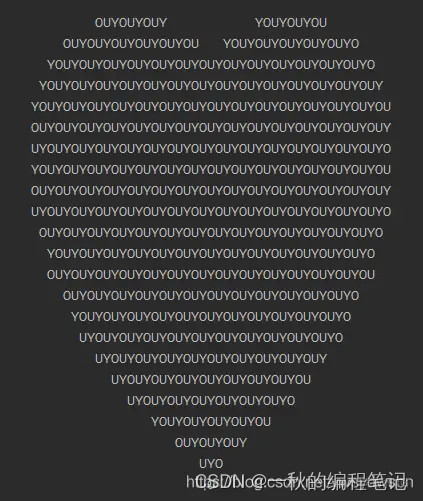
4、利用python一行代码教你画爱心图表白
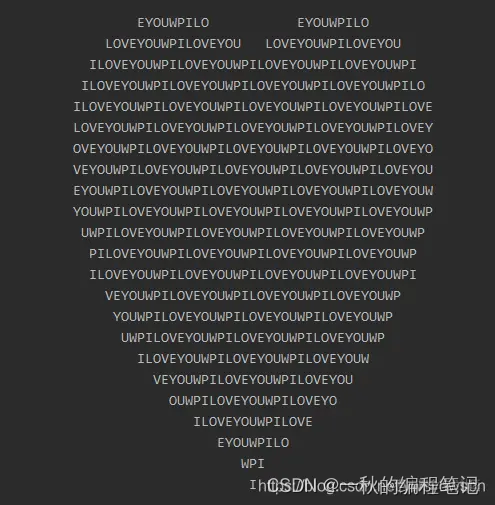
print('\n'.join([''.join([('ILOVEYOUWP'[(x-y) % 10]if((x*0.05)**2+(y*0.1)**2-1)**3-(x*0.05)**2*(y*0.1)**3<=0 else' ')for x in range(-60,60)])for y in range(30,-30,-1)]))

5、利用python几行代码教你画爱心图表白
import time
ILY = input('请输入你想对她说的话:')
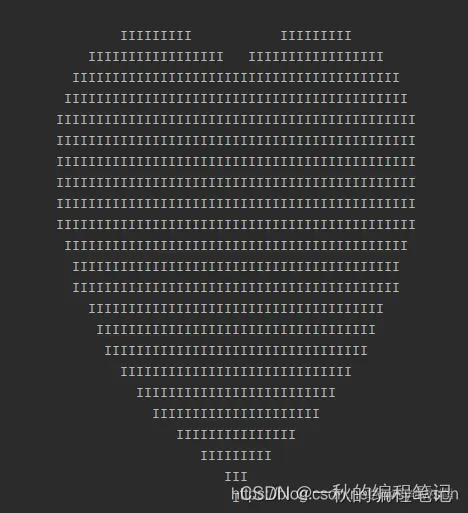
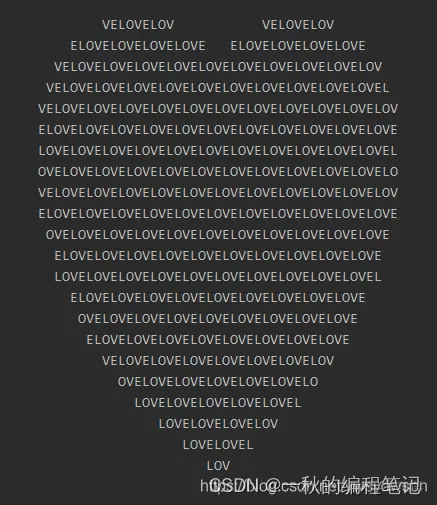
for item in ILY.split():print('\n'.join([''.join([(item[(x-y) % len(item)] if ((x*0.05)**2+(y*0.1)**2-1)**3-(x*0.05)**2*(y*0.1)**3 <= 0 else ' ') for x in range(-60, 60)]) for y in range(30, -30, -1)]))time.sleep(3);


6、完美表白工具
import turtle
import time# 清屏函数
def clear_all():turtle.penup()turtle.goto(0, 0)turtle.color('white')turtle.pensize(800)turtle.pendown()turtle.setheading(0)turtle.fd(300)turtle.bk(600)# 重定位海龟的位置
def go_to(x, y, state):turtle.pendown() if state else turtle.penup()turtle.goto(x, y)# 画爱心
def draw_heart(size):turtle.color('red', 'pink')turtle.pensize(2)turtle.pendown()turtle.setheading(150)turtle.begin_fill()turtle.fd(size)turtle.circle(size * -3.745, 45)turtle.circle(size * -1.431, 165)turtle.left(120)turtle.circle(size * -1.431, 165)turtle.circle(size * -3.745, 45)turtle.fd(size)turtle.end_fill()# 画出发射爱心的小人
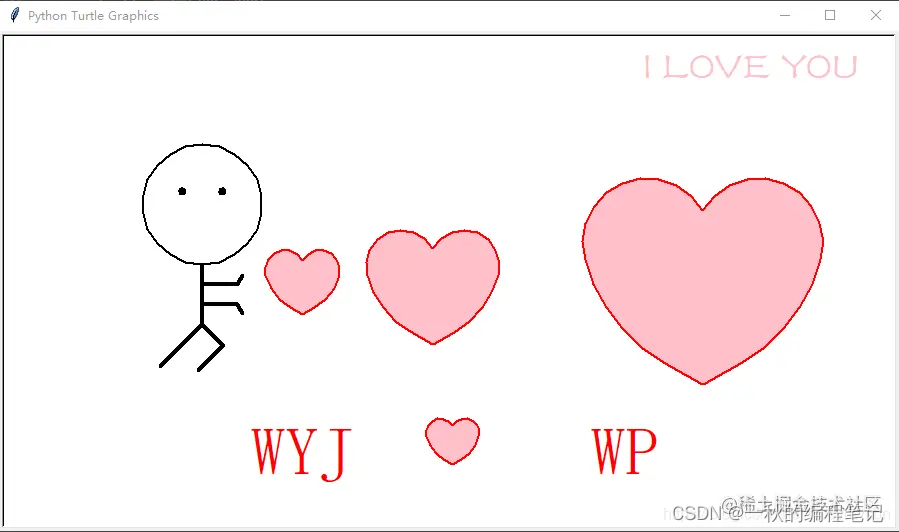
def draw_people(x, y):turtle.penup()turtle.goto(x, y)turtle.pendown()turtle.pensize(2)turtle.color('black')turtle.setheading(0)turtle.circle(60, 360)turtle.penup()turtle.setheading(90)turtle.fd(75)turtle.setheading(180)turtle.fd(20)turtle.pensize(4)turtle.pendown()turtle.circle(2, 360)turtle.setheading(0)turtle.penup()turtle.fd(40)turtle.pensize(4)turtle.pendown()turtle.circle(-2, 360)turtle.penup()turtle.goto(x, y)turtle.setheading(-90)turtle.pendown()turtle.fd(20)turtle.setheading(0)turtle.fd(35)turtle.setheading(60)turtle.fd(10)turtle.penup()turtle.goto(x, y)turtle.setheading(-90)turtle.pendown()turtle.fd(40)turtle.setheading(0)turtle.fd(35)turtle.setheading(-60)turtle.fd(10)turtle.penup()turtle.goto(x, y)turtle.setheading(-90)turtle.pendown()turtle.fd(60)turtle.setheading(-135)turtle.fd(60)turtle.bk(60)turtle.setheading(-45)turtle.fd(30)turtle.setheading(-135)turtle.fd(35)turtle.penup()# 第一个画面,显示文字
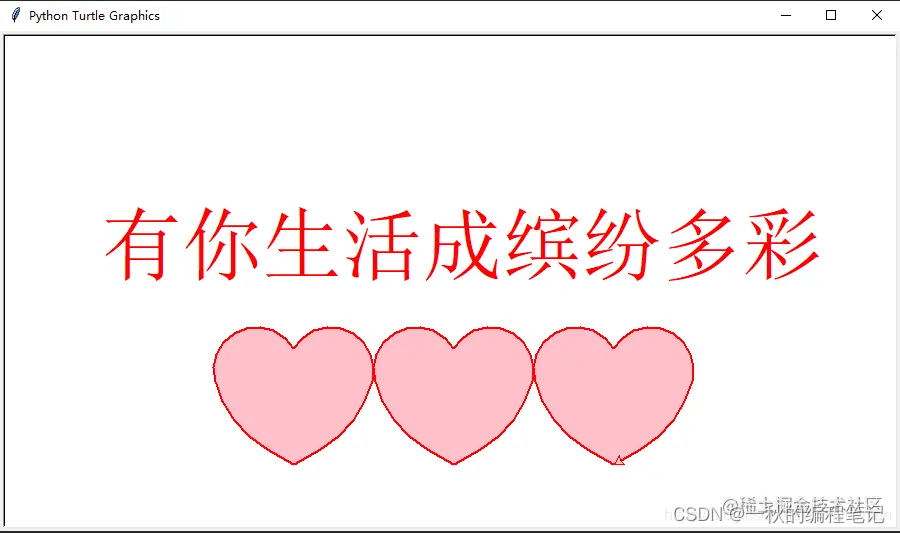
def page0():turtle.penup()turtle.goto(-350, 0)turtle.color('red')turtle.write('有你生活成缤纷多彩', font=('宋体', 60, 'normal'))turtle.penup()turtle.goto(-160, -180)draw_heart(30)turtle.penup()turtle.goto(0, -180)draw_heart(30)turtle.penup()turtle.goto(160, -180)draw_heart(30)time.sleep(3)# 第二个画面,显示发射爱心的小人
def page1():turtle.speed(10)turtle.penup()turtle.goto(-200, -200)turtle.color('red')turtle.pendown()turtle.write('WYJ       WP', font=('wisdom', 50, 'normal'))turtle.penup()turtle.goto(0, -180)draw_heart(10)draw_people(-250, 20)turtle.penup()turtle.goto(-150, -30)draw_heart(14)turtle.penup()turtle.goto(-20, -60)draw_heart(25)turtle.penup()turtle.goto(250, -100)draw_heart(45)turtle.hideturtle()# 写送给谁turtle.pencolor("PINK")turtle.penup()turtle.goto(300, 200)turtle.write(str, move=False, align='center', font=("方正舒体", 30, 'normal'))time.sleep(3)def main():turtle.setup(900, 500)page0()clear_all()page1()clear_all()turtle.done()if __name__ == '__main__':str = input('请输入表白语:')main()

心形代码就分享到这里,完整的源码已经打包好了,需要的朋友可以扫描下方二维码免费自取!

本文来自互联网用户投稿,文章观点仅代表作者本人,不代表本站立场,不承担相关法律责任。如若转载,请注明出处。 如若内容造成侵权/违法违规/事实不符,请点击【内容举报】进行投诉反馈!