基于HTML/CSS/JS的年龄计算器 | 带有免费源码
🌊 作者主页:海拥
🌊 作者简介:🏆CSDN全栈领域优质创作者、🥇HDZ核心组成员
🌊 粉丝福利:👉 粉丝群 👈每周送6-9本书,不定期送各种小礼品(往期获奖记录)
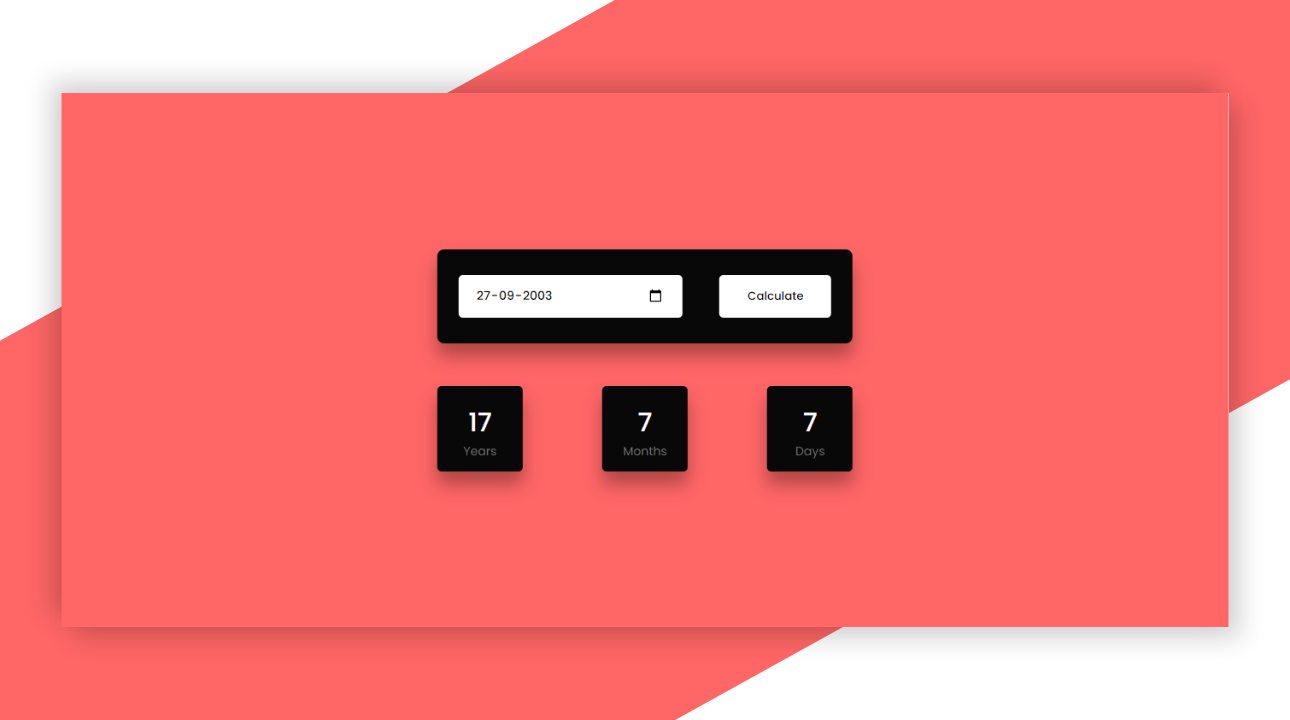
年龄计算器 | 带有免费源码的Javascript项目
- 演示效果
- HTML代码
- CSS代码
- Javascript
- 演示地址
- 源码下载
- 🥇 评论区抽粉丝送书啦
在线演示地址:https://haiyong.site/tools/age-calculator.html
JavaScript提供了一些内置的日期和时间函数,有助于从日期(出生日期)开始计算年龄。使用这些JavaScript方法,您可以轻松找到任何人的年龄。为此,我们需要用户输入日期和当前系统日期。
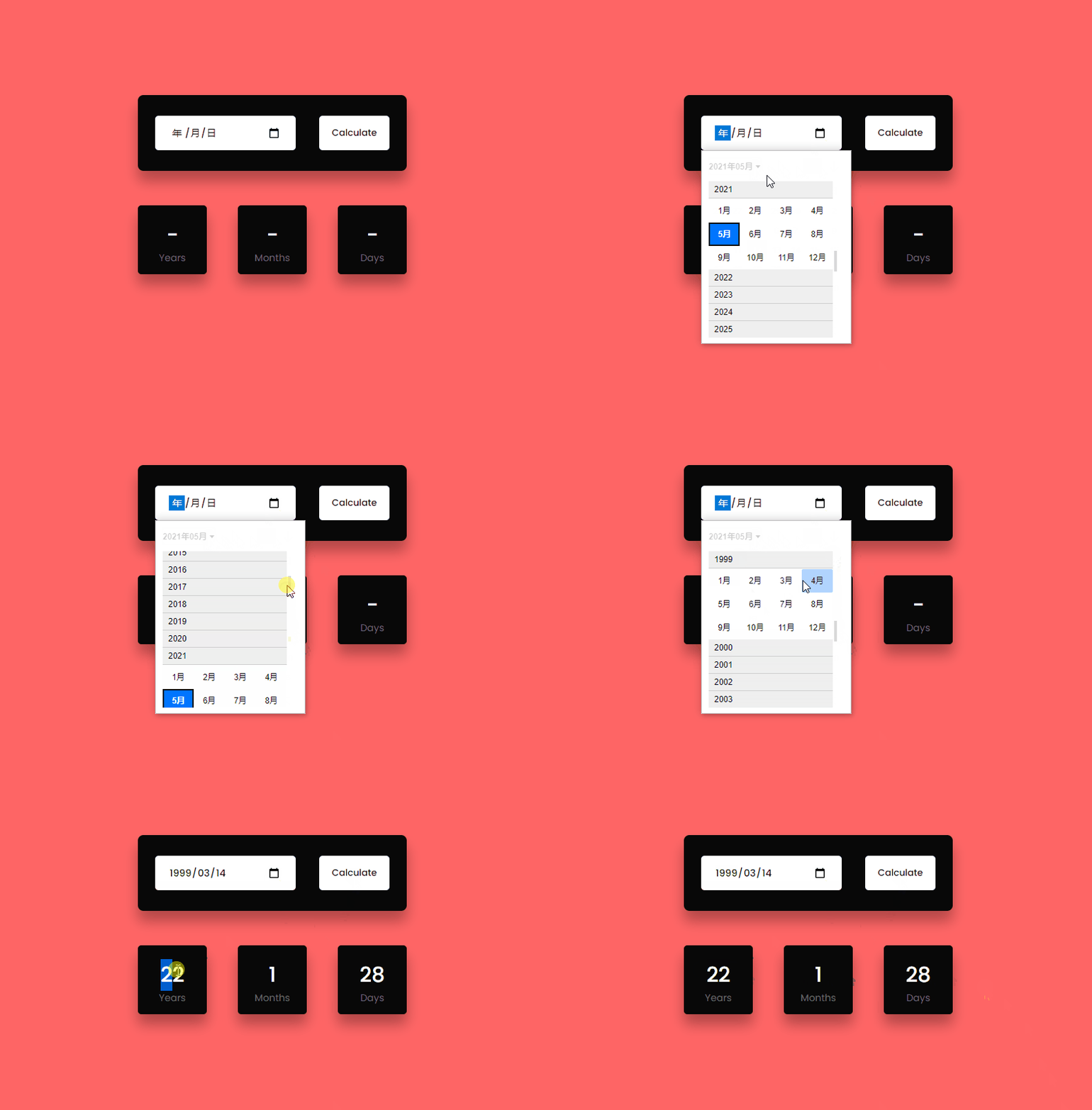
演示效果
HTML代码
<div class="container"><div class="inputs-wrapper"><input type="date" id="date-input"><button onclick="ageCalculate()">Calculatebutton>div><div class="outputs-wrapper"><div><span id="years">-span><p>Yearsp>div><div><span id="months">-span><p>Monthsp>div><div><span id="days">-span><p>Daysp>div>div>div>
CSS代码
*,
*:before,
*:after{padding: 0;margin: 0;box-sizing: border-box;
}
body{background-color: #ff6666;
}
.container{width: 40%;min-width: 450px;position: absolute;transform: translate(-50%,-50%);left: 50%;top: 50%;padding: 50px 30px;
}
.container *{font-family: "Poppins",sans-serif;border: none;outline: none;
}
.inputs-wrapper{background-color: #080808;padding: 30px 25px;border-radius: 8px;box-shadow: 0 15px 20px rgba(0,0,0,0.3);margin-bottom: 50px;
}
input,
button{height: 50px;background-color: #ffffff;color: #080808;font-weight: 500;border-radius: 5px;
}
input{width: 60%;padding: 0 20px;font-size: 14px;
}
button{width: 30%;float: right;
}
.outputs-wrapper{width: 100%;display: flex;justify-content: space-between;
}
.outputs-wrapper div{height: 100px;width: 100px;background-color: #080808;border-radius: 5px;color: #ffffff;display: grid;place-items: center;padding: 20px 0;box-shadow: 0 15px 20px rgba(0,0,0,0.3);}
span{font-size: 30px;font-weight: 500;
}
p{font-size: 14px;color: #707070;font-weight: 400;
}
Javascript
const months = [31,28,31,30,31,30,31,31,30,31,30,31];function ageCalculate(){let today = new Date();let inputDate = new Date(document.getElementById("date-input").value);let birthMonth,birthDate,birthYear;let birthDetails = {date:inputDate.getDate(),month:inputDate.getMonth()+1,year:inputDate.getFullYear()}let currentYear = today.getFullYear();let currentMonth = today.getMonth()+1;let currentDate = today.getDate();leapChecker(currentYear);if(birthDetails.year > currentYear ||( birthDetails.month > currentMonth && birthDetails.year == currentYear) || (birthDetails.date > currentDate && birthDetails.month == currentMonth && birthDetails.year == currentYear)){alert("Not Born Yet");displayResult("-","-","-");return;}birthYear = currentYear - birthDetails.year;if(currentMonth >= birthDetails.month){birthMonth = currentMonth - birthDetails.month;}else{birthYear--;birthMonth = 12 + currentMonth - birthDetails.month;}if(currentDate >= birthDetails.date){birthDate = currentDate - birthDetails.date;}else{birthMonth--;let days = months[currentMonth - 2];birthDate = days + currentDate - birthDetails.date;if(birthMonth < 0){birthMonth = 11;birthYear--;}}displayResult(birthDate,birthMonth,birthYear);
}function displayResult(bDate,bMonth,bYear){document.getElementById("years").textContent = bYear;document.getElementById("months").textContent = bMonth;document.getElementById("days").textContent = bDate;
}function leapChecker(year){if(year % 4 == 0 || (year % 100 == 0 && year % 400 == 0)){months[1] = 29;}else{months[1] = 28;}
}
演示地址
https://haiyong.site/tools/age-calculator.html
源码下载
关注微信公众号【海拥】后台回复【年龄计算器】免费获取!
后面我还会持续更新类似免费好玩的H5小游戏、Java小游戏、好玩、实用的项目和软件等等
🥇 评论区抽粉丝送书啦
💌 欢迎大家在评论区提出意见和建议! (抽两位幸运儿送书,实物图如下)💌
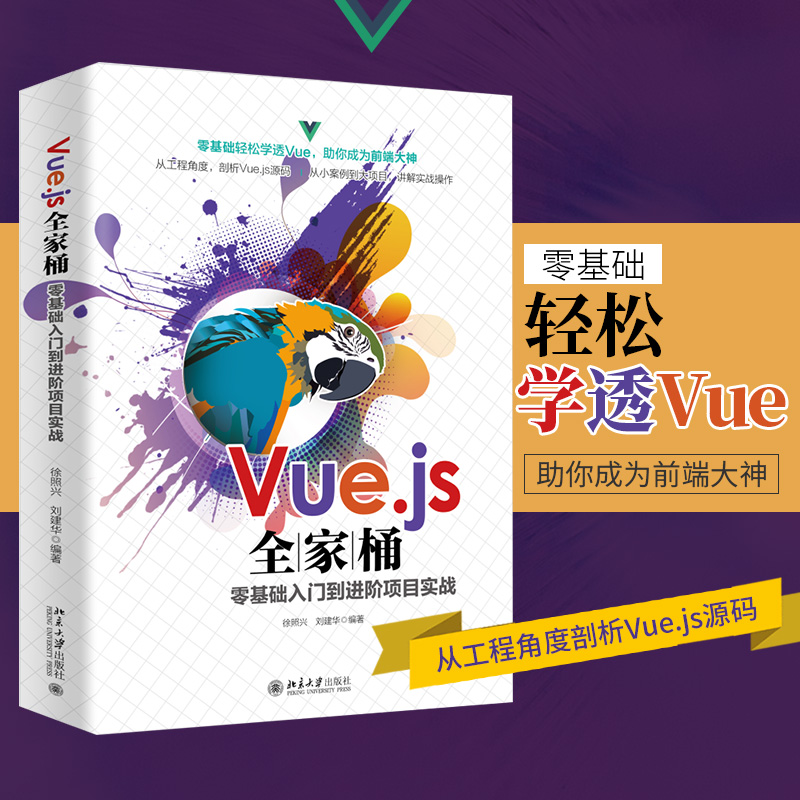
《Vue.js全家桶零基础入门到进阶项目实战》
【内容简介】
Vue.js 是一套构建用户界面的渐进式框架,本书旨在帮助读者全面掌握 Vue.js 全家桶技术和单页面前后端分离项目开发,理解 MVVM 框架思想,让前端和后端开发人员快速精通 Vue.js 全家桶技术。
本书贯穿入门准备实操、基础核心案例、中级进阶实战、综合进阶项目进行讲解,循序渐进、环环相扣,通俗易懂,并分析为什么这样使用,让你知其所以然。包含的主要技术:NPM/CNPM、VS Code、Vue.js、 MVVM、Axios、Vue Router、webpack、ECMAScript 6、Vue Loader、Vue CLI、Element UI、Vuex、 Mock.js、Easy Mock、ECharts 、Promise、拦截器、组件通信、跨域问题、上线部署等。
本书适合有 HTML、CSS、JavaScript 基础的 Vue.js 零基础小白、前端开发人员、后端开发人员。同时,也适合以下人员阅读:在校生,需要掌握流行的新技术,做到与职场同步;在职人员,工作中需要学习使用Vue;有基础学员,需要系统、全面、高效使用 Vue 技术。
也有不想靠抽,想自己买的同学可以参考下面的链接
京东自营购买链接:
《Vue.js全家桶零基础入门到进阶项目实战》- 京东图书
当当自营购买链接:
《Vue.js全家桶零基础入门到进阶项目实战》- 当当图书
📣 注意:
大家点赞关注,三天后也就是 12月10日 从评论区留言的同学中抽取两位送书
🌊 面试题库:Java、Python、前端核心知识点大全和面试真题资料
🌊 办公用品:精品PPT模板几千套,简历模板一千多套
🌊 学习资料:2300套PHP建站源码,微信小程序入门资料
如果中奖了联系不上则视为放弃,可以从下方公众号里找到作者的联系方式,每周都会送6~9本书,后面送书力度还会加大,一年送几百上千本不是问题,关注【海拥】回复【领书】抽奖送一本,群内 每位成员 我都会送一本。回复【资源】可获取上面的资料👇🏻👇🏻👇🏻
本文来自互联网用户投稿,文章观点仅代表作者本人,不代表本站立场,不承担相关法律责任。如若转载,请注明出处。 如若内容造成侵权/违法违规/事实不符,请点击【内容举报】进行投诉反馈!