使用aliyun的registry上传下载镜像
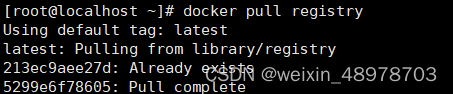
1.拉取registry镜像
docker pull registry
2.修改daemon.json文件
vi /etc/docker/daemon.json
daemon.json配置:
{
“registry-mirrors”: [“https://xxxxxx.mirror.aliyuncs.com”],
“insecure-registries”: [“xxx.xx.xx.xx:5000”]
}
registry-mirrors是配置镜像加速地址,从阿里云注册获取
insecure-registries 选择性添加,xx记得替换成自己的ip地址
3.重启docker
systemctl restart docker

4.启动容器

docker run -d -p 5000:5000 --restart always --name registry registry:latest
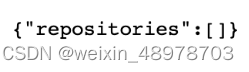
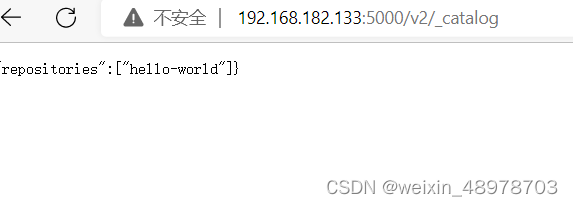
5.浏览器访问
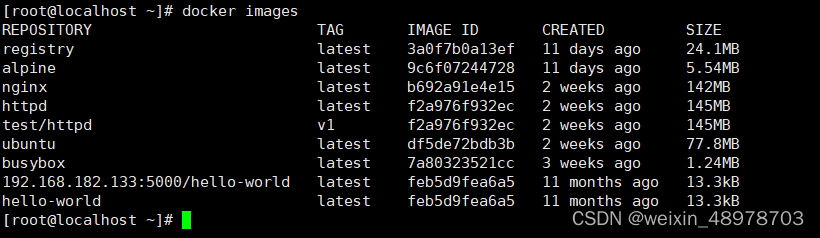
6.测试下载镜像

7.修改镜像名称及标签
docker tag hello-world:latest xx.xx.xx.xx:5000/hello-world:latest

8.push到自己的私有仓库
docker push xx.xx.xx.xx:5000/hello-world:latest
9.registry仓库镜像存放位置

docker exec -it 3d4dbc619be8 sh
cd /var/lib/registry/docker/registry/v2/repositories

本文来自互联网用户投稿,文章观点仅代表作者本人,不代表本站立场,不承担相关法律责任。如若转载,请注明出处。 如若内容造成侵权/违法违规/事实不符,请点击【内容举报】进行投诉反馈!