ryu-api
ryu-api
参照网址:
https://blog.csdn.net/weixin_44480014/article/details/123261925
1、打开mininet
mn --topo=tree,depth=2 --controller=remote
然后再
pingall
查询空
2、在ryu目录下的app输入
ryu-manager --observe-links simple_switch_13.py
再次pingall 有结果了
pingall
3、在mininet下输入
dpctl dump-flows
4、打开新窗口在ryu目录下的app输入
ryu-manager --verbose simple_switch.py ofctl_rest.py rest_topology.py
5、重新在ryu目录下的app输入
ryu-manager --observe-links simple_switch_13.py
打开火狐进入
http://localhost:8080/stats/switches
http://localhost:8080/stats/desc/1
http://localhost:8080/stats/flow/1
http://localhost:8080/stats/aggregateflow/1
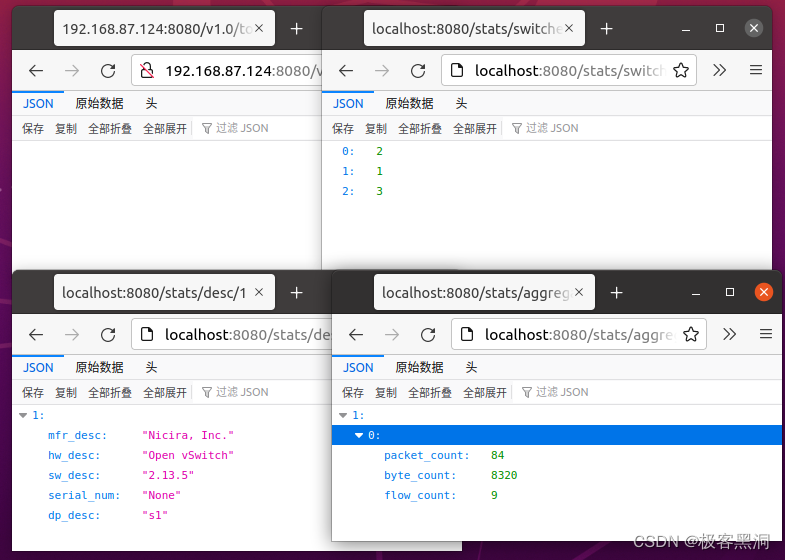
成功!
本文来自互联网用户投稿,文章观点仅代表作者本人,不代表本站立场,不承担相关法律责任。如若转载,请注明出处。 如若内容造成侵权/违法违规/事实不符,请点击【内容举报】进行投诉反馈!