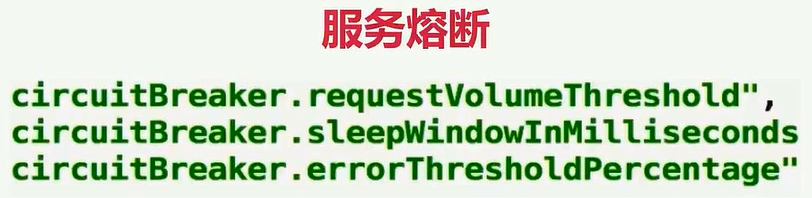
我们先来看看服务的熔断,超时配置我先注释掉,接下来就是熔断了,熔断依旧是使用这个注解,里面也是Command,commandProperties,这里面怎么配置呢,我们继续打开这个HystrixCommandPropertiescom.netflix.hystrix.HystrixCommandProperties熔断主要是用到这四个this.circuitBreakerEnabled = getProperty(propertyPrefix, key, "circuitBreaker.enabled",
builder.getCircuitBreakerEnabled(), default_circuitBreakerEnabled);this.circuitBreakerRequestVolumeThreshold = getProperty(propertyPrefix, key,
"circuitBreaker.requestVolumeThreshold",
builder.getCircuitBreakerRequestVolumeThreshold(),
default_circuitBreakerRequestVolumeThreshold);this.circuitBreakerSleepWindowInMilliseconds = getProperty(propertyPrefix, key,
"circuitBreaker.sleepWindowInMilliseconds",
builder.getCircuitBreakerSleepWindowInMilliseconds(),
default_circuitBreakerSleepWindowInMilliseconds);this.circuitBreakerErrorThresholdPercentage = getProperty(propertyPrefix, key,
"circuitBreaker.errorThresholdPercentage",
builder.getCircuitBreakerErrorThresholdPercentage(),
default_circuitBreakerErrorThresholdPercentage);这四行的配置,比如第一行好了,我们来看一下他的英文的注释,我们来找到这个circuitBreakerEnabled,这个是他定义的字段// Whether circuit breaker should be enabled.
private final HystrixProperty circuitBreakerEnabled; 点进去,这就有了,其实就是这四个// number of requests that must be made within a statisticalWindow before
// open/close decisions are made using stats
private final HystrixProperty circuitBreakerRequestVolumeThreshold; // milliseconds after tripping circuit before allowing retry
private final HystrixProperty circuitBreakerSleepWindowInMilliseconds; // Whether circuit breaker should be enabled.
private final HystrixProperty circuitBreakerEnabled; // % of 'marks' that must be failed to trip the circuit
private final HystrixProperty circuitBreakerErrorThresholdPercentage; 前面四个,我们需要的是前面四个,我们来设置一下@HystrixCommand(commandProperties = {@HystrixProperty(name = "circuitBreaker.enabled", value = "true"),//设置熔断@HystrixProperty(name = "circuitBreaker.requestVolumeThreshold", value = "10"),@HystrixProperty(name = "circuitBreaker.sleepWindowInMilliseconds", value = "10000"),@HystrixProperty(name = "circuitBreaker.errorThresholdPercentage", value = "60")
})第一个我们刚刚也说了,设置熔断,下面三个参数的具体含义,等一下我们细讲,我先设置好,大家可以先观察现象,这四个我已经设置好了,我们再来试一下http://localhost:8010/getProductInfoList已经启动,我们再来访问一下,他一直都是提示太拥挤了,一直都是访问错误,这个我们要怎么来测试呢@RestController
@DefaultProperties(defaultFallback = "defaultFallback")
public class HystrixController {//    3.@HystrixCommand(commandProperties = {@HystrixProperty(name = "circuitBreaker.enabled", value = "true"),//设置熔断@HystrixProperty(name = "circuitBreaker.requestVolumeThreshold", value = "10"),@HystrixProperty(name = "circuitBreaker.sleepWindowInMilliseconds", value = "10000"),@HystrixProperty(name = "circuitBreaker.errorThresholdPercentage", value = "60")})@GetMapping("/getProductInfoList")public  String getProductInfoList(){RestTemplate restTemplate = new RestTemplate();return restTemplate.postForObject("http://127.0.0.1:7900/product/listForOrder", Arrays.asList("157875196366160022"),String.class); } private String fallback(){return "太拥挤了,请稍后再试~~";} private String defaultFallback(){return "默认提示:太拥挤了,请稍后再试~~";}
}我们不妨这样子来测试它的熔断,这里传一个参数,就叫number,如果他是偶数的话他就去请求,就去请求product的服务,如果是偶数我们就直接返回成功,否则他就会请求product服务,他一旦请求的话,如果走到这里的话肯定会触发fallbackreturn restTemplate.postForObject("http://127.0.0.1:7900/product/listForOrder", Arrays.asList("157875196366160022"),String.class);因为这是要两秒的等待时间,而我们这边没有设置超时时间,所以这边的超时时间是一秒,重启一下,http://localhost:8010/getProductInfoList?number=1再开一个http://localhost:8010/getProductInfoList?number=2这个是number等于2,等待他启动好,先来访问一下1,等于1就会触发降级,等于2就是success这个是success,这个就是一直太拥挤了,我们来让他来产生以下熔断,我不停的刷新这个窗口,我让他错误率达到60%,那我现在来访问一下这个,神奇吧,你看我继续访问,他就变成success了,你看我再来一次,不停的刷,隔一会就好了,看一下我们刚才观察的现象,这是我们刚才用到的三个配置,这三个配置你可以看到
package com.learn.controller;import java.util.Arrays;import org.springframework.web.bind.annotation.GetMapping;
import org.springframework.web.bind.annotation.RequestParam;
import org.springframework.web.bind.annotation.RestController;
import org.springframework.web.client.RestTemplate;import com.netflix.hystrix.contrib.javanica.annotation.DefaultProperties;
import com.netflix.hystrix.contrib.javanica.annotation.HystrixCommand;
import com.netflix.hystrix.contrib.javanica.annotation.HystrixProperty;@RestController
@DefaultProperties(defaultFallback = "defaultFallback")
public class HystrixController {//@HystrixCommand(fallbackMethod = "fallback")//2、超时设置
//    @HystrixCommand(commandProperties = {
//            @HystrixProperty(name = "execution.isolation.thread.timeoutInMilliseconds", value = "5000") //超时时间设置为3秒
//    })
//    3.@HystrixCommand(commandProperties = {@HystrixProperty(name = "circuitBreaker.enabled", value = "true"),//设置熔断@HystrixProperty(name = "circuitBreaker.requestVolumeThreshold", value = "10"),@HystrixProperty(name = "circuitBreaker.sleepWindowInMilliseconds", value = "10000"),@HystrixProperty(name = "circuitBreaker.errorThresholdPercentage", value = "60")})
//    @HystrixCommand@GetMapping("/getProductInfoList")public  String getProductInfoList(@RequestParam("number") Integer number){
//    public  String getProductInfoList(){if(number % 2 == 0){return  "success";}RestTemplate restTemplate = new RestTemplate();return restTemplate.postForObject("http://127.0.0.1:7900/product/listForOrder", Arrays.asList("157875196366160022"),String.class);}private String fallback(){return "太拥挤了,请稍后再试~~";}private String defaultFallback(){return "默认提示:太拥挤了,请稍后再试~~";}
}