SwiftUI 设置边框、透明度、阴影
前言
xcode 13.3
iOS 15.4
1、设置边框
1.1 设置边框颜色
默认为1的边框
Image("turtlerock").border(.red)
解释
/// - Parameters:/// - content: A value that conforms to the ``ShapeStyle`` protocol,/// like a ``Color`` or ``HierarchicalShapeStyle``, that SwiftUI/// uses to fill the border./// - width: The thickness of the border. The default is 1 pixel.////// - Returns: A view that adds a border with the specified style and width/// to this view.@inlinable public func border(_ content: S, width: CGFloat = 1) -> some View where S : ShapeStyle
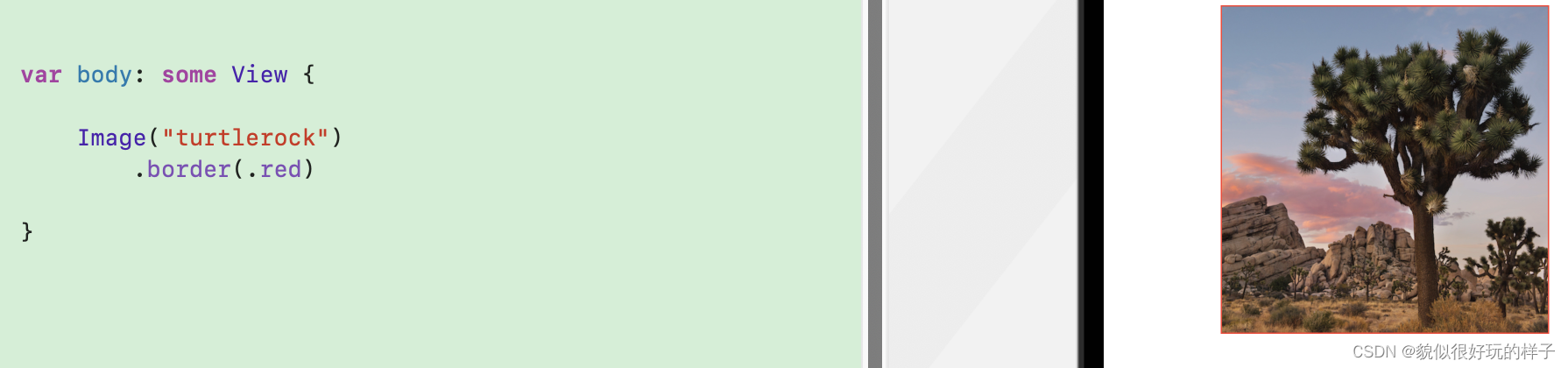
1.2 设置边框颜色、宽度
设置边框颜色、宽度
Image("turtlerock").bor本文来自互联网用户投稿,文章观点仅代表作者本人,不代表本站立场,不承担相关法律责任。如若转载,请注明出处。 如若内容造成侵权/违法违规/事实不符,请点击【内容举报】进行投诉反馈!