通过Jquery实现轻量型吐丝消息框
js代码
var luckToast = function () {
context = "body";
left = 0;
toppx = 0;
time = 3000;
msgEntity = {};
width = 100;
innerinit = function () {
left = $(context).width() / 2 - msgEntity.find('span').width() / 2;
toppx = window.screen.availHeight / 2;
}
initWith = function (str) {
width = str.length * 20
}
appendDiv = function (message) {
var msgDIV = new Array();
msgDIV.push('');
msgDIV.push('' + message + '');
msgDIV.push('');
msgEntity = $(msgDIV.join('')).appendTo(context + "").hide();
}
show = function (message) {
var toastObj = $("#toastMessage");
if (toastObj) {
toastObj.remove();
}
appendDiv(message);
innerinit();
initWith(message);
//设置消息样式
toastObj = $("#toastMessage");
toastObj.css({
position: 'absolute', top: '0px', 'z-index': '19999', left: '0px', 'background-color': 'black', color: 'white', 'font-size': '18px', margin: 'auto', right: "0px", bottom: "0px", width: width + "px", height: "20px", padding: "10px", "border-radius": ".5em",
"text-align": "center", "vertical-align": " middle;", "line-height": " 20px;"
});
toastObj.hide();
toastObj.fadeIn(time / 2);
toastObj.fadeOut(time / 2);
}
return { show: show };
}
function luckToast(msg) {
var M_toastMsg = new luckToast();
M_toastMsg.show(msg);
}
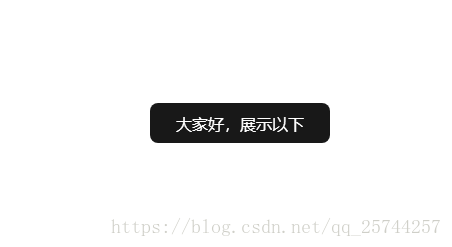
页面效果:
代码上传
https://download.csdn.net/download/qq_25744257/10645384
修改:
position: 'absolute',改为position: 'fixed',适应移动端
本文来自互联网用户投稿,文章观点仅代表作者本人,不代表本站立场,不承担相关法律责任。如若转载,请注明出处。 如若内容造成侵权/违法违规/事实不符,请点击【内容举报】进行投诉反馈!