Manjaro Linux-手动构建并安装AUR软件包随记
经过网上查找资料,终于将Manjaro Deepin Linux&Win10双系统完成。在Thinkpad E480上使用Deepin,感觉很不错!
按照习惯安装笔记应用boostnote,发现通过Manjaro的软件管理器无法进行软件包build安装了,只能手动安装AUR包
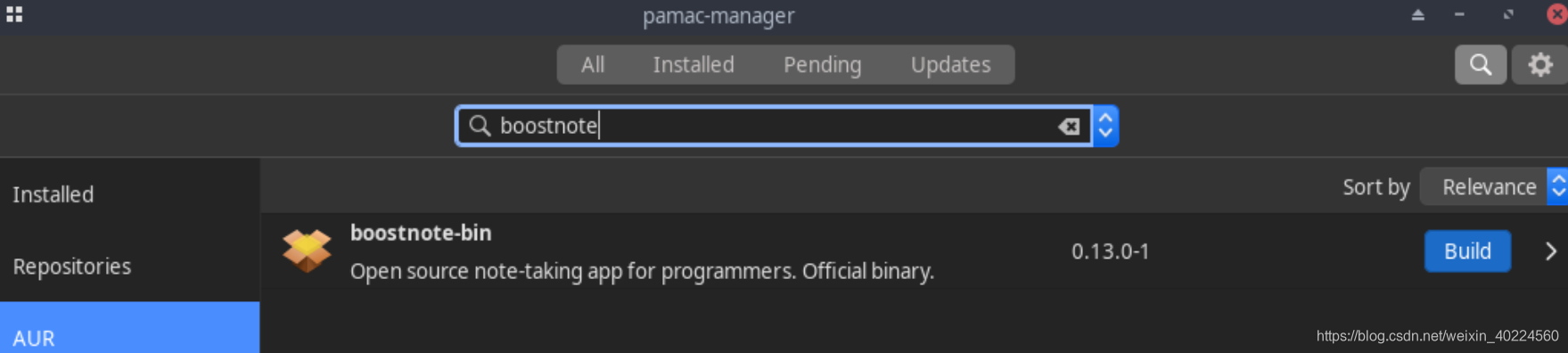
按照其他发行版安装软件包的经验,访问boostnote官网,需要下载AUR包
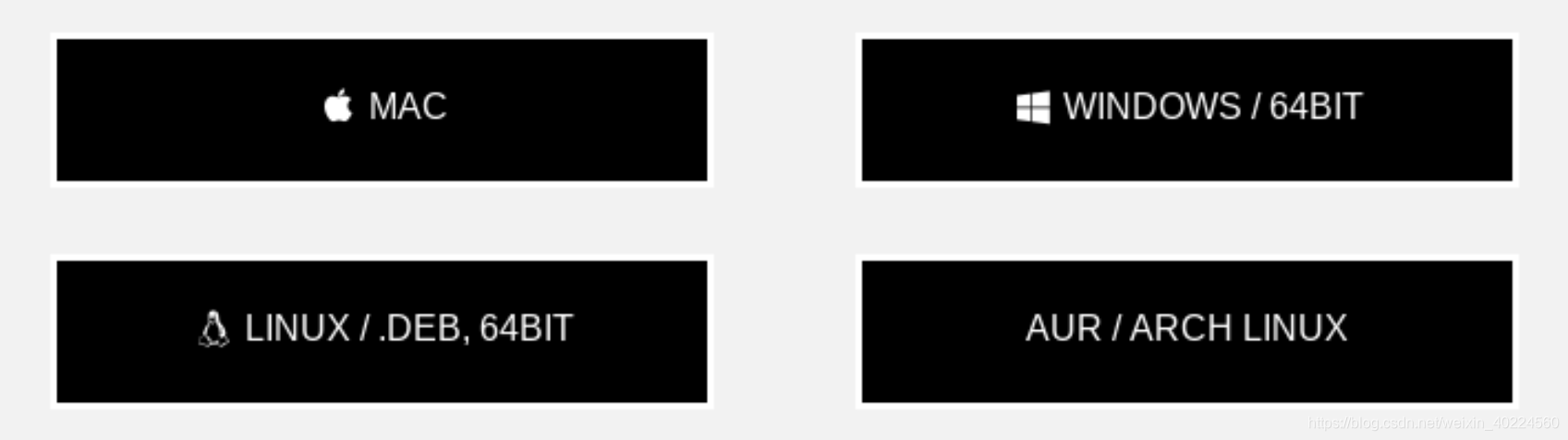
- 访问Boostnote | Boost Happiness, Productivity, and Creativity. ,按照提示打开下载页面,选择AUR/ARCH Linux
- 直接通过git方式下载软件包 git clone https://aur.archlinux.org/boostnote.git
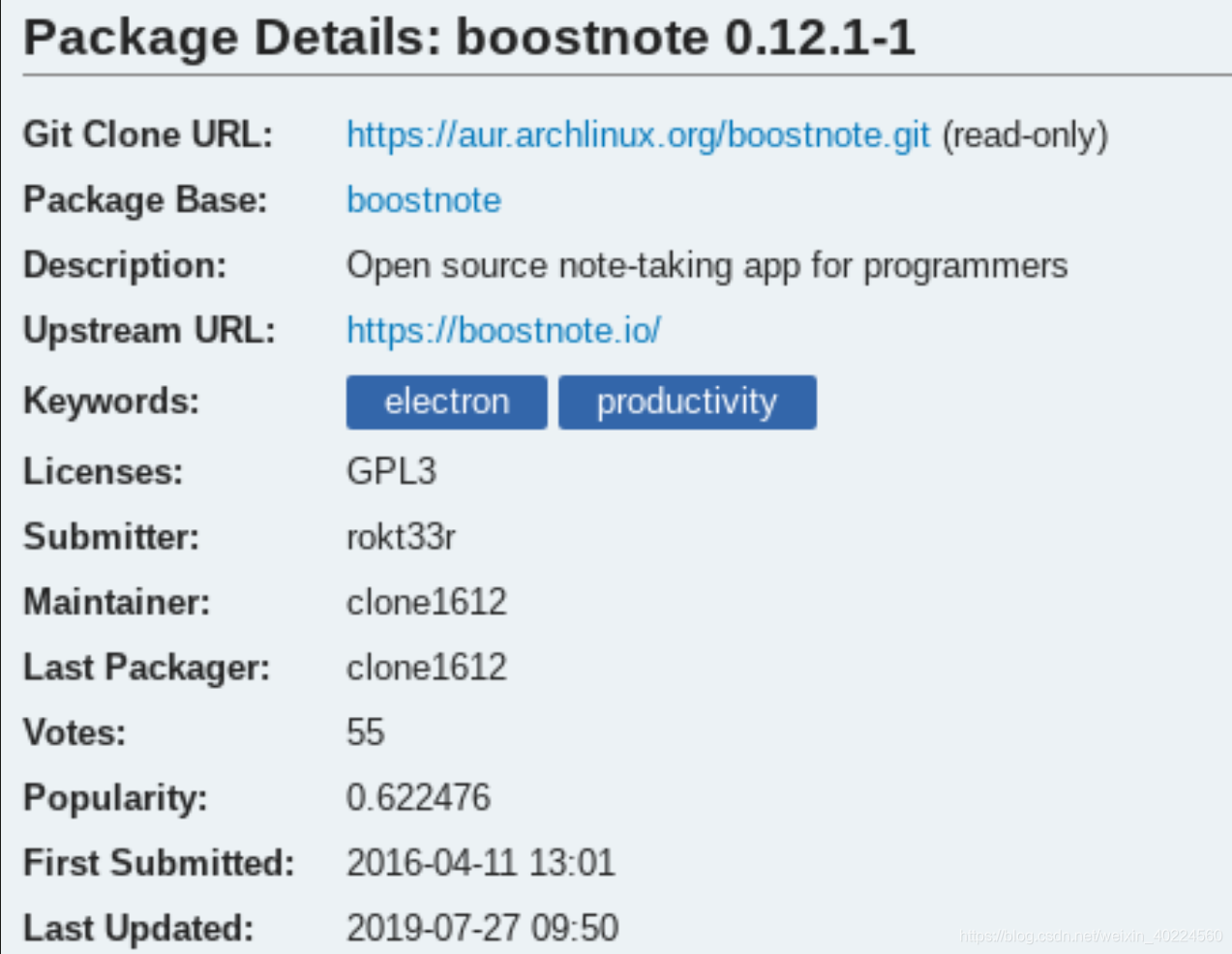
git clone https://aur.archlinux.org/boostnote.git
Cloning into 'boostnote'...
remote: Enumerating objects: 285, done.
remote: Counting objects: 100% (285/285), done.
remote: Compressing objects: 100% (160/160), done.
remote: Total 285 (delta 126), reused 284 (delta 125)
Receiving objects: 100% (285/285), 120.64 KiB | 3.00 KiB/s, done.
Resolving deltas: 100% (126/126), done.- 进入boostnote软件包目录,执行 makepkg,构建软件包
ls -l
total 44
-rwxrwxrwx 1 jay jay  3169 Oct 24 16:41 PKGBUILD
-rwxrwxrwx 1 jay jay   341 Oct 24 16:41 boostnote.desktop
-rwxrwxrwx 1 jay jay   897 Oct 24 16:41 boostnote.js
-rwxrwxrwx 1 jay jay   565 Oct 24 16:41 disable-analytics.patch
-rwxrwxrwx 1 jay jay  1016 Oct 24 16:41 electron-v2-compatibility.patch
-rwxrwxrwx 1 jay jay   864 Oct 24 16:41 electron_4.patch
-rwxrwxrwx 1 jay jay   495 Oct 24 16:41 electron_5_fix.patch
-rwxrwxrwx 1 jay jay  3346 Oct 24 16:41 fix-js-sequence-diagrams.patch
-rwxrwxrwx 1 jay jay  5567 Oct 24 16:41 insertion-fix.patch
-rwxrwxrwx 1 jay jay 10462 Oct 24 16:41 remove-analytics.patch
-rwxrwxrwx 1 jay jay  1729 Oct 24 16:41 warning-fix.patch
makepkg
==> Making package: boostnote 0.12.1-1 (2019年10月24日 星期四 16时46分08秒)
==> Checking runtime dependencies...
==> Checking buildtime dependencies...
==> Retrieving sources...-> Downloading boostnote-0.12.1.tar.gz...% Total    % Received % Xferd  Average Speed   Time    Time     Time  CurrentDload  Upload   Total   Spent    Left  Speed
100   126    0   126    0     0    149      0 --:--:-- --:--:-- --:--:--   149
100 5321k    0 5321k    0     0   690k      0 --:--:--  0:00:07 --:--:--  887k-> Found boostnote.js-> Found boostnote.desktop-> Found warning-fix.patch-> Found remove-analytics.patch-> Found electron_4.patch-> Found electron_5_fix.patch
==> Validating source files with sha512sums...boostnote-0.12.1.tar.gz ... Passedboostnote.js ... Passedboostnote.desktop ... Passedwarning-fix.patch ... Passedremove-analytics.patch ... Passedelectron_4.patch ... Passedelectron_5_fix.patch ... Passed
==> Extracting sources...-> Extracting boostnote-0.12.1.tar.gz with bsdtar
==> Starting prepare()...
patching file gruntfile.js
Hunk #1 succeeded at 7 (offset 1 line).
Hunk #2 succeeded at 15 (offset 1 line).
Hunk #3 succeeded at 77 (offset 1 line).
patching file package.json
Hunk #1 succeeded at 154 with fuzz 2 (offset 28 lines).
Hunk #2 succeeded at 176 (offset 30 lines).
Hunk #3 succeeded at 212 with fuzz 2 (offset 35 lines).
patching file browser/lib/newNote.js
patching file browser/main/Detail/MarkdownNoteDetail.js
patching file browser/main/Detail/SnippetNoteDetail.js
patching file browser/main/Detail/TagSelect.js
patching file browser/main/Main.js
patching file browser/main/modals/CreateFolderModal.js
patching file browser/main/modals/PreferencesModal/InfoTab.js
patching file browser/main/NoteList/index.js
patching file package.json
patching file lib/main-app.js
patching file lib/main-window.js
Hunk #1 succeeded at 50 (offset 27 lines).
==> Starting build()...
yarn install v1.17.3
[1/4] Resolving packages...
[2/4] Fetching packages...
info There appears to be trouble with your network connection. Retrying...
info fsevents@1.2.4: The platform "linux" is incompatible with this module.
info "fsevents@1.2.4" is an optional dependency and failed compatibility check. Excluding it from installation.
[3/4] Linking dependencies...
warning " > @enyaxu/markdown-it-anchor@5.0.2" has incorrect peer dependency "markdown-it@^8.4.1".
warning " > connected-react-router@6.4.0" has incorrect peer dependency "react-redux@^6.0.0".
warning " > connected-react-router@6.4.0" has unmet peer dependency "react-router@^4.3.1 || ^5.0.0".
warning " > react-codemirror@1.0.0" has incorrect peer dependency "react@>=15.5 <16".
warning " > react-codemirror@1.0.0" has incorrect peer dependency "react-dom@>=15.5 <16".
warning " > eslint-config-standard@6.2.1" has unmet peer dependency "eslint-plugin-promise@>=3.3.0".
warning " > redux-devtools@3.5.0" has incorrect peer dependency "react-redux@^4.0.0 || ^5.0.0 || ^6.0.0".
warning " > grunt-electron-installer-debian@0.2.0" has incorrect peer dependency "grunt@^0.4.0".
[4/4] Building fresh packages...
success Saved lockfile.
warning Your current version of Yarn is out of date. The latest version is "1.19.1", while you're on "1.17.3".
info To upgrade, run the following command:
$ curl --compressed -o- -L https://yarnpkg.com/install.sh | bash
Done in 270.43s.
yarn run v1.17.3
$ grunt compile
Running "compile" task
node_modules/.bin/webpack --config webpack-production.config.js
Hash: 28c013d01aed2a1d53fd
Version: webpack 1.15.0
Time: 27107msAsset  Size  Chunks             Chunk Names
main.js  8 MB       0  [emitted]  main[0] multi main 28 bytes {0} [built]+ 1392 hidden modulesDone.
Done in 28.43s.
yarn install v1.17.3
[1/4] Resolving packages...
[2/4] Fetching packages...
info fsevents@1.2.4: The platform "linux" is incompatible with this module.
info "fsevents@1.2.4" is an optional dependency and failed compatibility check. Excluding it from installation.
[3/4] Linking dependencies...
warning " > @enyaxu/markdown-it-anchor@5.0.2" has incorrect peer dependency "markdown-it@^8.4.1".
warning " > connected-react-router@6.4.0" has incorrect peer dependency "react-redux@^6.0.0".
warning " > connected-react-router@6.4.0" has unmet peer dependency "react-router@^4.3.1 || ^5.0.0".
warning " > react-codemirror@1.0.0" has incorrect peer dependency "react@>=15.5 <16".
warning " > react-codemirror@1.0.0" has incorrect peer dependency "react-dom@>=15.5 <16".
warning " > eslint-config-standard@6.2.1" has unmet peer dependency "eslint-plugin-promise@>=3.3.0".
warning " > redux-devtools@3.5.0" has incorrect peer dependency "react-redux@^4.0.0 || ^5.0.0 || ^6.0.0".
warning " > grunt-electron-installer-debian@0.2.0" has incorrect peer dependency "grunt@^0.4.0".
[4/4] Building fresh packages...
Done in 7.49s.
==> Entering fakeroot environment...
==> Starting package()...
==> Tidying install...-> Removing libtool files...-> Purging unwanted files...-> Removing static library files...-> Stripping unneeded symbols from binaries and libraries...-> Compressing man and info pages...
==> Checking for packaging issues...
==> Creating package "boostnote"...-> Generating .PKGINFO file...-> Generating .BUILDINFO file...-> Generating .MTREE file...-> Compressing package...==> Leaving fakeroot environment.
==> Finished making: boostnote 0.12.1-1 (2019年10月24日 星期四 16时55分01秒)
- 查看软件包
再次查看当前目录下,生成了软件包boostnote-0.12.1-1-any.pkg.tar.xz,然后通过软件包管理器,本地选择安装软件包,Install local packages
![[外链图片转存失败,源站可能有防盗链机制,建议将图片保存下来直接上传(img-xWRWOVYR-1571908376475)(:storage/7ac2da40-b439-4025-b7a7-489c96aad9b1/d64aff05.png)]](https://img-blog.csdnimg.cn/20191024171446840.png?x-oss-process=image/watermark,type_ZmFuZ3poZW5naGVpdGk,shadow_10,text_aHR0cHM6Ly9ibG9nLmNzZG4ubmV0L3dlaXhpbl80MDIyNDU2MA==,size_16,color_FFFFFF,t_70)
本文来自互联网用户投稿,文章观点仅代表作者本人,不代表本站立场,不承担相关法律责任。如若转载,请注明出处。 如若内容造成侵权/违法违规/事实不符,请点击【内容举报】进行投诉反馈!