5.2ansible中常用模块
## 1. ansible 实现管理的方式 ##
Ad - Hoc ## 利用 ansible 命令直接完成管理 , 主要用于临时命令使用场景
playbook ##ansible 脚本 , 主要用于大型项目场景 , 需要前期的规划
## 2. Ad - Hoc 执行方式中如何获得帮助 ##
ansible - doc ## 显示模块帮助的指令
# 格式
ansible - doc [ 参数 ] [ 模块 ...]
# 常用参数
- l ## 列出可用模块
- s ## 显示指定模块的 playbook 片段
## 3. ansible 命令运行方式及常用参数
# 格式 :
ansible 清单
- m 模块 - a 模块参数
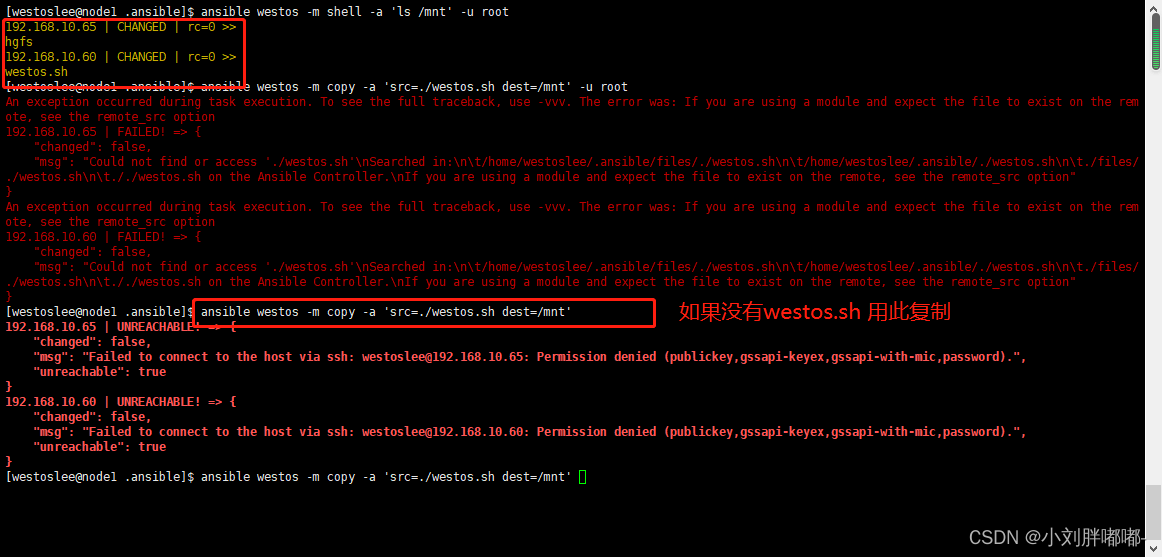

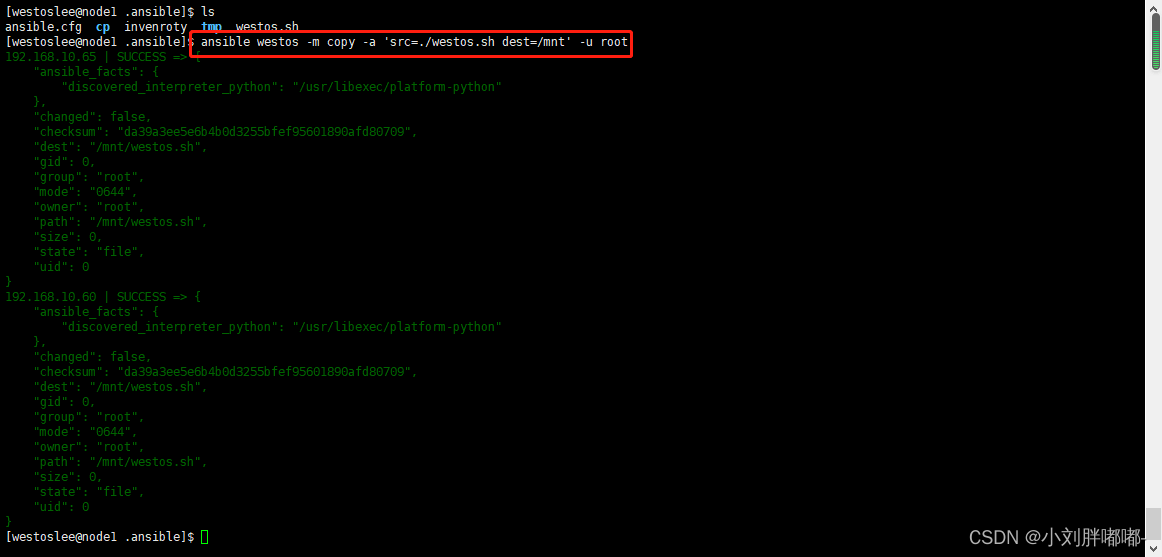

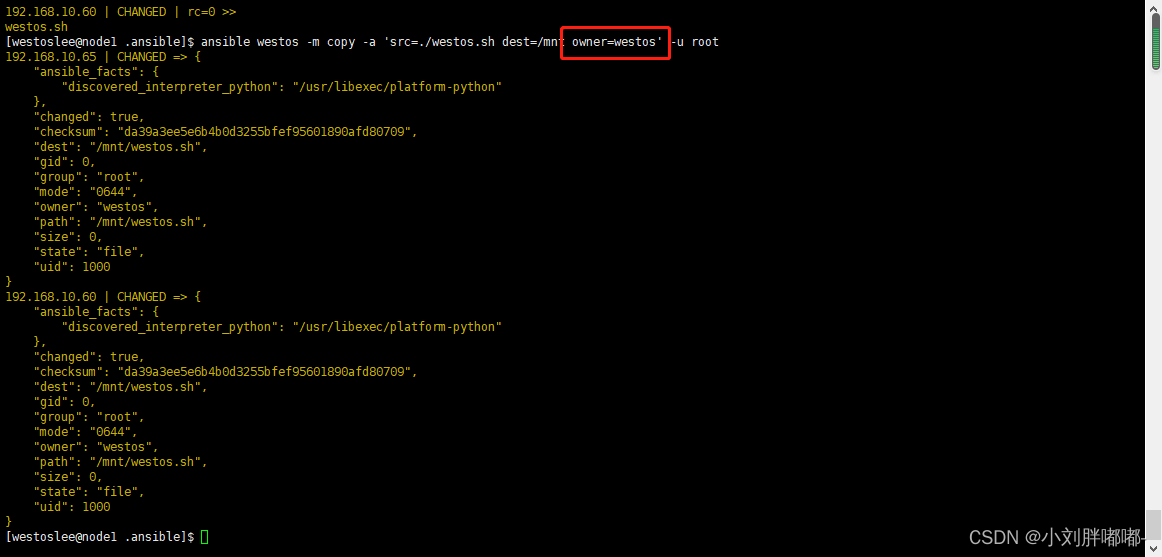
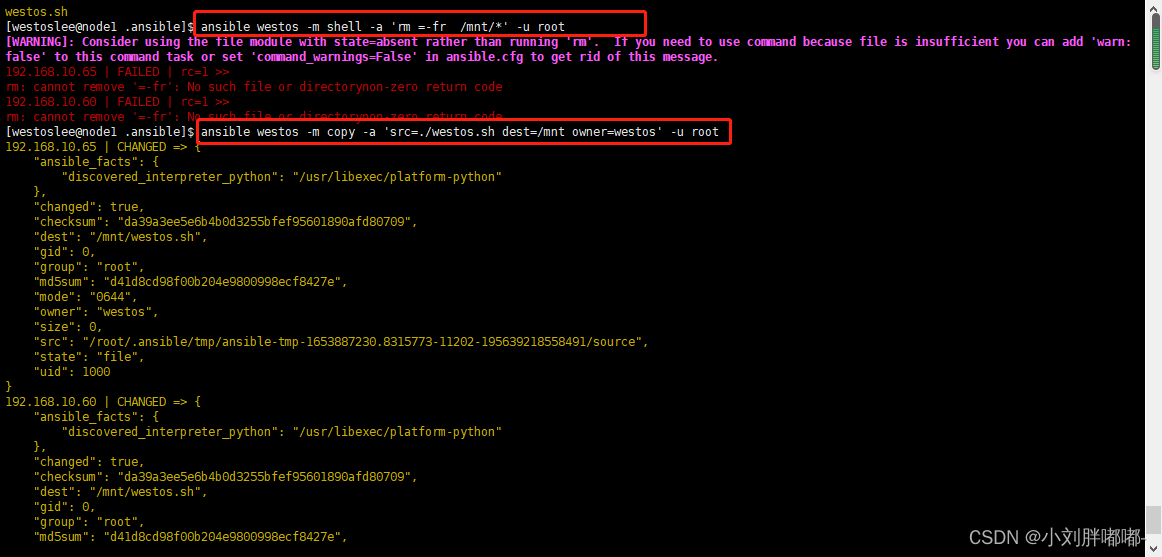

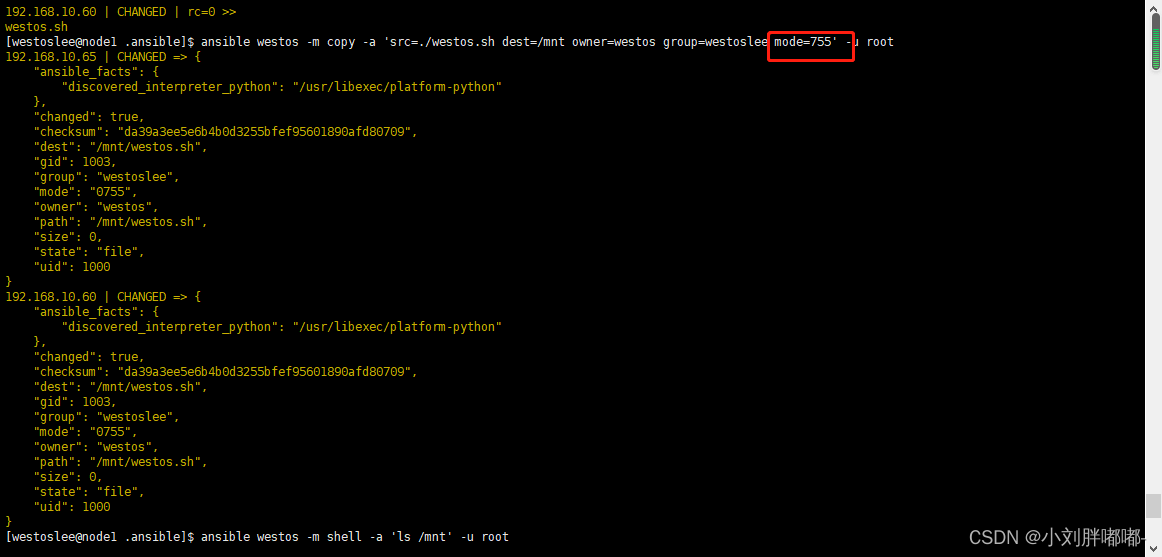
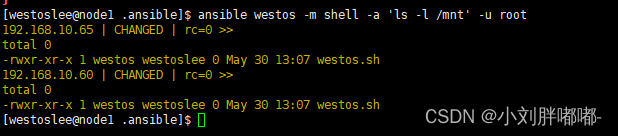
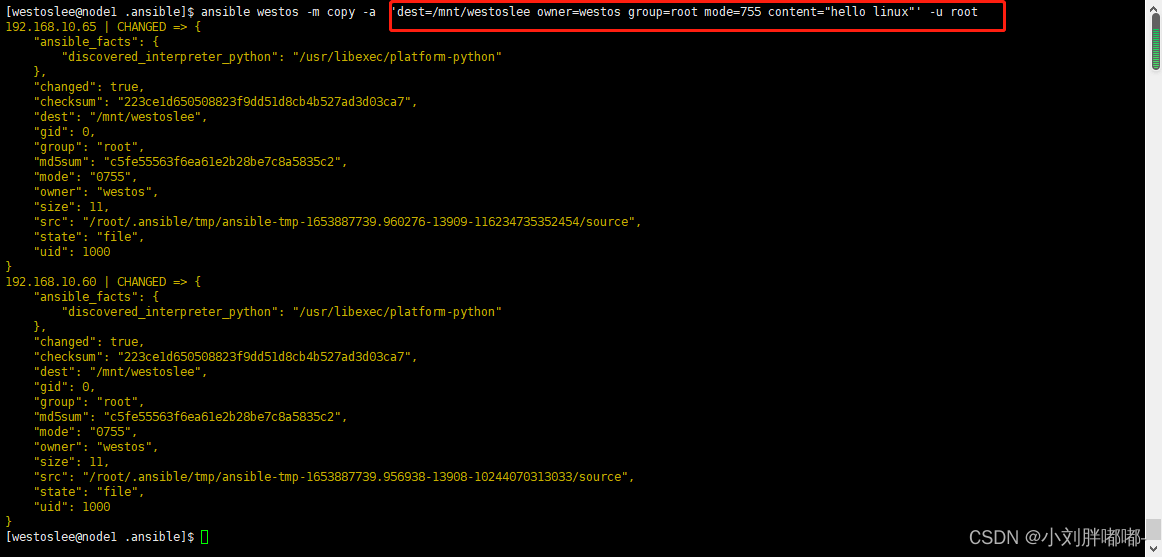
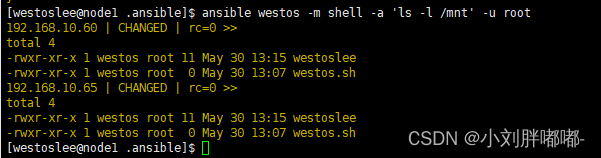
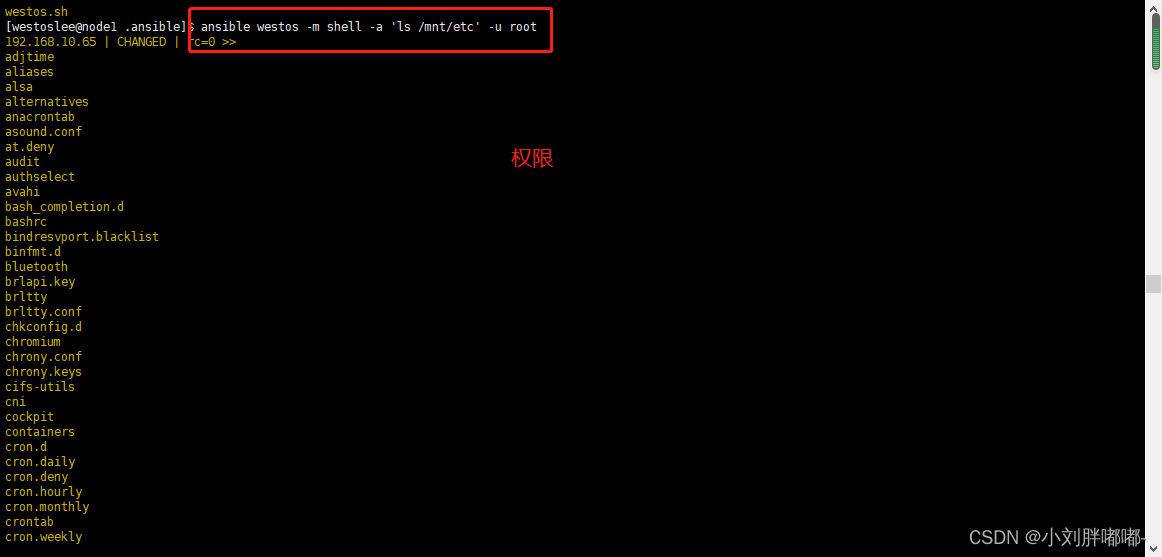
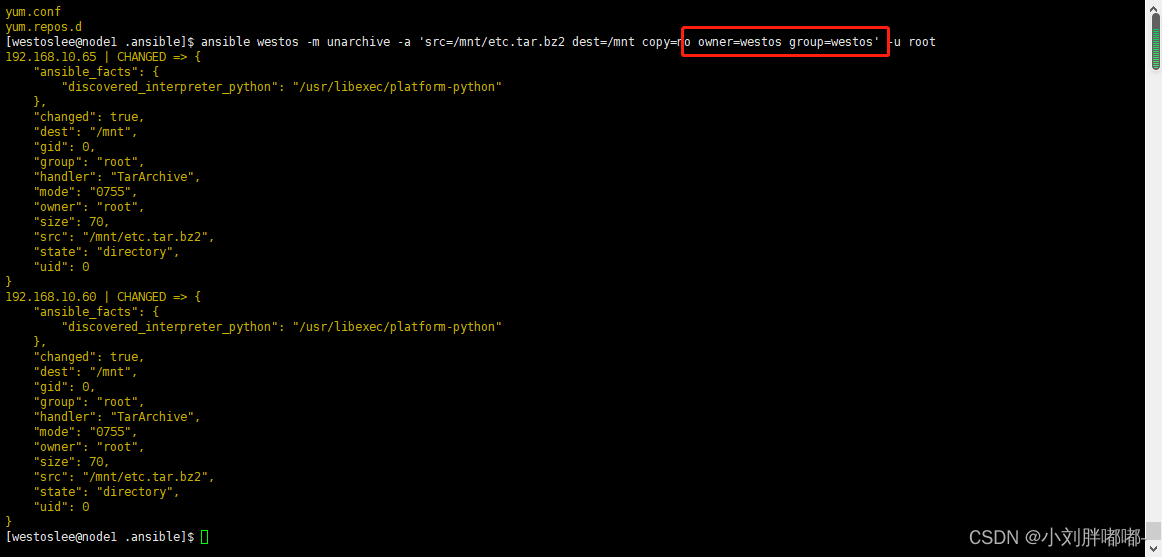
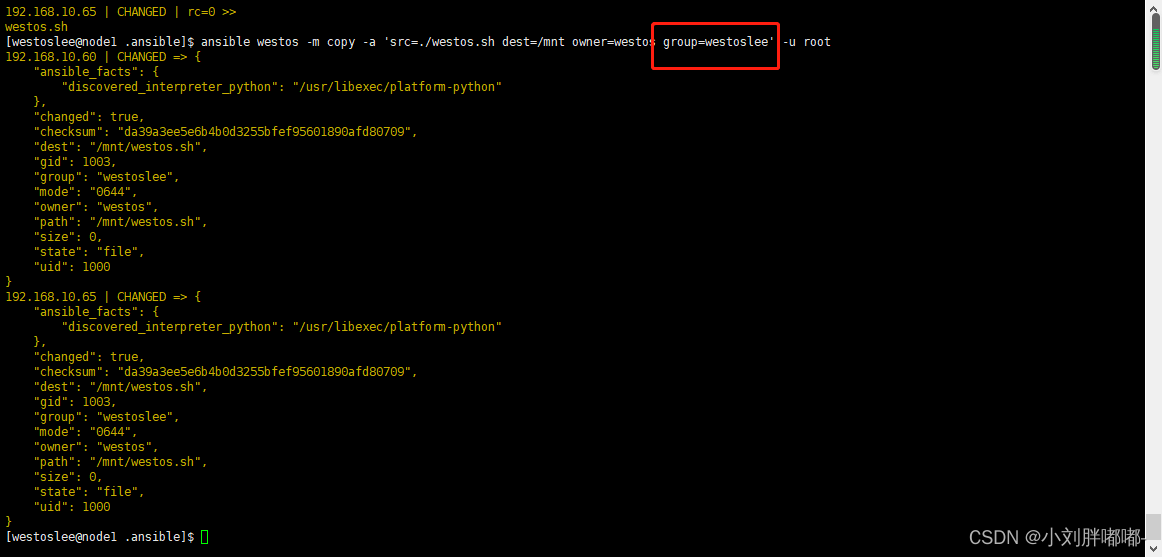 mode ## 指定目的地文件权限
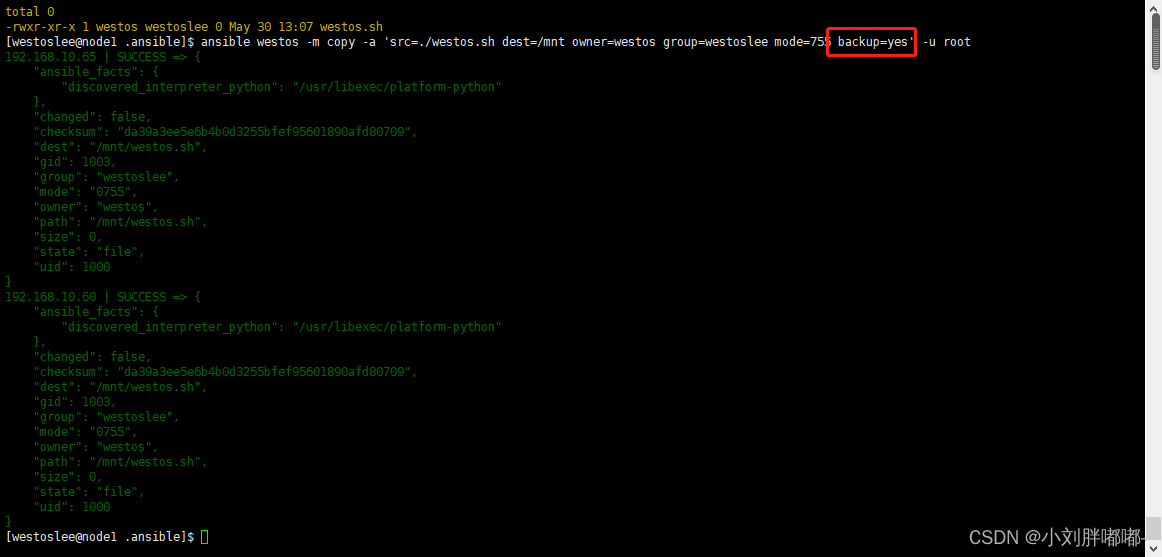
 backup = yes ## 当受控主机中存在文件时备份原文件

 # 实例
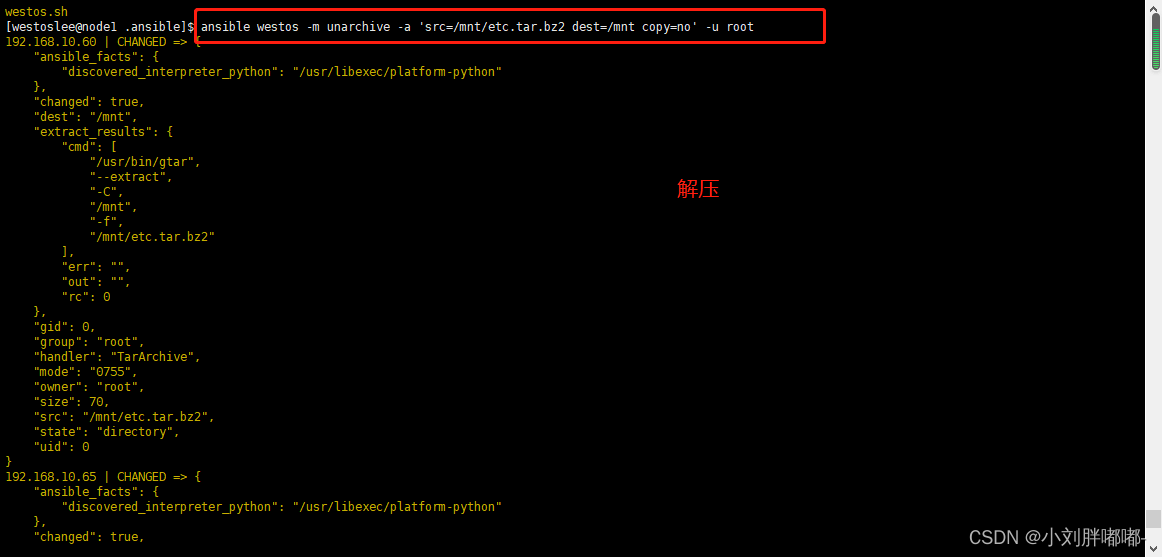
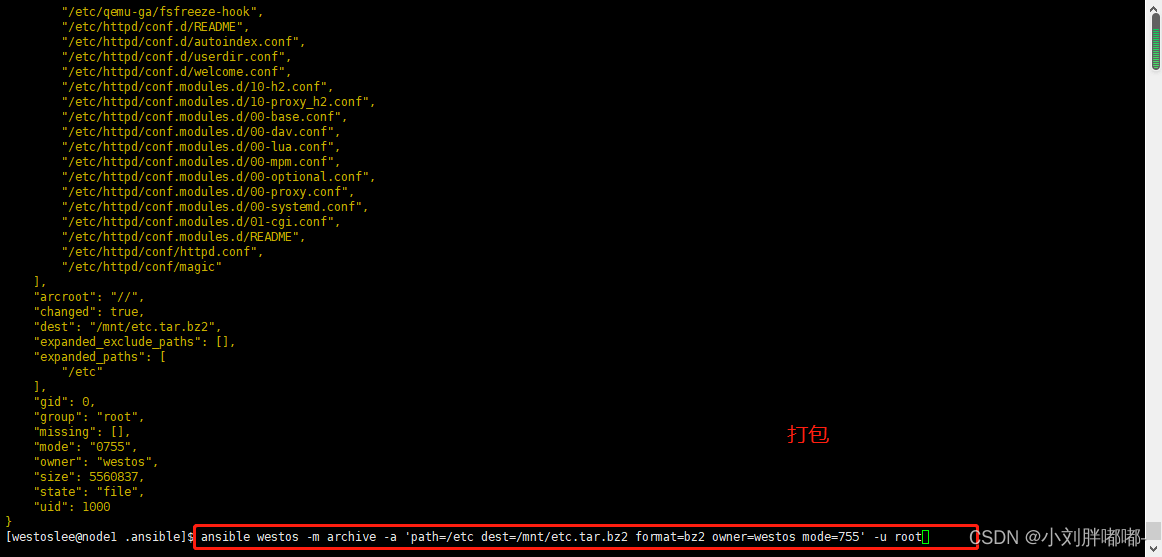
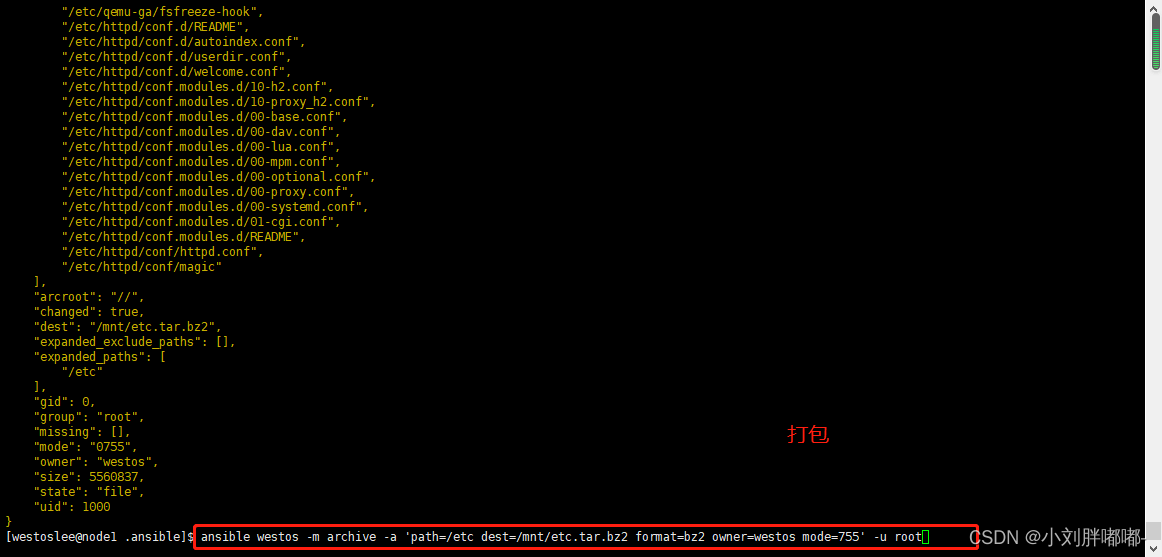
ansible all - m archive - a 'path=/etc dest=/opt/etc.tar.gz format=gz owner=lee mode=700' - k
# 实例
ansible all - m archive - a 'path=/etc dest=/opt/etc.tar.gz format=gz owner=lee mode=700' - k
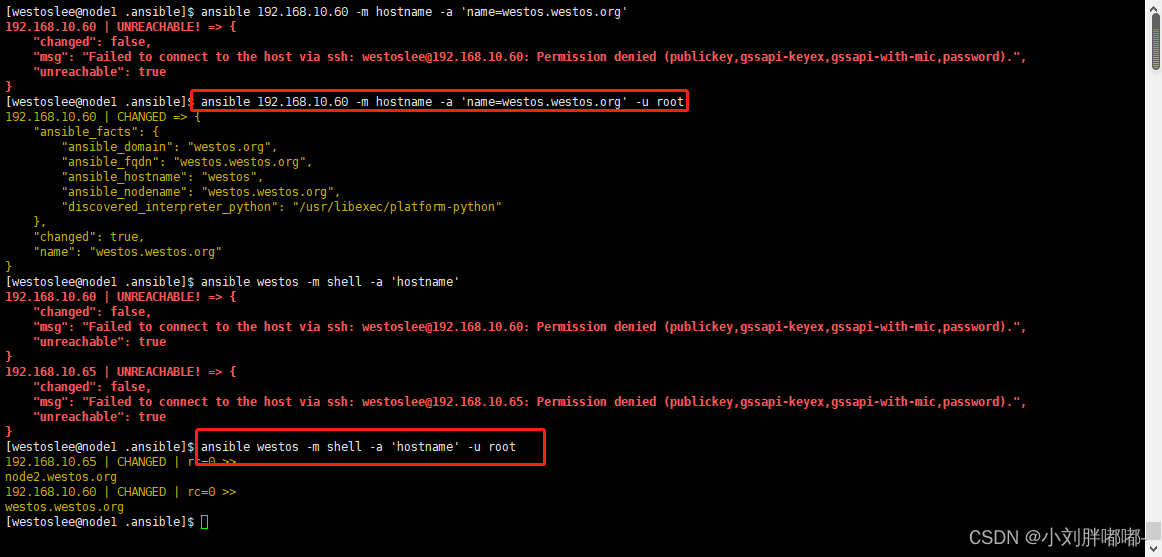
 ##hostname##
# 作用
管理主机名称
# 常用参数
name ## 指定主机名称 # 实例
ansbile 172.25.254.100 - m hostname - a 'name=lee.westos.com'
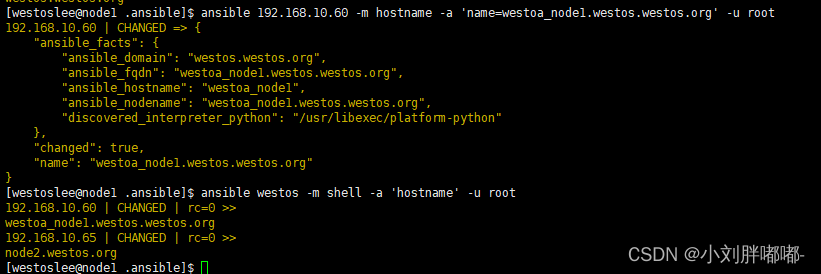
##hostname##
# 作用
管理主机名称
# 常用参数
name ## 指定主机名称 # 实例
ansbile 172.25.254.100 - m hostname - a 'name=lee.westos.com'
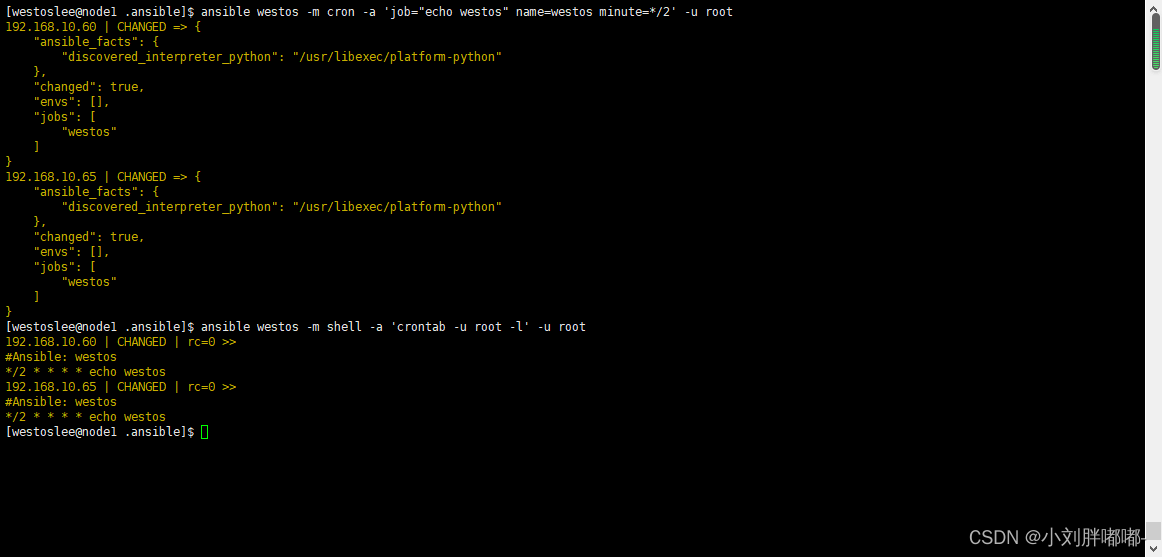 hour ## 小时
day ## 天
hour ## 小时
day ## 天
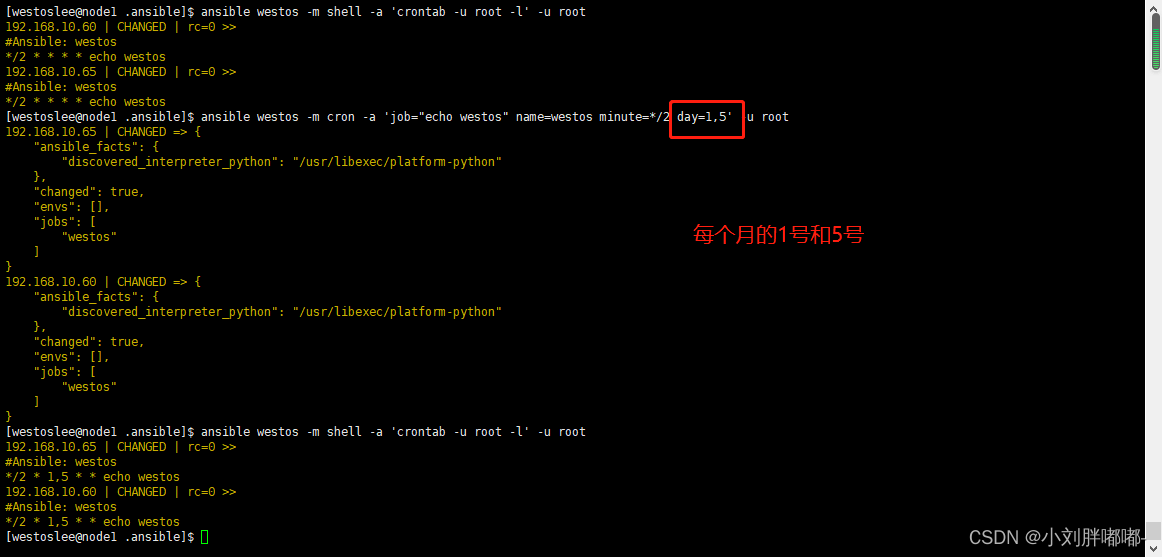 month ## 月
weekday ## 周
name ## 任务名称
job ## 任务脚本或命令
disabled ##yes 禁用计划任务
month ## 月
weekday ## 周
name ## 任务名称
job ## 任务脚本或命令
disabled ##yes 禁用计划任务
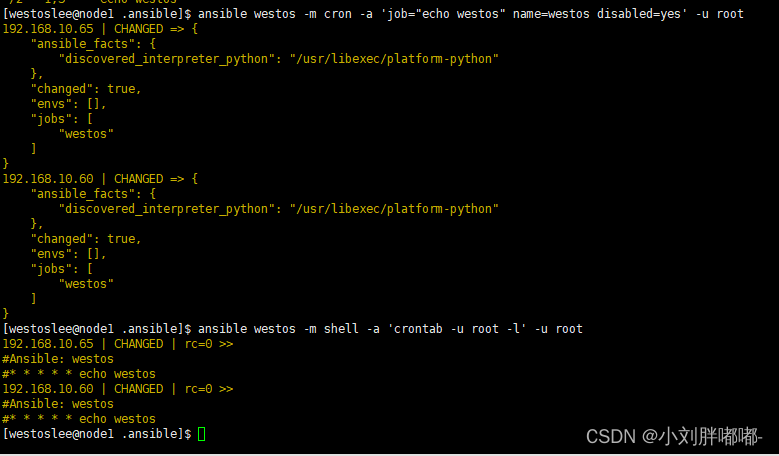 ##no 启动计划任务
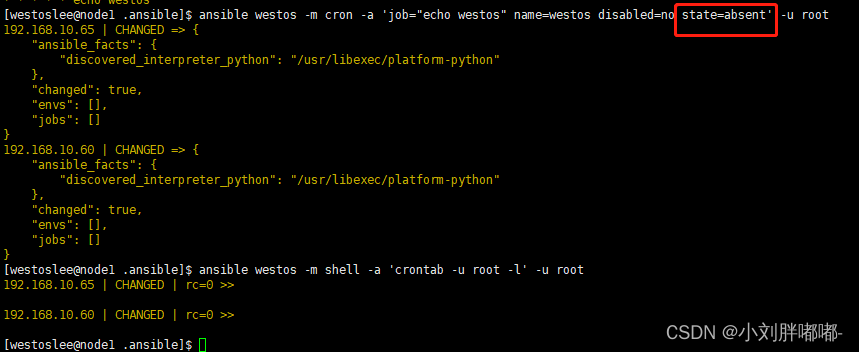
 state ##absent 删除计划任务
 ## 实例 ##
ansible list1 - m cron - a "job = 'echo hello' name = test disable = yes" - k
ansible list1 - m cron - a "job = 'echo hello' name = test disabled = yes" - k
ansible list1 - m cron - a "job = 'echo hello' name = test state = absent" - k
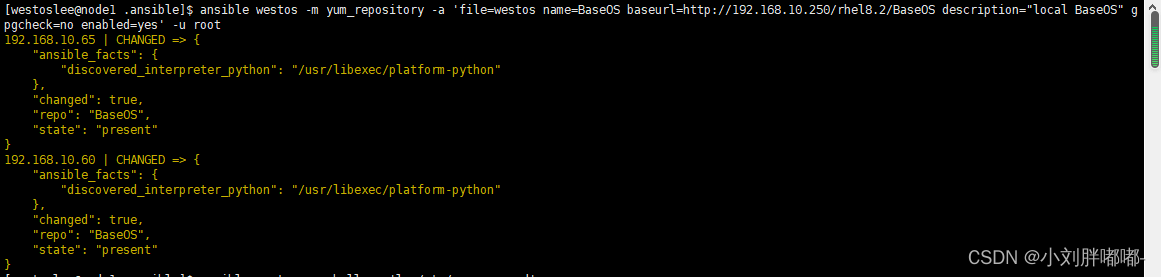
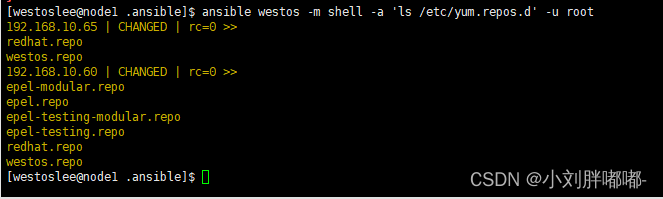
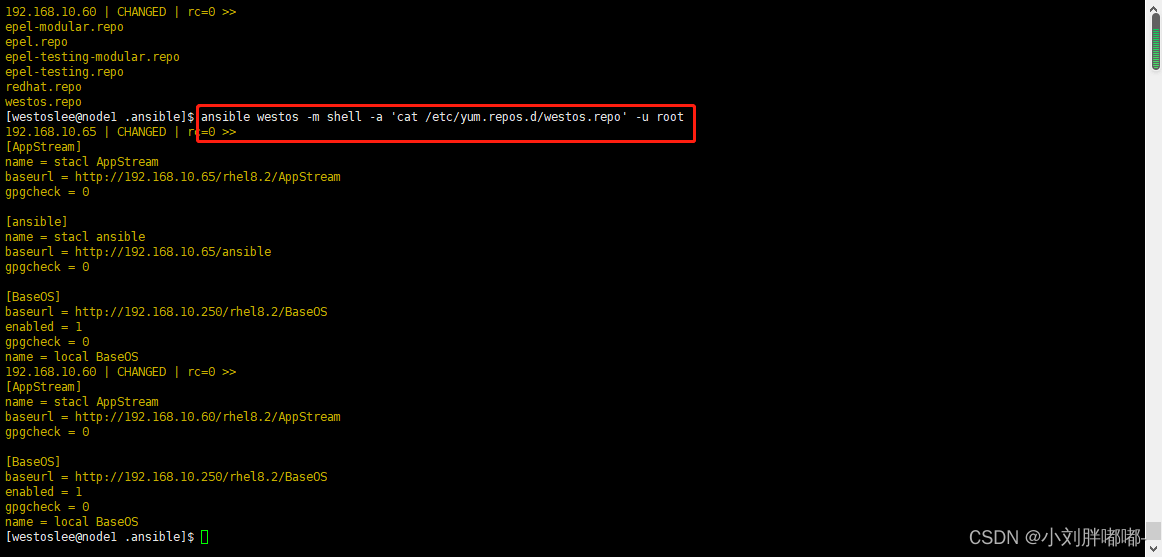
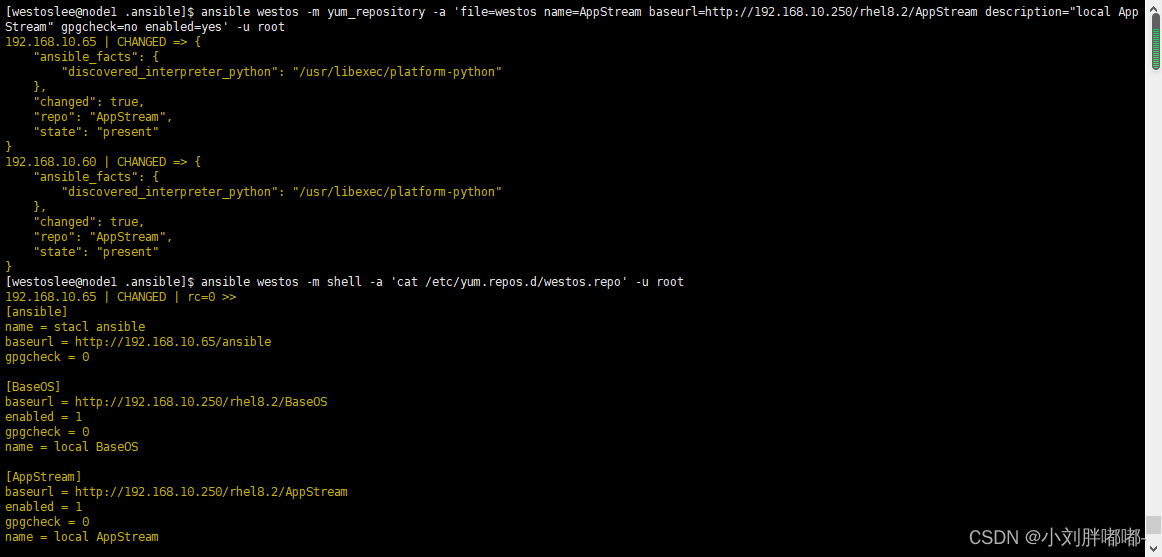
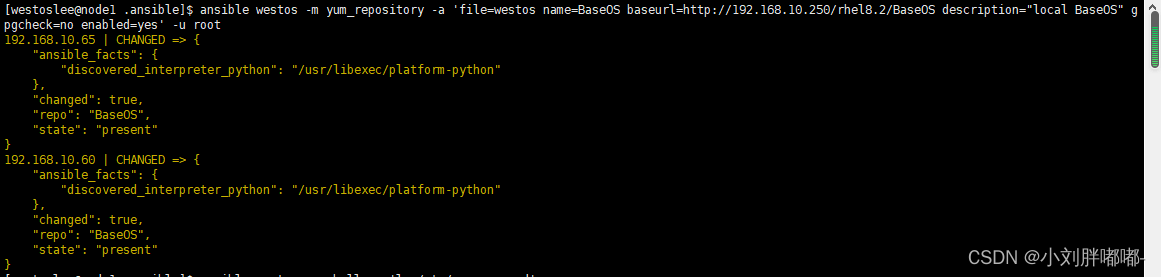
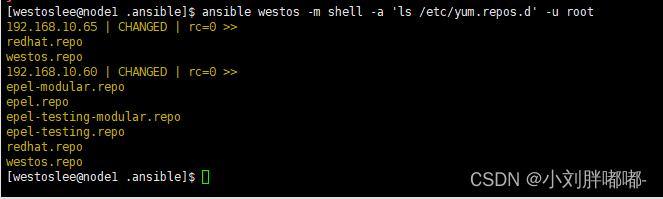
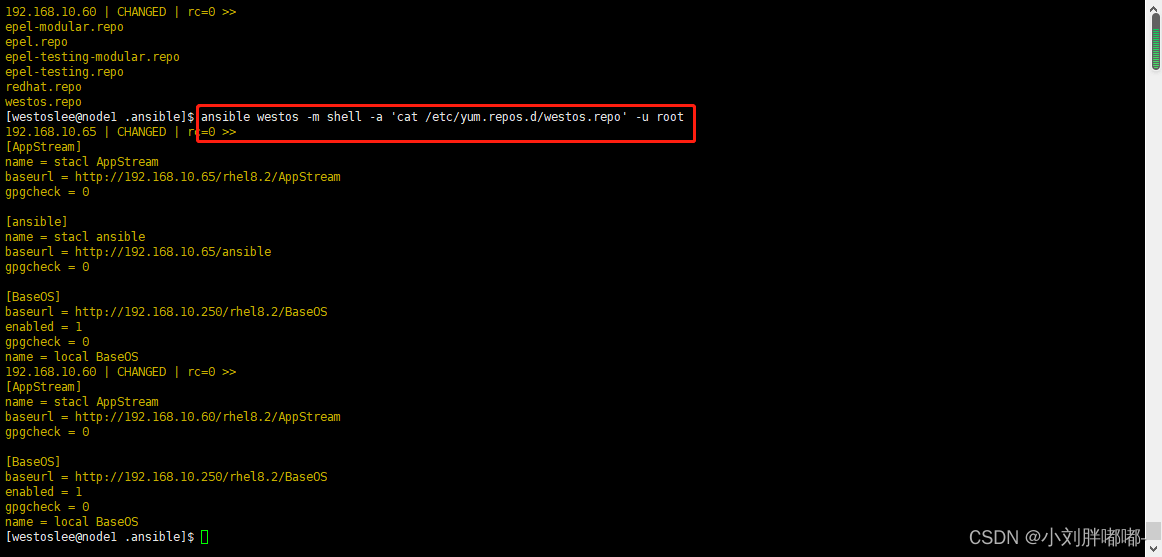
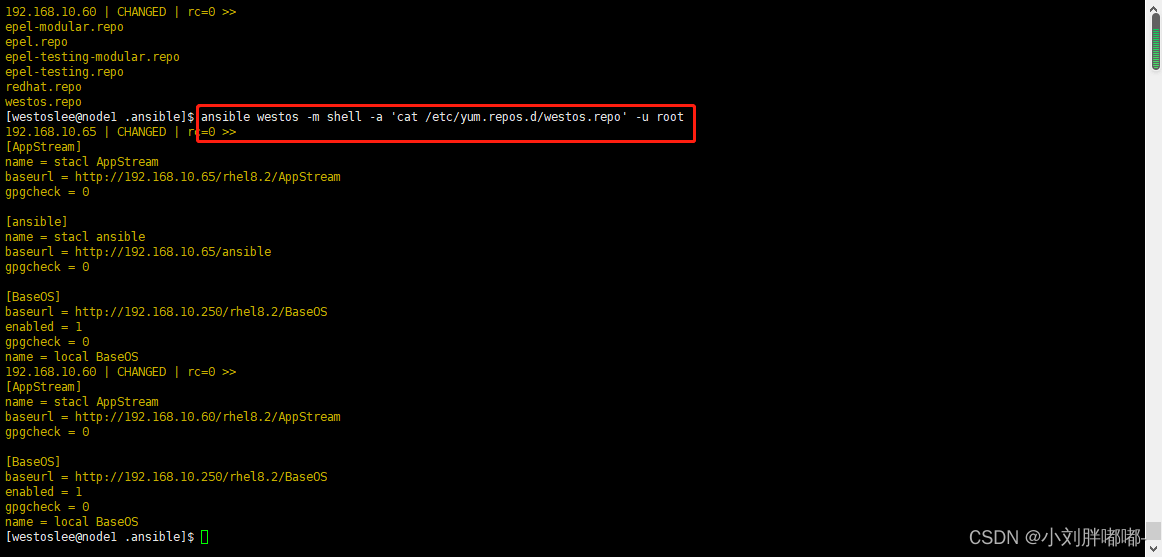
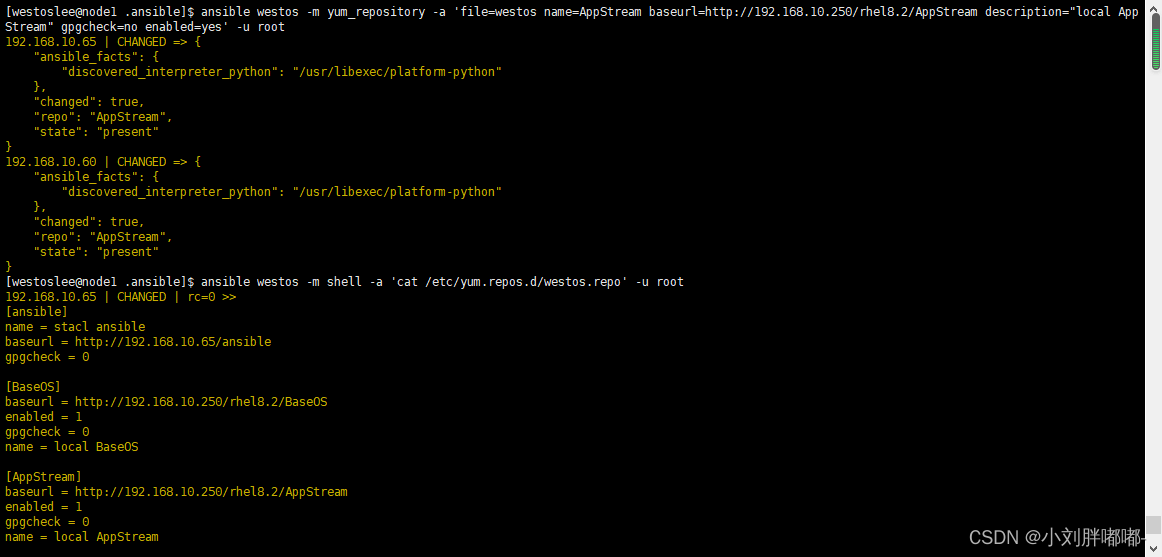
##yum_repository##
# 作用
配置系统软件仓库源文件
# 常用参数
name ## 指定仓库名称
baseurl ## 指定源路径
description ## 指定仓库描述
file ## 指定仓库文件名称
enabled ## 仓库是否启用
gpgcheck ## 仓库是否检测 gpgkey
## 实例 ##
ansible list1 - m cron - a "job = 'echo hello' name = test disable = yes" - k
ansible list1 - m cron - a "job = 'echo hello' name = test disabled = yes" - k
ansible list1 - m cron - a "job = 'echo hello' name = test state = absent" - k
##yum_repository##
# 作用
配置系统软件仓库源文件
# 常用参数
name ## 指定仓库名称
baseurl ## 指定源路径
description ## 指定仓库描述
file ## 指定仓库文件名称
enabled ## 仓库是否启用
gpgcheck ## 仓库是否检测 gpgkey

 state ## 默认值 present 建立
#absent 为删除
# 实例
ansible all - m yum_repository - a "name = AppStream baseurl = http :// 172.25.254.250 / rhel8 .2 / AppStream
description = AppStream_westos gpgcheck = no file = westos_test" - k
ansible all - m yum_repository - a "name = AppStream file = westos_test state = absent" - k
##dnf##
# 作用
管理系统中的 dnf 仓库及管理软件
# 常用参数
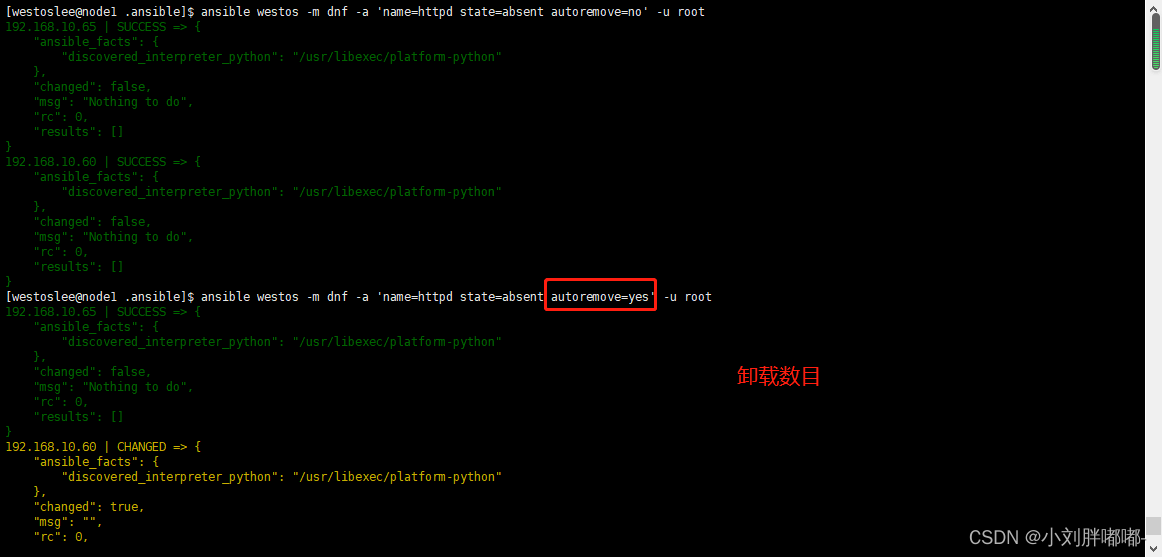
name ## 指定包
state ## 指定动作
#present
安装
#latest
更新
#absent
删除
state ## 默认值 present 建立
#absent 为删除
# 实例
ansible all - m yum_repository - a "name = AppStream baseurl = http :// 172.25.254.250 / rhel8 .2 / AppStream
description = AppStream_westos gpgcheck = no file = westos_test" - k
ansible all - m yum_repository - a "name = AppStream file = westos_test state = absent" - k
##dnf##
# 作用
管理系统中的 dnf 仓库及管理软件
# 常用参数
name ## 指定包
state ## 指定动作
#present
安装
#latest
更新
#absent
删除
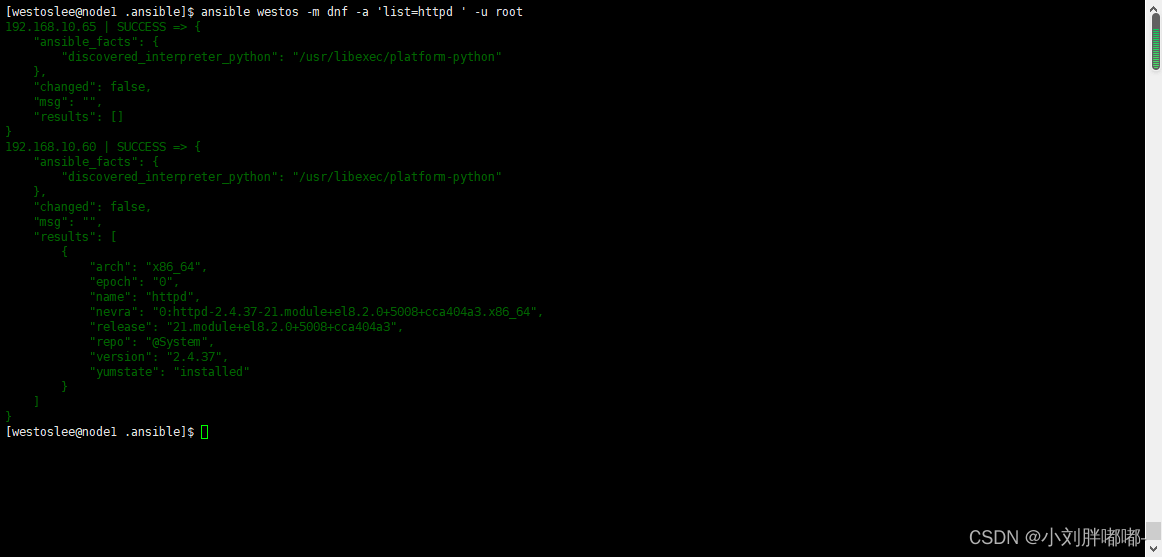
 list ## 列出指定信息
# httpd
list ## 列出指定信息
# httpd
 # installed
# all
# available
disable_gpg_check # 禁用 gpgkey 检测
enablerepo ## 指定安装包来源 disablerepo ## 禁用安装包来源
## 实例
ansible all - m dnf - a "name = httpd state = latest"
ansible all - m dnf - a 'name="httpd,mariadb-server" state=present'
ansible all - m dnf - a 'name=httpd state=absent'
ansible all - m dnf - a 'name=httpd state=absent autoremove=no'
# installed
# all
# available
disable_gpg_check # 禁用 gpgkey 检测
enablerepo ## 指定安装包来源 disablerepo ## 禁用安装包来源
## 实例
ansible all - m dnf - a "name = httpd state = latest"
ansible all - m dnf - a 'name="httpd,mariadb-server" state=present'
ansible all - m dnf - a 'name=httpd state=absent'
ansible all - m dnf - a 'name=httpd state=absent autoremove=no'
 ansible all - m dnf - a 'name=httpd state=present enablerepo=AppStream'
ansible all - m dnf - a 'name="*" state=latest'
ansible all - m dnf - a 'name=http://172.25.254.250/software/wps-office-xxx.rpm state=present'
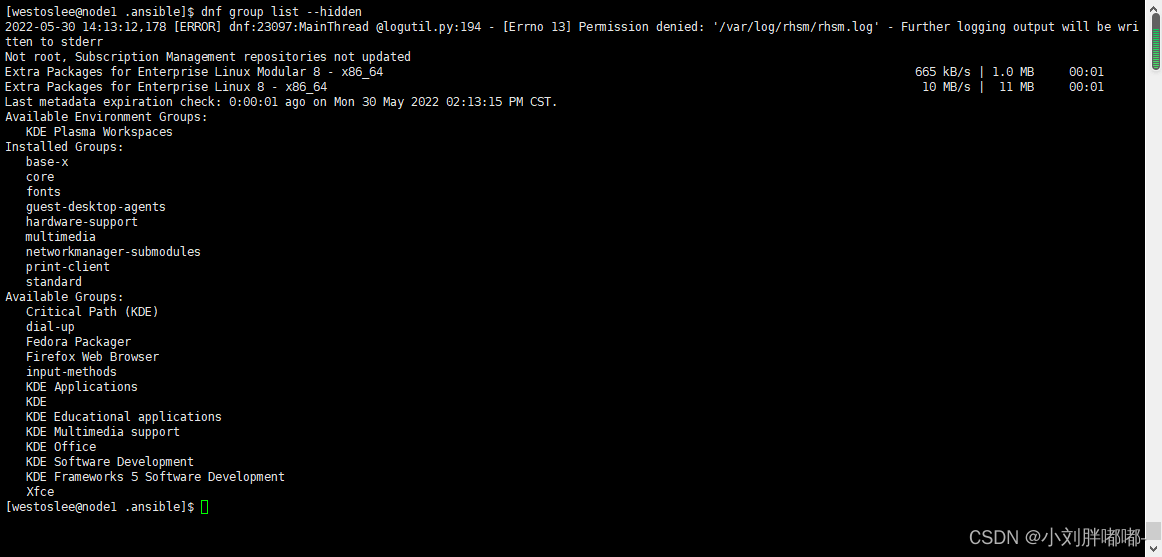
ansible all - m dnf - a 'name="@Virtual Tools" state=present'
ansible all - m dnf - a 'name=httpd state=present enablerepo=AppStream'
ansible all - m dnf - a 'name="*" state=latest'
ansible all - m dnf - a 'name=http://172.25.254.250/software/wps-office-xxx.rpm state=present'
ansible all - m dnf - a 'name="@Virtual Tools" state=present'
 ##service
# 作用
管理系统服务状态
# 常用参数
name ## 指定服务名称
state ## 指定对服务的动作
#started
#stoped
#restarted
#reloaded
enabled ## 设定服务开机是否启动
#yes 开启启动
#no 开机不启动
## 实例
ansible all - m service - a "name = httpd state = started enabled = yes" - k
ansible all - m service - a "name = httpd state = restarted enabled = yes" - k
##firewalld
# 常用参数
zone ## 火墙的域
service ## 服务名称
permanent ## 永久生效
state
enabled ## 允许
disabled ## 拒绝
immediate ## 立即生效
##user
# 作用
模块可以帮助我们管理远程主机上的用户 , 比如创建用户 、 修改用户 、 删除用户 、 为用户创建密钥对等操作
# 常用参数
name ## 必须参数 , 用于指定要操作的用户名称 。
group ## 指定用户所在的基本组 。
gourps ## 指定用户所在的附加组 。
append ## 指定添加附加组默认值为 no
shell ## 指定用户的默认 shell 。
uid ## 指定用户的 uid 号 。
comment ## 指定用户的注释信息 。
state ## 用于指定用户是否存在于远程主机
#present
建立
#absent
删除
remove ## 当删除用户是删除用户家目录 , 默认值为 no password ## 此参数用于指定用户的密码 。 但密码为明文 ,
## 可以用 openssl password - 6 ' 密码 ' 生成加密字符
generate_ssh_key ## 生成 sshkey
## 实例
ansible all - m user - a 'name=lee'
ansible all - m user - a 'name=lee state=absent'
ansible all - m user - a 'name=lee remove=yes state=absent'
ansible all - m user - a 'name=lee group=888'
ansible all - m user - a 'name=lee group=888 groups="user1,user2"'
ansible all - m user - a 'name=lee groups="user3"'
ansible all - m user - a 'name=lee groups="user1,user2" append=yes'
openssl passwd - 6 'westos'
ansible all - m user - a 'name=lee
password="$6$F4OBwqoXAigDV.dn$I2OgEPB3kfyl8CPmdh3Y8vKDqewZKrVMIDPPIt8GKnhs/
DW4gZHfxrZX5ziQN7rVjISX7l14KwDQHEd.uprlV/"'
ansible all - m user - a 'name=lee generate_ssh_key=yes'
##group
# 作用
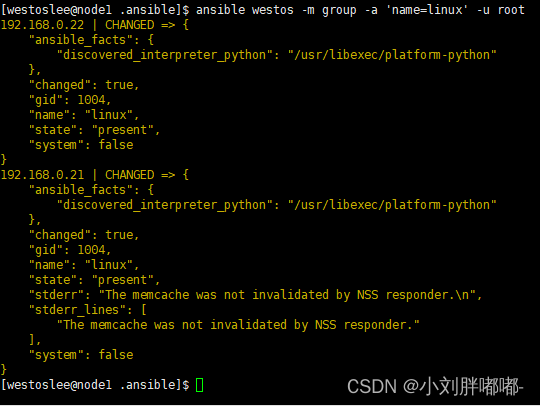
group 模块可以帮助我们管理远程主机上的组 。
# 常用参数
name ## 用于指定要操作的组名称 。
state ## 用于指定组的状态
#present
建立
#absent
删除
gid ## 用于指定组的 gid 。
## 实例
换地方了需要修改主机ip
##service
# 作用
管理系统服务状态
# 常用参数
name ## 指定服务名称
state ## 指定对服务的动作
#started
#stoped
#restarted
#reloaded
enabled ## 设定服务开机是否启动
#yes 开启启动
#no 开机不启动
## 实例
ansible all - m service - a "name = httpd state = started enabled = yes" - k
ansible all - m service - a "name = httpd state = restarted enabled = yes" - k
##firewalld
# 常用参数
zone ## 火墙的域
service ## 服务名称
permanent ## 永久生效
state
enabled ## 允许
disabled ## 拒绝
immediate ## 立即生效
##user
# 作用
模块可以帮助我们管理远程主机上的用户 , 比如创建用户 、 修改用户 、 删除用户 、 为用户创建密钥对等操作
# 常用参数
name ## 必须参数 , 用于指定要操作的用户名称 。
group ## 指定用户所在的基本组 。
gourps ## 指定用户所在的附加组 。
append ## 指定添加附加组默认值为 no
shell ## 指定用户的默认 shell 。
uid ## 指定用户的 uid 号 。
comment ## 指定用户的注释信息 。
state ## 用于指定用户是否存在于远程主机
#present
建立
#absent
删除
remove ## 当删除用户是删除用户家目录 , 默认值为 no password ## 此参数用于指定用户的密码 。 但密码为明文 ,
## 可以用 openssl password - 6 ' 密码 ' 生成加密字符
generate_ssh_key ## 生成 sshkey
## 实例
ansible all - m user - a 'name=lee'
ansible all - m user - a 'name=lee state=absent'
ansible all - m user - a 'name=lee remove=yes state=absent'
ansible all - m user - a 'name=lee group=888'
ansible all - m user - a 'name=lee group=888 groups="user1,user2"'
ansible all - m user - a 'name=lee groups="user3"'
ansible all - m user - a 'name=lee groups="user1,user2" append=yes'
openssl passwd - 6 'westos'
ansible all - m user - a 'name=lee
password="$6$F4OBwqoXAigDV.dn$I2OgEPB3kfyl8CPmdh3Y8vKDqewZKrVMIDPPIt8GKnhs/
DW4gZHfxrZX5ziQN7rVjISX7l14KwDQHEd.uprlV/"'
ansible all - m user - a 'name=lee generate_ssh_key=yes'
##group
# 作用
group 模块可以帮助我们管理远程主机上的组 。
# 常用参数
name ## 用于指定要操作的组名称 。
state ## 用于指定组的状态
#present
建立
#absent
删除
gid ## 用于指定组的 gid 。
## 实例
换地方了需要修改主机ip

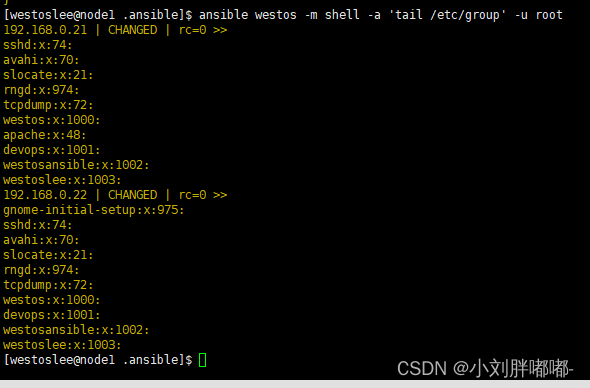
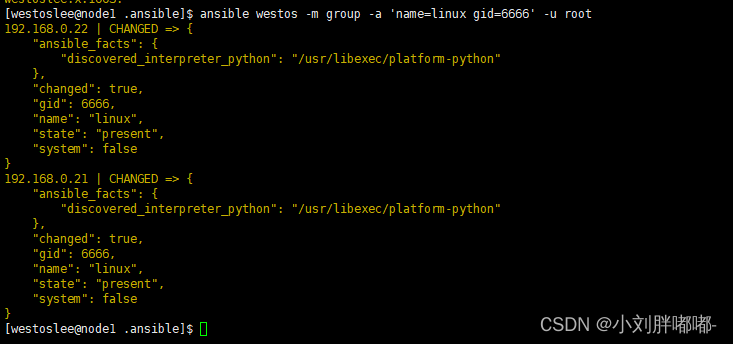
 ansible all - m group - a 'name=westoslee'

 ansible all - m group - a 'name=westoslee state=absent'


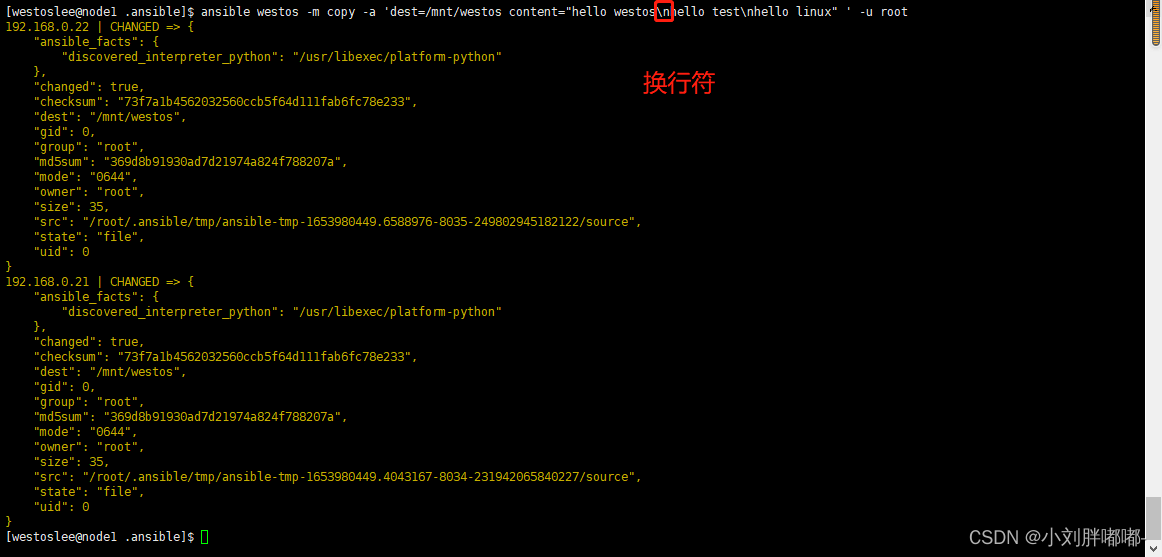
 vim / mnt / westos
hello westos
hello test
hello linux
vim / mnt / westos
hello westos
hello test
hello linux
 ## 实例
ansible all - m lineinfile - a 'path=/mnt/westos line="hello westos"'
## 实例
ansible all - m lineinfile - a 'path=/mnt/westos line="hello westos"'
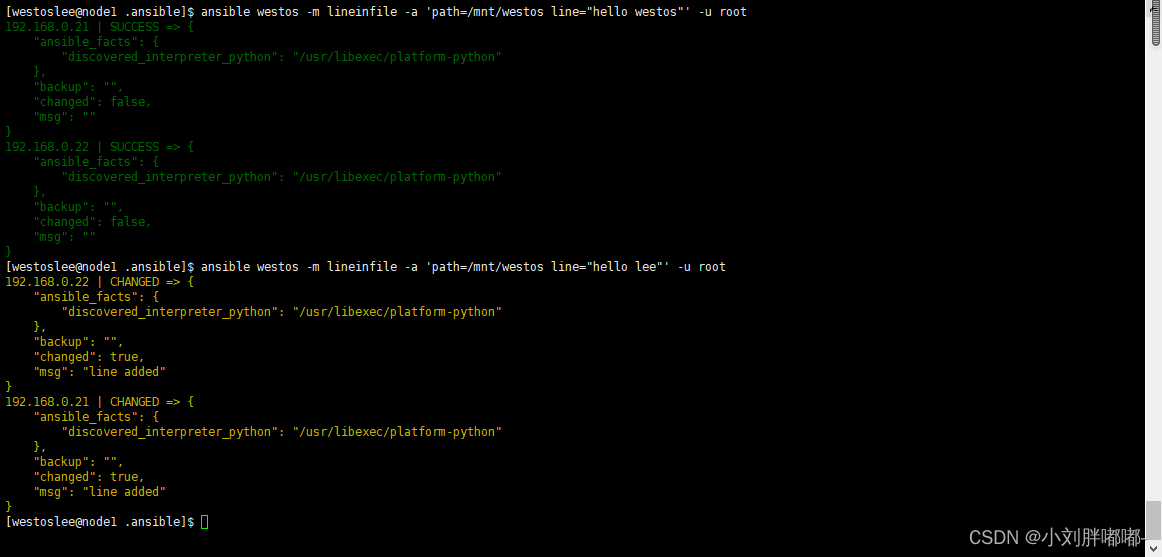 ansible all - m lineinfile - a 'path=/mnt/westos regexp="^westos" line="hello westos" '
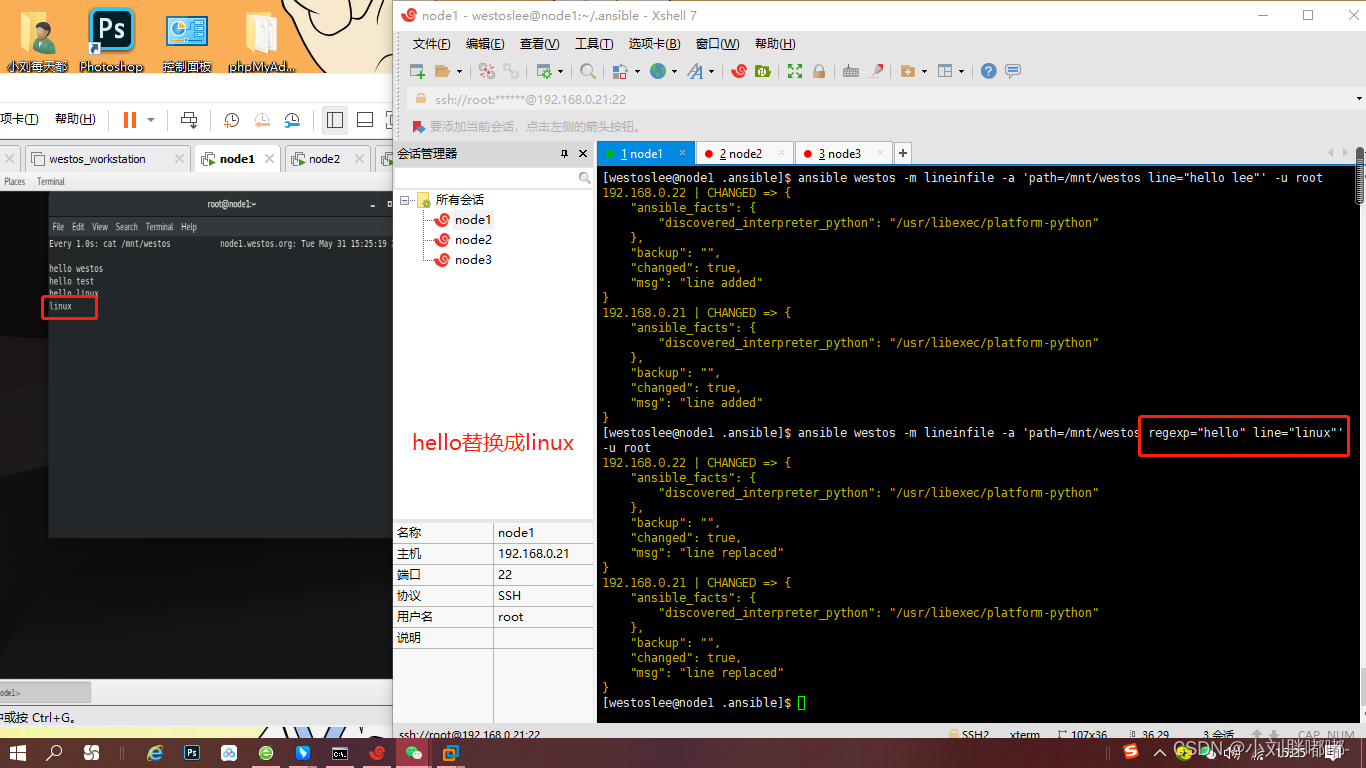
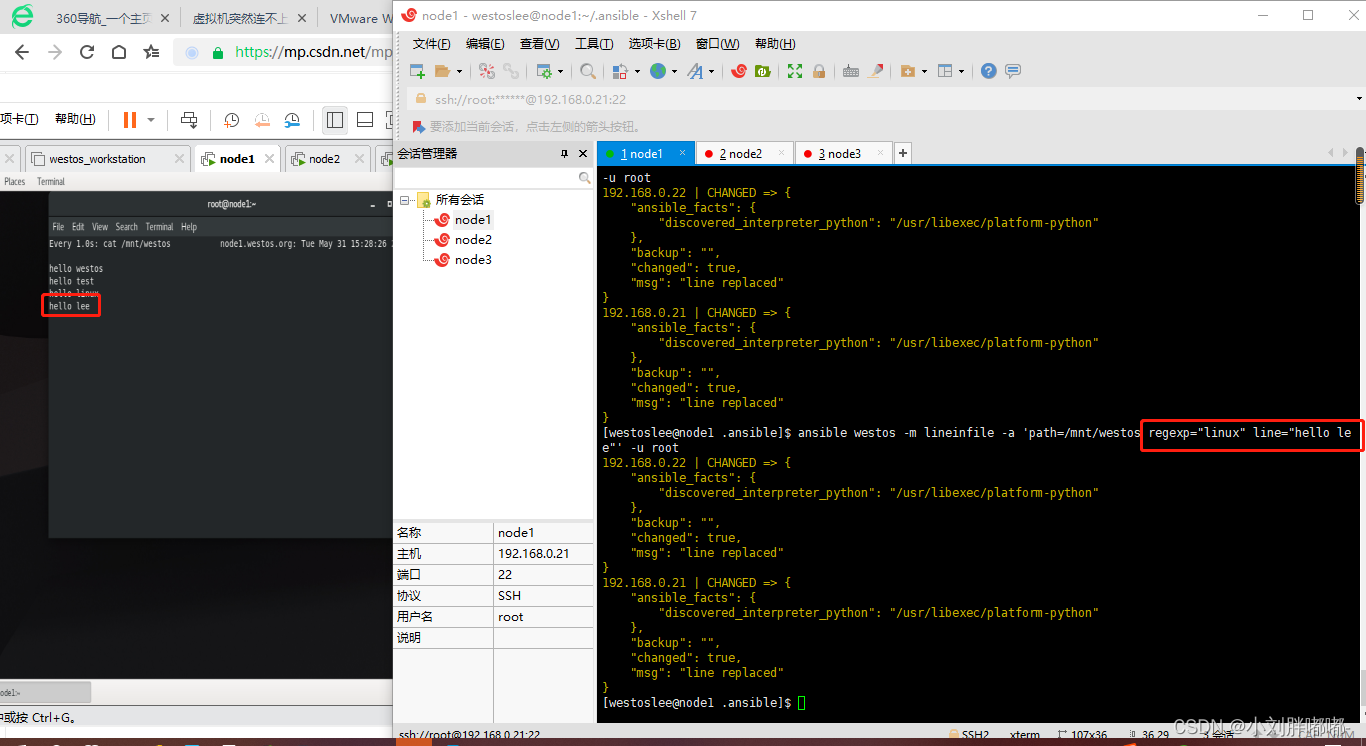
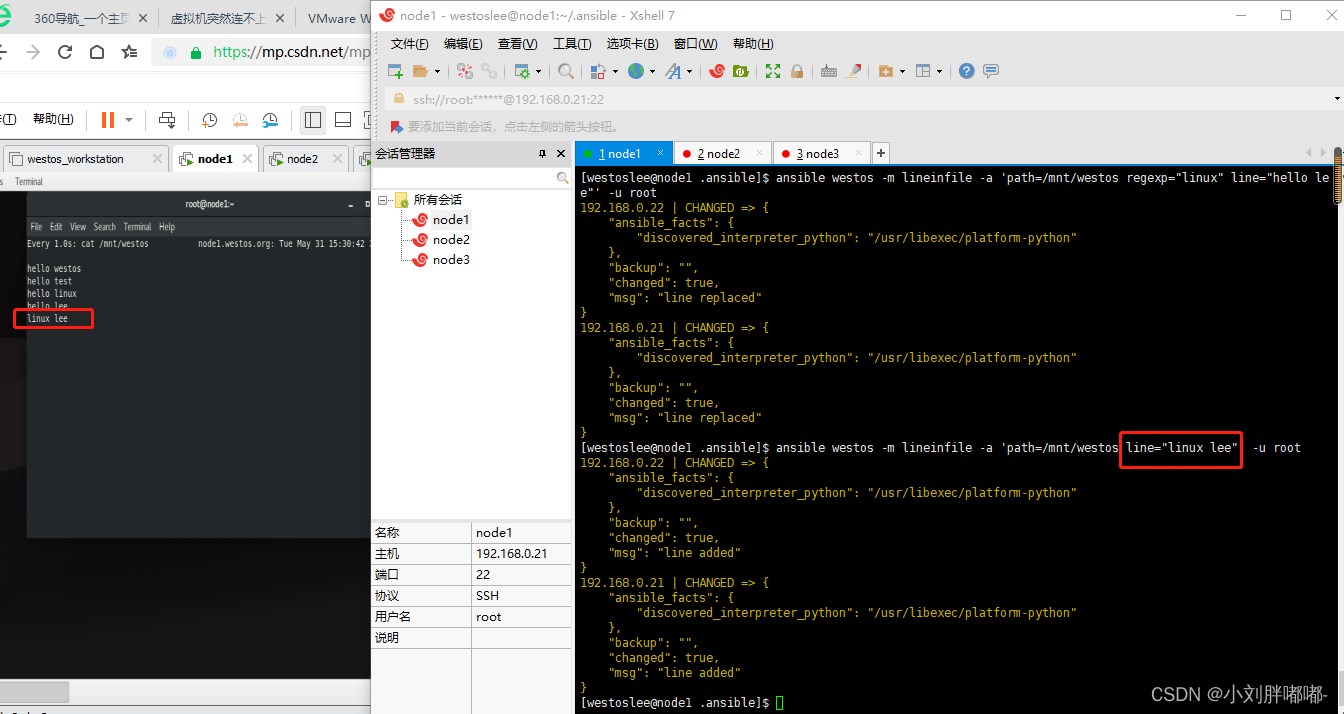
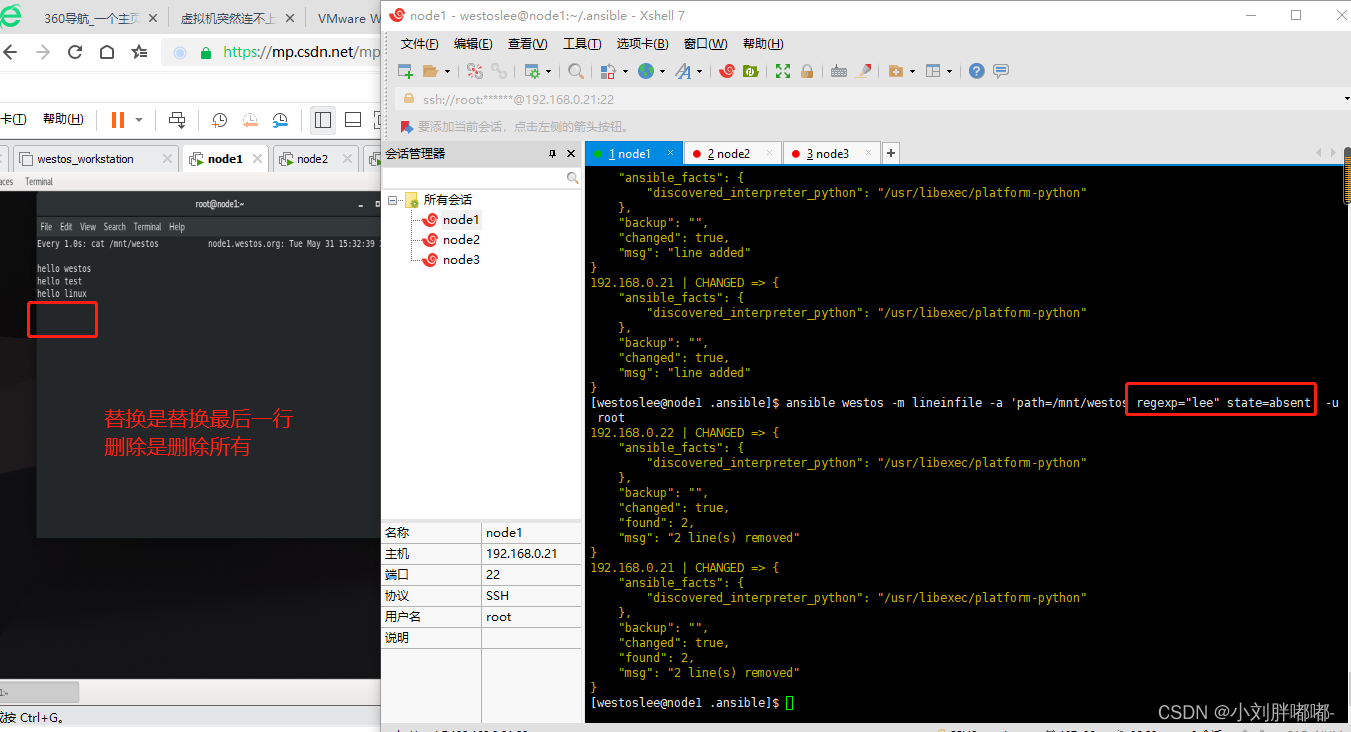
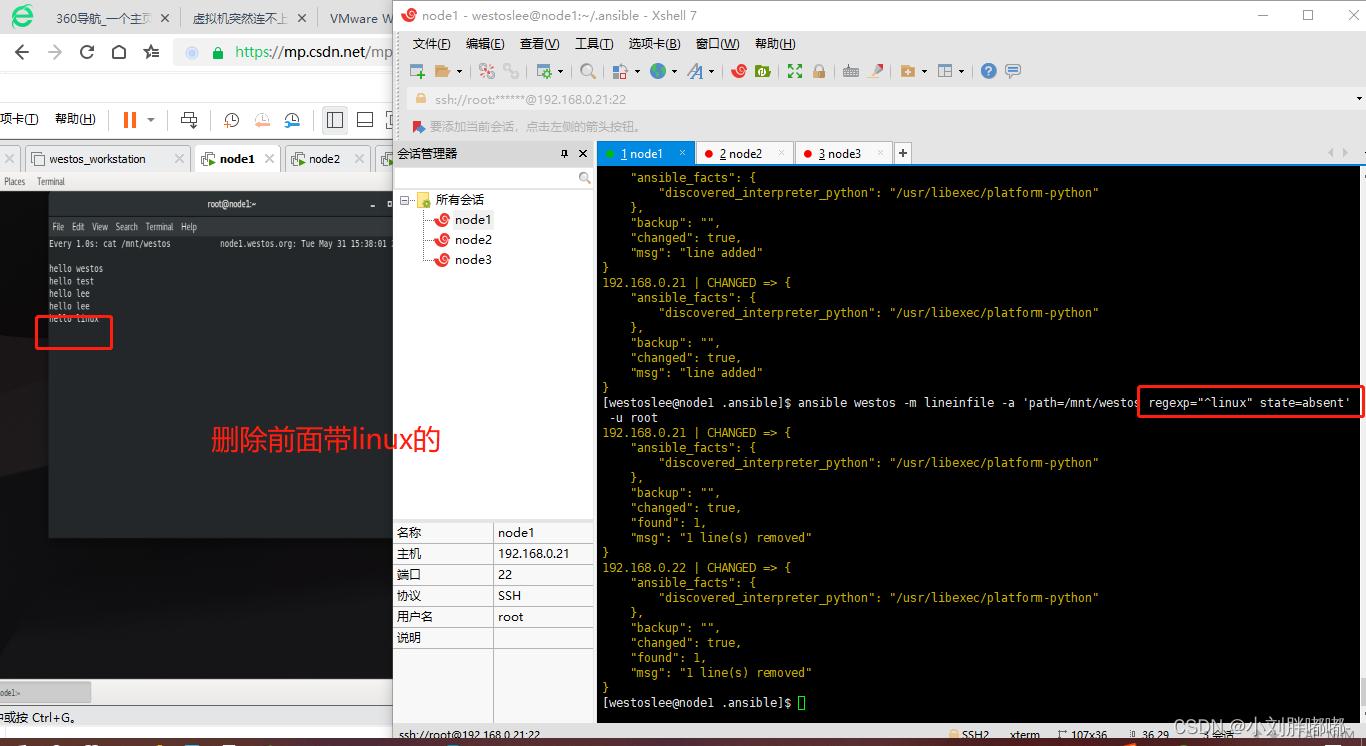
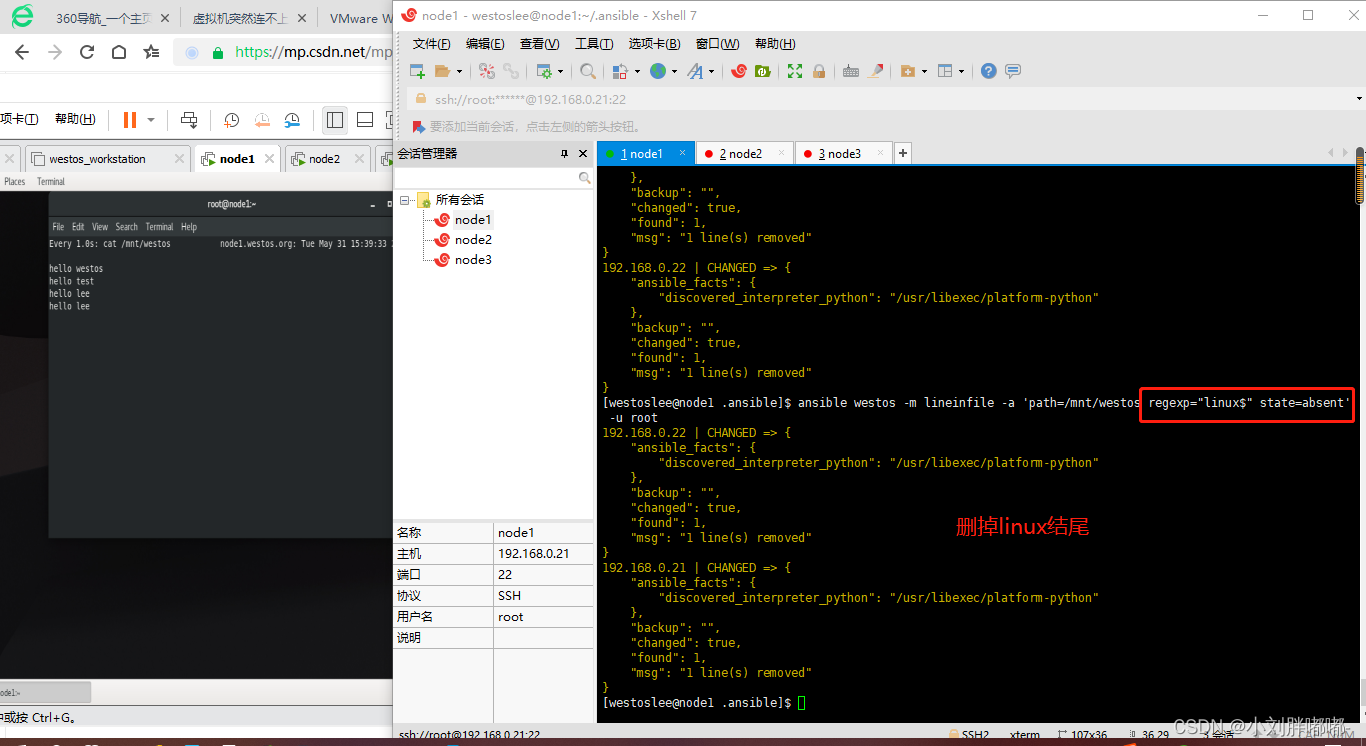

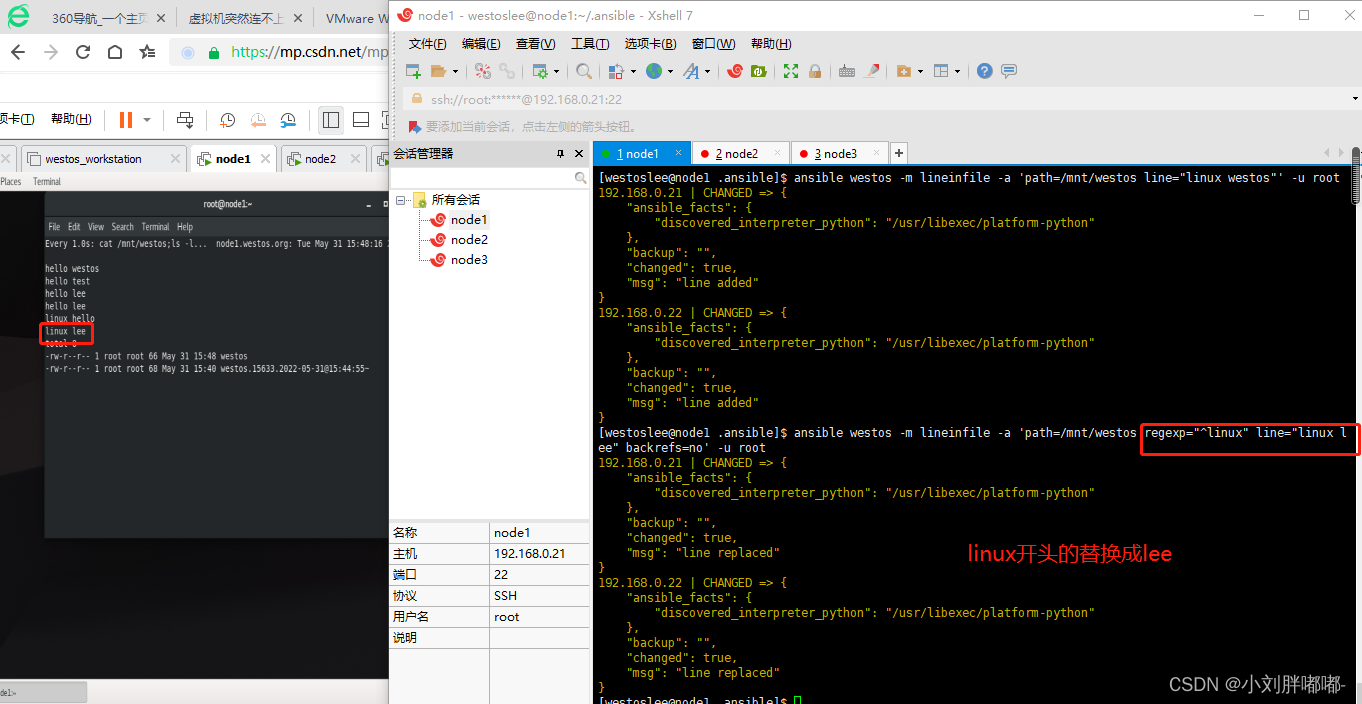
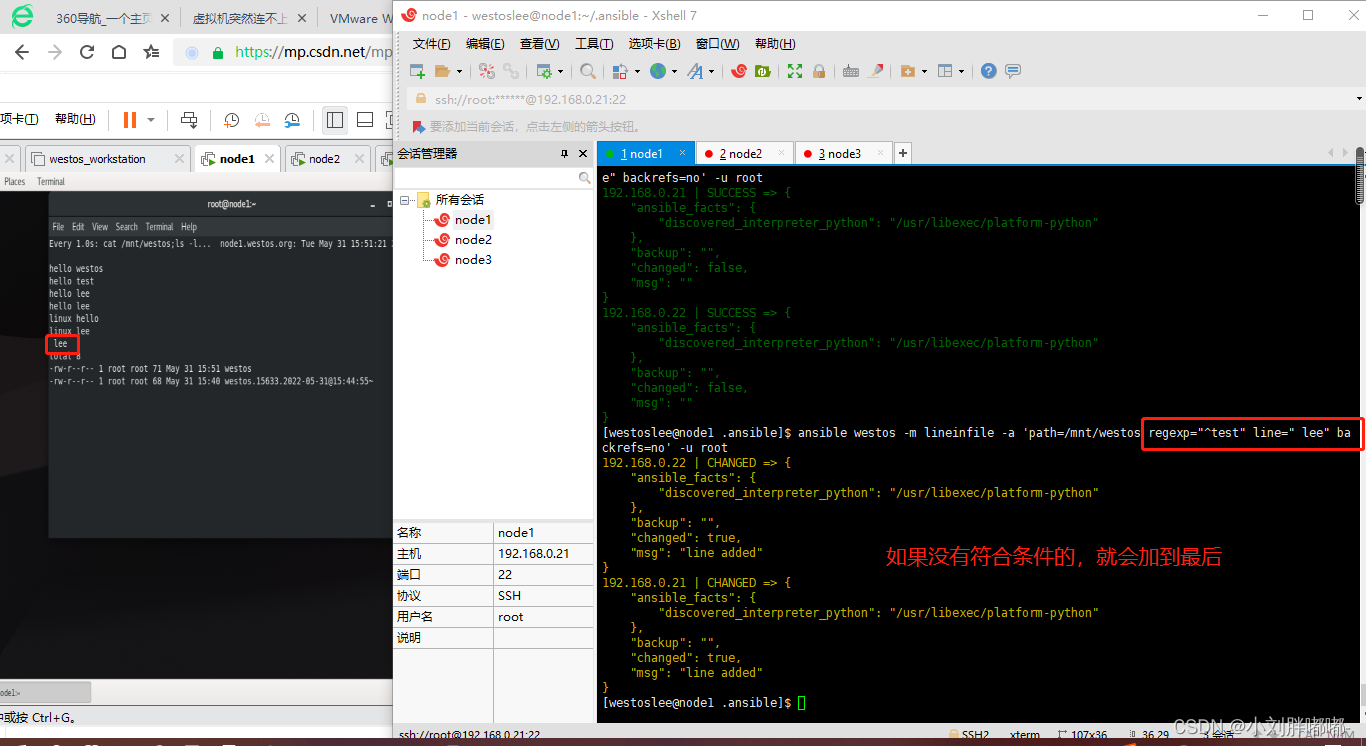
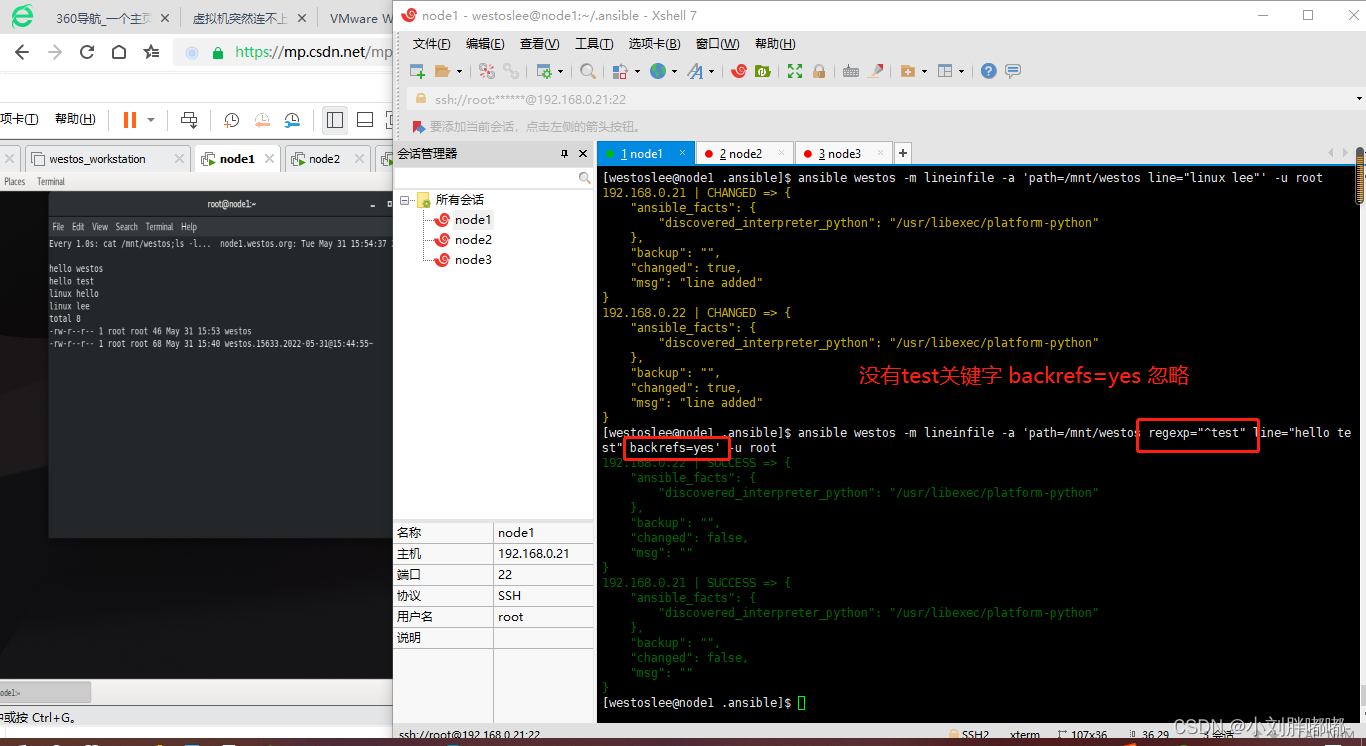
 ansible all - m lineinfile - a 'path=/mnt/westos line="###### westos end #####" insertafter=EOF'
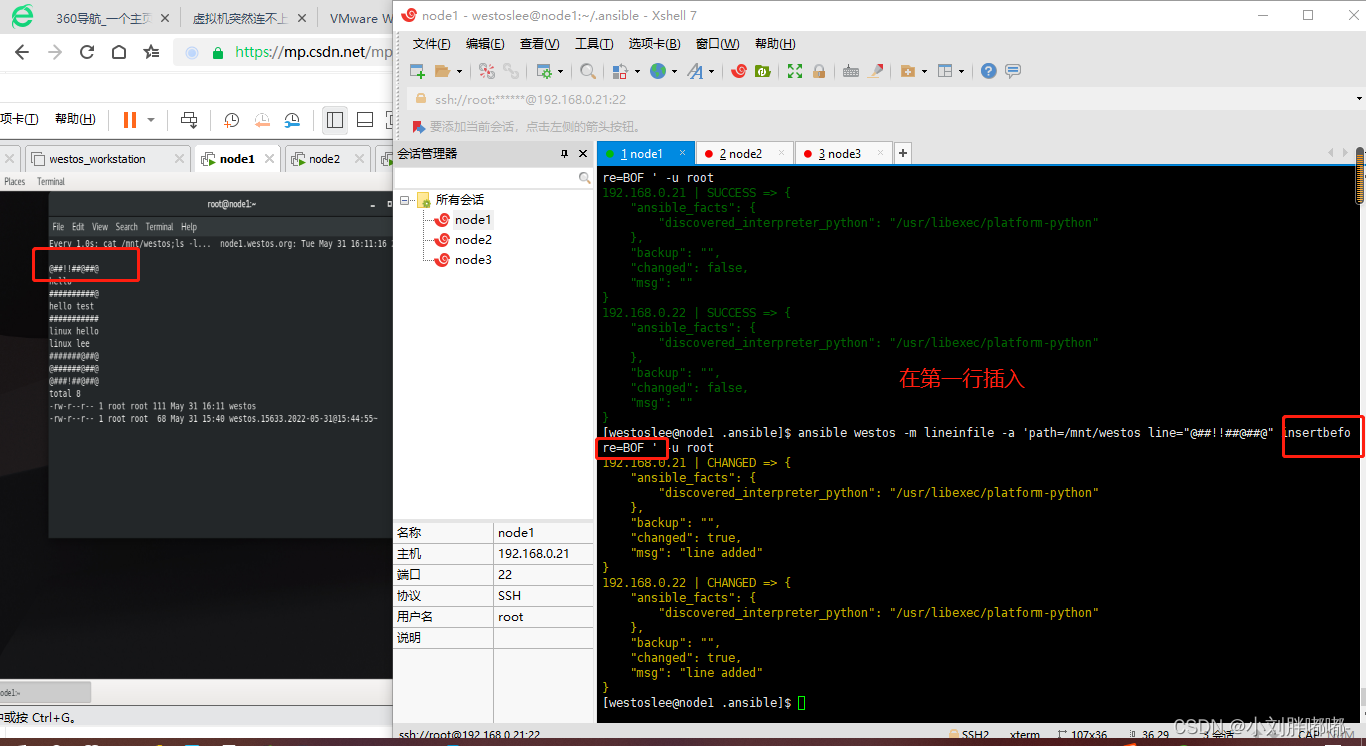
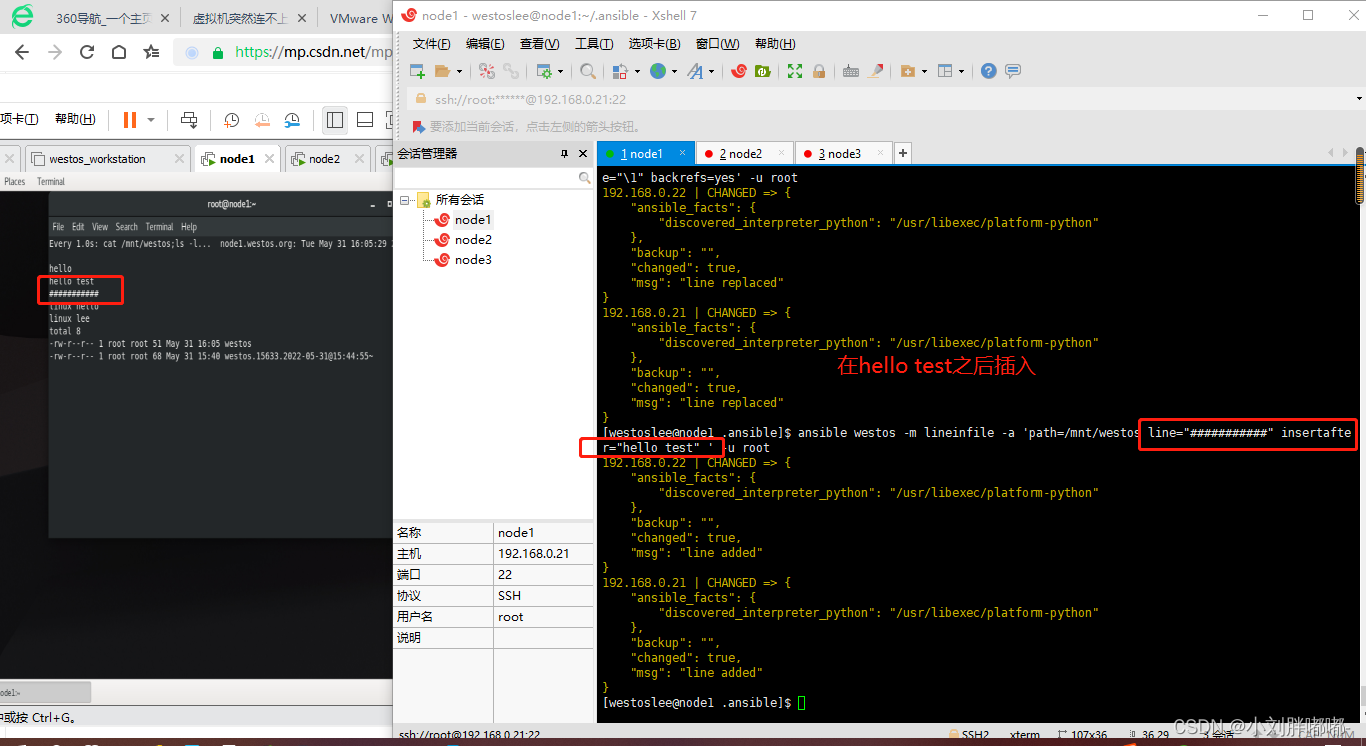 ansible all - m lineinfile - a 'path=/mnt/westos line="###### westos test #####" insertbefore=BOF'
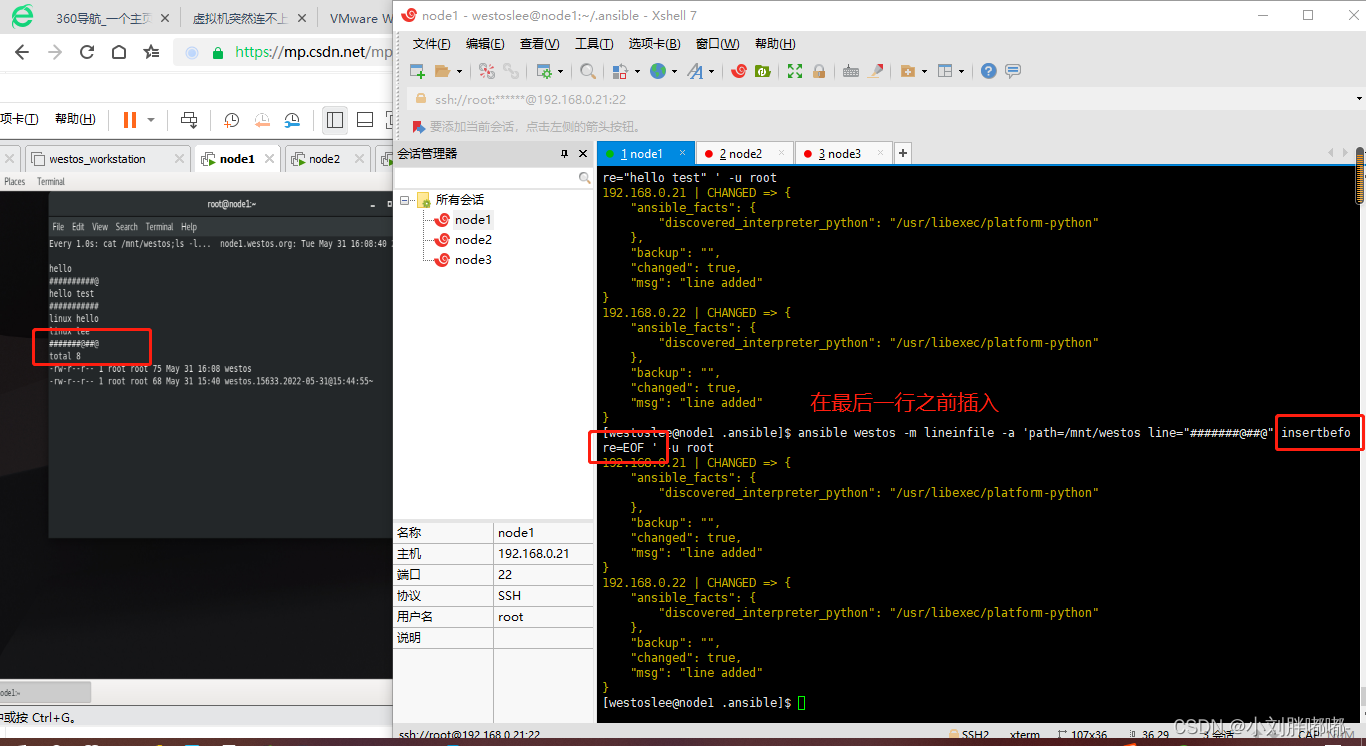
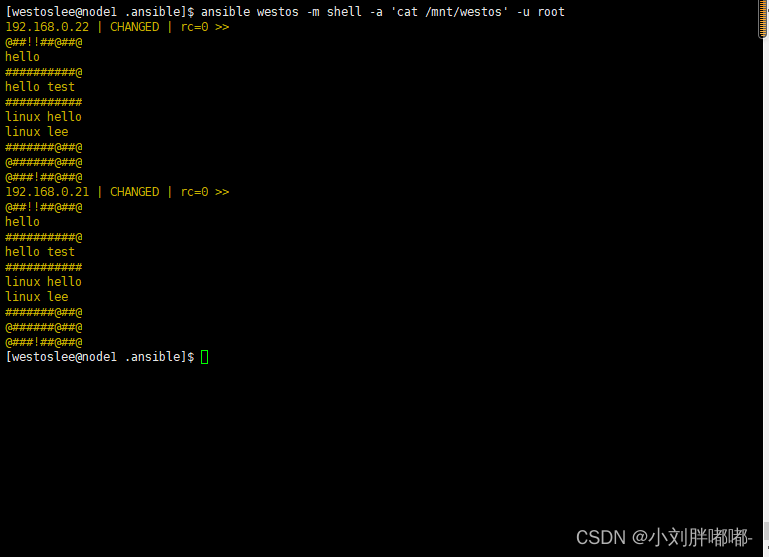
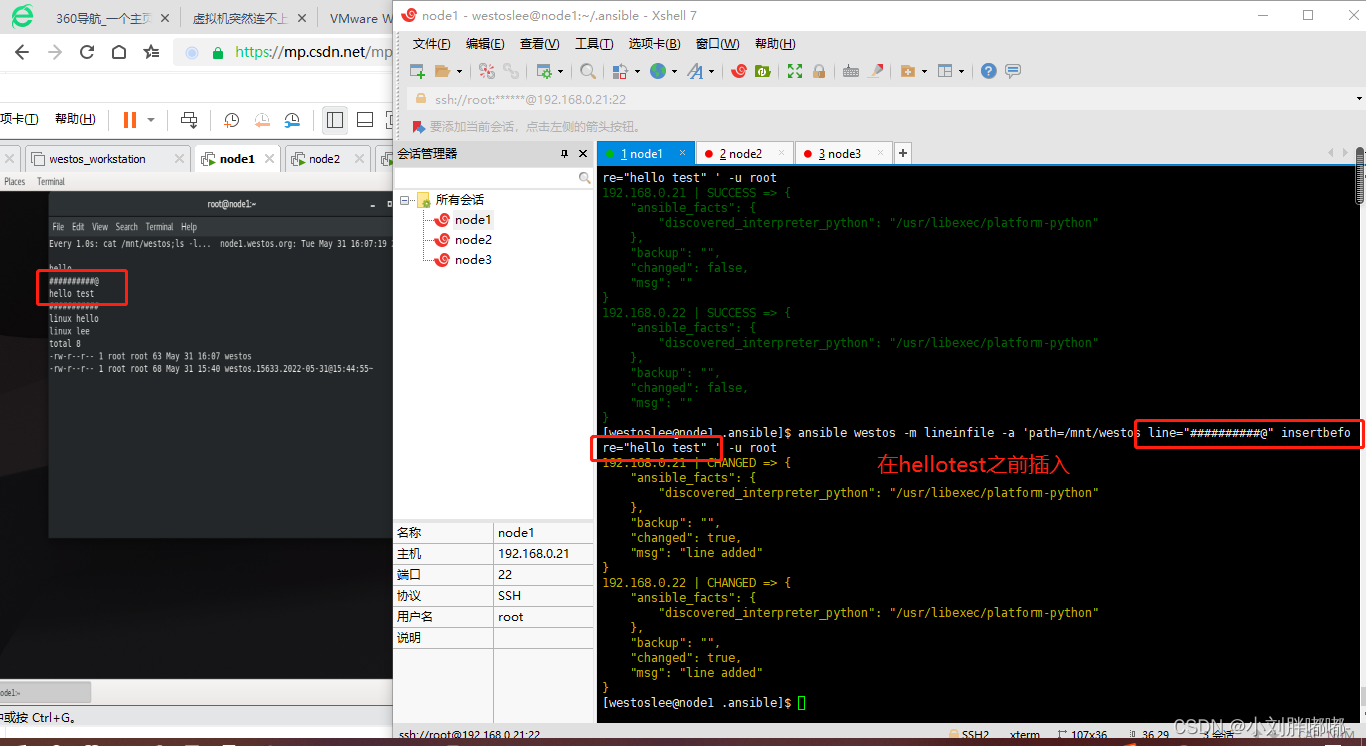 ##line |+
lineinfile :
path : / mnt / test
line : |+
westos
linux
lee
create : yes
##replace
# 作用
replace 模块可以根据我们指定的正则表达式替换文件中的字符串 , 文件中所有被匹配到的字符串都会被替换
# 常用参数
path ## 指定要操作的文件
regexp ## 指定一个正则表达式
# 文件中与正则匹配的字符串将会被替换 。
replace ## 指定最终要替换成的字符串 。
backup ## 是否在修改文件之前对文件进行备份 , 最好设置为 yes 。
## 实例
##line |+
lineinfile :
path : / mnt / test
line : |+
westos
linux
lee
create : yes
##replace
# 作用
replace 模块可以根据我们指定的正则表达式替换文件中的字符串 , 文件中所有被匹配到的字符串都会被替换
# 常用参数
path ## 指定要操作的文件
regexp ## 指定一个正则表达式
# 文件中与正则匹配的字符串将会被替换 。
replace ## 指定最终要替换成的字符串 。
backup ## 是否在修改文件之前对文件进行备份 , 最好设置为 yes 。
## 实例
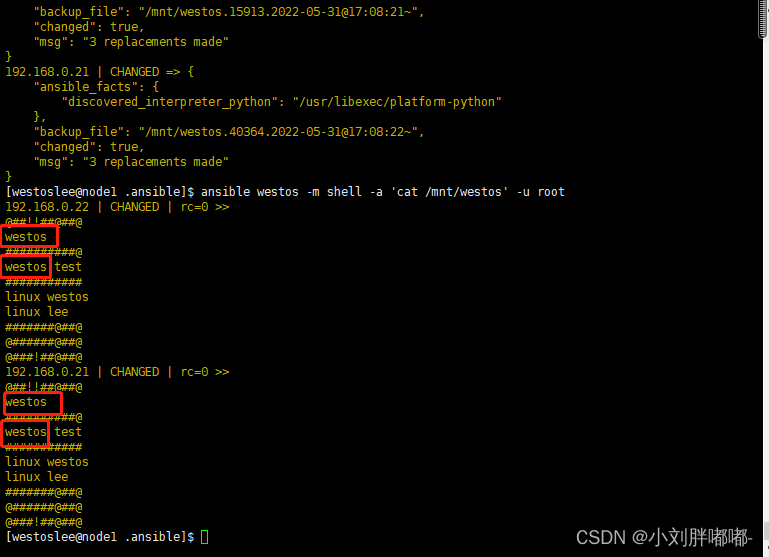
 ansible all - m replace - a 'path=/mnt/westos regexp="WESTOS" replace="westos_lee" backup=yes'
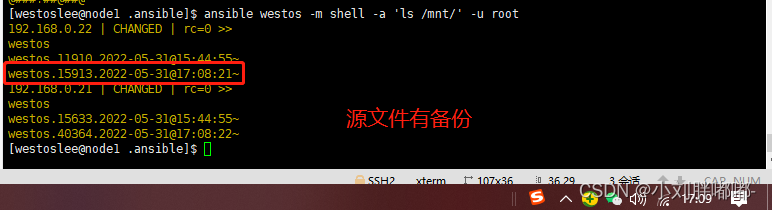
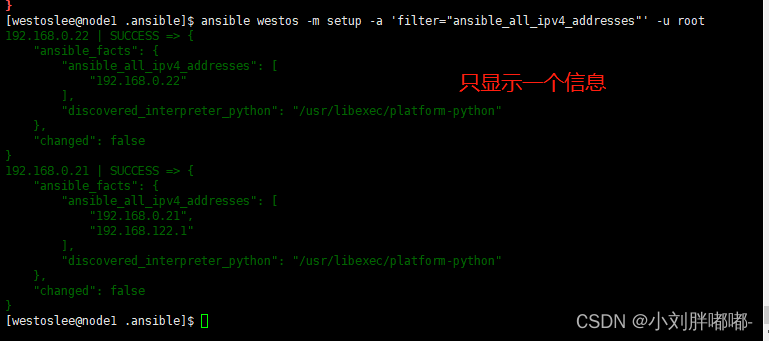
#setup# # 作用 setup 模块用于收集远程主机的一些基本信息 # 常用参数 filter ## 用于进行条件过滤 。 如果设置 , 仅返回匹配过滤条件的信息 。 ## 实例 ansible all - m setup - k

ansible all - m setup - a "filter = 'ansible_all_ipv4_addresses' " - k
#debug# # 作用 调试模块 , 用于在调试中输出信息 # 常用参数 : msg : ##调试输出的消息

var : ##将某个任务执行的输出作为变量传递给debug 模块

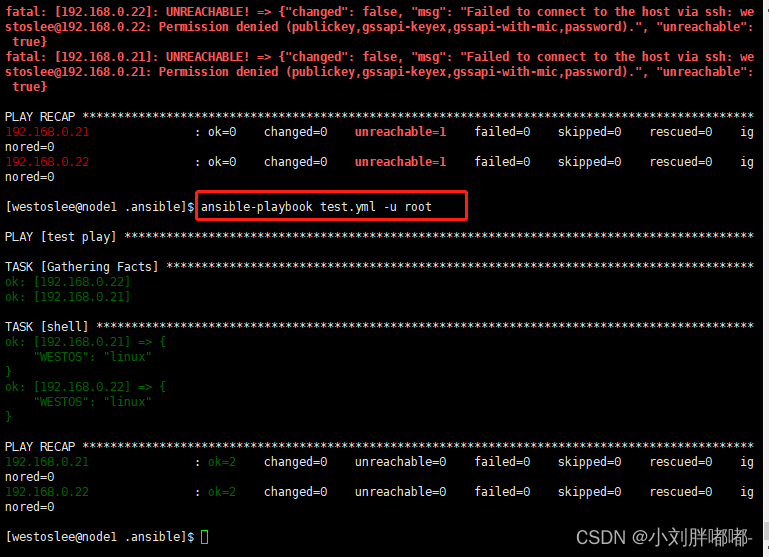
##debug 会直接将其打印输出 verbosity : ##debug 的级别 ( 默认是 0 级 , 全部显示 )
本文来自互联网用户投稿,文章观点仅代表作者本人,不代表本站立场,不承担相关法律责任。如若转载,请注明出处。 如若内容造成侵权/违法违规/事实不符,请点击【内容举报】进行投诉反馈!